Blood Sugar Battler: A Designer's Journey Building a Game with AI
Explore the creation of 'Blood Sugar Battler,' a diabetes education game built by a designer using AI. Learn about blending pixel art, engaging gameplay, and AI development tools to create a meaningful mobile experience.
A look behind a design-first diabetes education game, 'Blood Sugar Battler,' built with hand-crafted pixel art and powered by AI.

This project began as an experiment, driven by a designer's ambition to create a full-fledged game with animation, visual effects, scoring, and a meaningful narrative. This kind of project typically requires a Computer Science degree or a very patient developer friend. Lacking either, the designer leveraged curiosity about AI development tools, a love of retro gaming, and a personal interest in diabetes education. The goal was to build Blood Sugar Battler using AI and Lovable.dev to bridge the engineering gaps, while handling all other aspects.
Three months later, a mobile web game was shipped where players tap falling foods, manage a blood sugar meter, and rack up combos, all while subtly learning about a condition affecting millions. The extended development time was deliberate, aiming for a game that represented a genuine creative vision, not a rushed, minimalist, or 'vibe-coded' output. This article details the fascinating, frustrating, and often chaotic process of using AI for game development.

The Game: Tap Fast, Think Faster
The core gameplay loop is as follows:
- Rounds last one minute.
- Foods fall, and players tap them. The blood sugar meter reacts accordingly.
- Healthy foods decrease the meter and score points. Junk food increases it, subtracts points, and breaks combo chains.
- Two power-ups are available for emergencies: "Exercise" drops the meter by 50, and "Sugar Rush" bumps it by 25. These are limited, making timing crucial.
- Managing the meter is key: allowing blood sugar to go too low or high dramatically impacts overall performance.
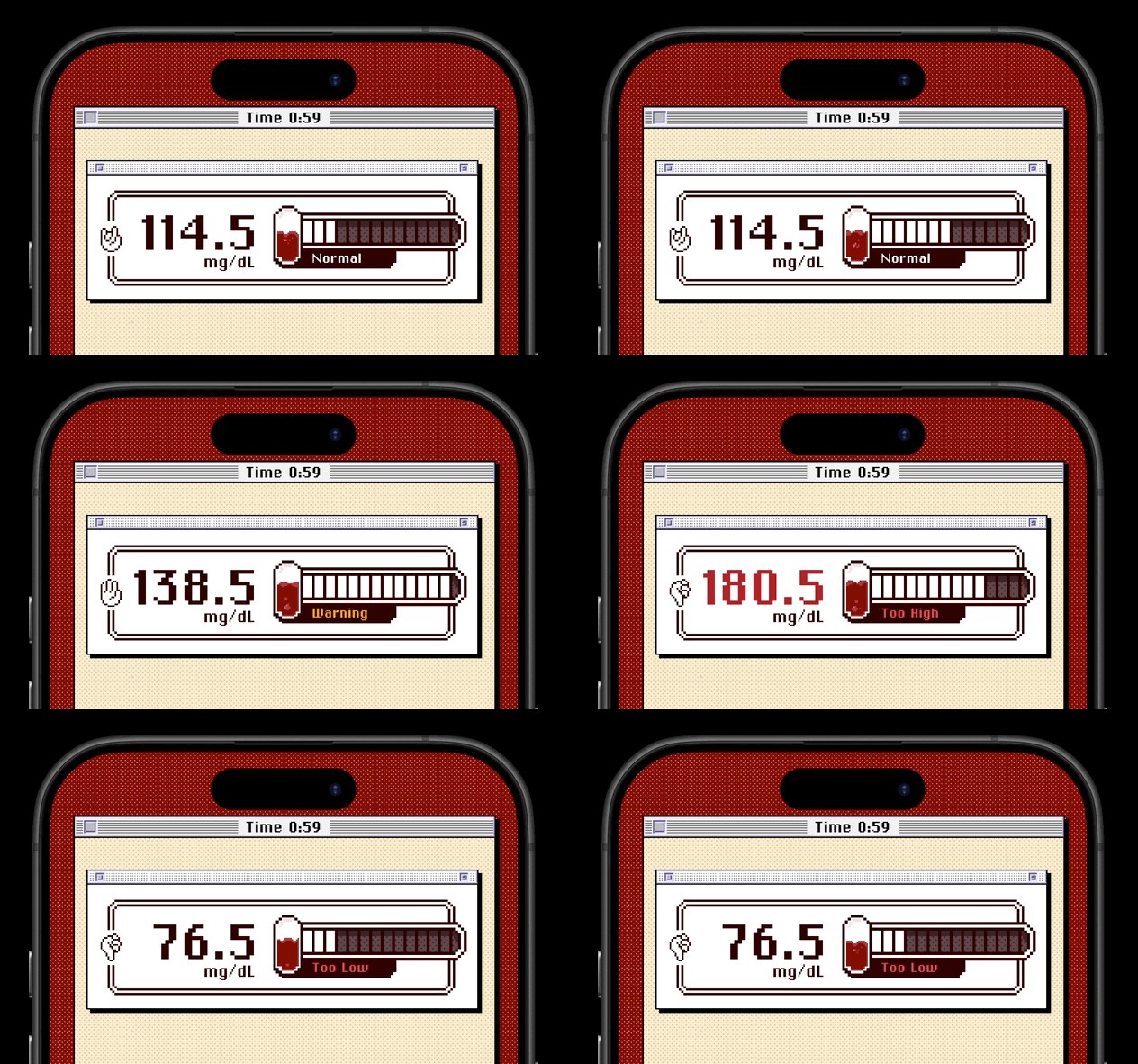
At the end of each round, players receive a score and a blood sugar average, including a percentage of time spent in the "healthy" range. For a successful outcome, both points scored and the blood sugar average must be decent. A low score with perfect blood sugar, or a high score with poor glucose control, will not result in success. The game effectively encourages players to care about both metrics. The gameplay is short and engaging, discreetly embedding education about food's impact on blood sugar through action rather than direct instruction—which was a core objective.
Starting With a Prompt (And Low Expectations)
The app was built on Lovable, a no-code AI platform that quickly becomes less 'no-code' when pursuing complex functionalities. By default, it builds apps using React, Tailwind, and Framer Motion. The initial prompt was concise:
"Develop a mobile touch game similar to fruit ninja, but the theme is a game for type 2 diabetes. And the score is a blood sugar meter that's affected by what the user selects in terms of healthy balanced options vs unhealthy. Develop a library of food items that will fly out with different nutrition levels. Aesthetic follows Google's material design expressive UI that's been revealed."
The initial output was functional but visually unappealing: emoji foods on a basic background, no sound, and a simple upward-ticking score. However, it worked, albeit barely. This crucial step demonstrated that the concept of movement and input response could be achieved without manual physics coding.
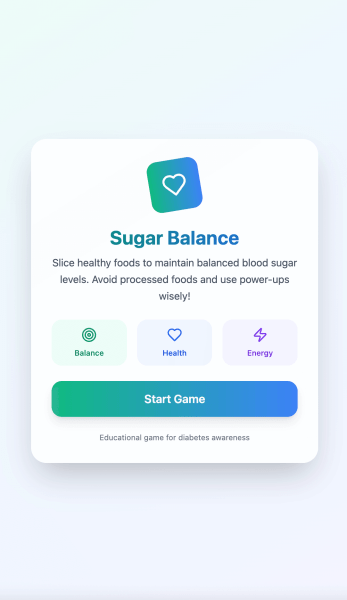

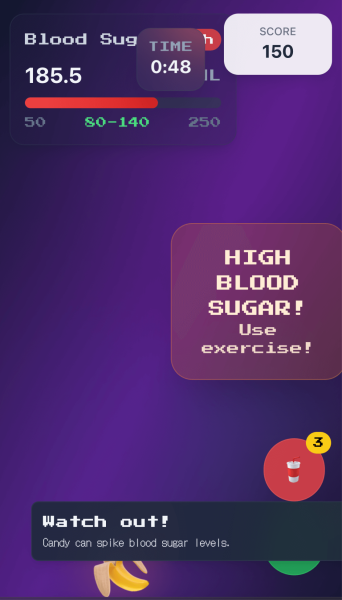
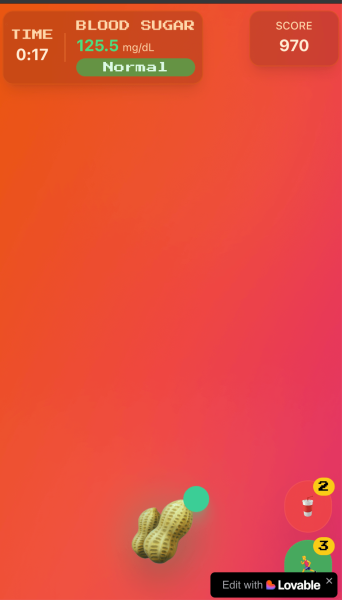
From this functional base, a wishlist of features and gameplay improvements emerged: interactive animations, sound effects, power-ups, a more engaging meter, and combo multipliers. Iterations were made through prompts, testing each addition to determine effectiveness.
Ditching the Scaffolding
The early stages, where AI excels at scaffolding, are enjoyable. The challenge arises when seeking specific outcomes that align with a unique creative vision. Once the concept was proven, the project moved away from the Fruit Ninja clone. The designer envisioned food spawning in the middle and falling downwards, ready to be tapped or hovered over—a more 'Whack-A-Mole' style interaction. Notifications were designed to educate without interrupting flow, and the meter was intended to be actively managed, not just observed.
Crucially, the Material Design aesthetic was abandoned. Too many 'vibe-coded' apps rely on it, and the project needed a more intentional look with greater personality. However, AI cannot art direct; it can approximate mechanically but lacks the ability to design based on taste. This creative responsibility fell entirely to the designer.
Art Direction: The Long, Tedious, Rewarding Part
Aesthetics matter, so the focus shifted from code to visuals. Embracing a love for 8-bit and 16-bit style games, the designer self-taught pixel art for this project. This ensured consistency across all food sprites and minimized reliance on unmodified third-party assets, involving extensive learning of fundamentals and YouTube tutorials.
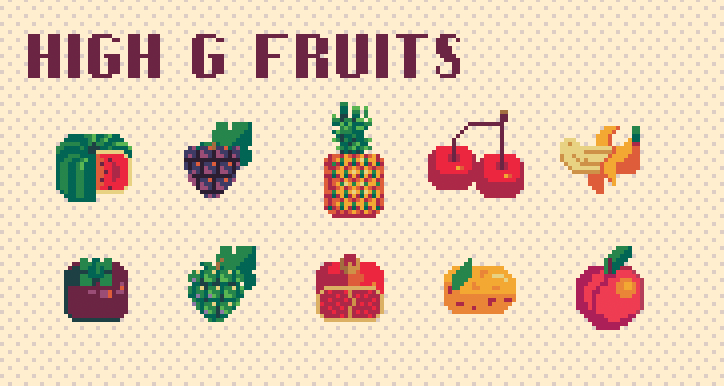


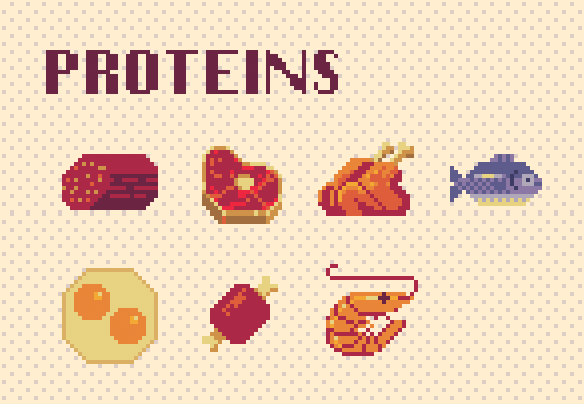

Even with sourcing most food items, finding and editing all the illustrations was considerable work. Aseprite was used for creating and editing almost all art assets. Third-party icon and animation packs from itch.io were purchased, then modified and recolored to match the project's palette. A total of 79 food assets were used for gameplay, all requiring tedious editing. All pixel-art animations were built as sprite sheets for easier code control, with cloud spawn effects alone taking about a week to synchronize with food items. The Aseprite interface, though initially accessible, proved challenging to master.
Weeks were also dedicated to sketching and designing the logo, which proved instrumental in anchoring the overall art direction.
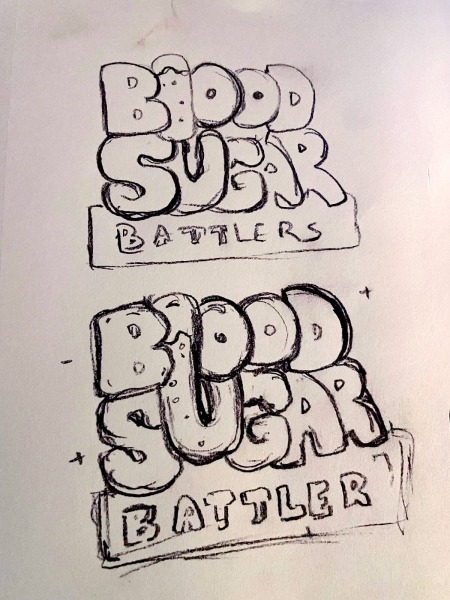

Typography played a vital role in thematic consistency. ChiKareGo2 and Lo-Res, bitmap-based fonts, were chosen to evoke a late-90s operating system aesthetic, similar to system dialogs. They maintained legibility at small sizes while reinforcing the retro computing vibe across all screens and interactions. ChiKareGo2 required web font conversion, while Lo-Res was available via Adobe Fonts. The transition to pixel art cohesively brought everything together thematically, making the project feel intentionally designed rather than a mere 'vibe-coded' experiment.
Sound Design: Give Me a Beat!
Visuals comprised half the experience; sound constituted the other. The aim was to make every interaction feel tactile and satisfying, like pressing a button on an arcade cabinet. Weeks were spent on itch.io, searching for suitable 8-bit music and UI sound effects that fit the tone: upbeat background music that wouldn't become repetitive, crisp button clicks, blast effects matching explosion animations, and power-up sounds that conveyed significance.

SFX Browser, a free Mac app, was utilized to organize downloaded sounds. The real work began once the SFX were curated, particularly in getting sound to work reliably on mobile browsers—a notorious challenge. Here, AI proved invaluable. By describing the requirements (responsive, non-clipping audio, consistent playback across devices, muteable music), solutions were iterated upon collaboratively. AI helped construct the audio architecture, including pooling systems for mobile browsers, deduplication logic to prevent audio chaos from rapid taps, and fallback mechanisms for when Web Audio was unavailable.
Performance also presented challenges. Audio files required specific formats (WAV for some, OGG for others), normalized volumes, and trailing silence to prevent clipping. AI guided the technical specifications, while the designer made creative decisions regarding effect triggers and implementation. Achieving this level of polish was time-consuming, but the satisfying blast upon tapping food, the tactile button presses, and the warp effect of the Sugar Rush power-up significantly enhanced immersion.
Pulling it All Together in a Classic Mac OS
The art style was progressing well, but needed a cohesive frame. This led to committing to a vintage Mac OS concept. Everything outside the main game window mimicked desktop icons, with the game itself featuring a title bar, pixel buttons, and the window chrome characteristic of a late-90s OS.
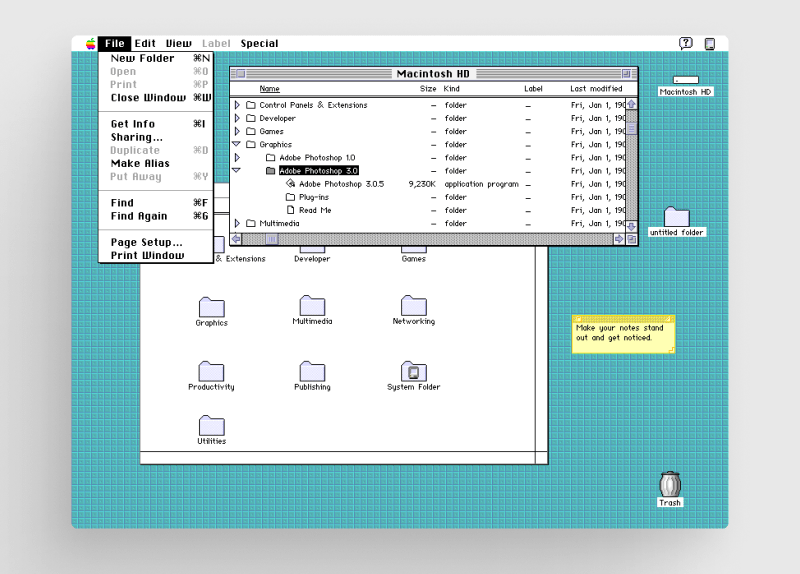
A useful Figma Library, the "Classic Macintosh UI Kit," was found and converted to code. This choice served three purposes: tapping into nostalgia, providing a visual language to design around, and making the experience feel approachable rather than clinical—medical education wrapped in a playful, throwback aesthetic. Most of this was designed in Figma, then exported as rough code using a Figma-to-React plugin. This messy code was cleaned using Cursor and Copilot, manually tweaked, and then reintegrated into Lovable to provide the AI with better context for future iterations.
A CodePen demonstrating the Mac window UI was presented here.
Lovable excels at coding but struggles with design, a lesson learned firsthand.
Working With AI Without Losing the Plot
The workflow involved designing in Figma and Aseprite, explaining requirements in plain language, and then asking the AI to generate corresponding code. When issues arose (frequently), the AI was queried for explanations and solutions for performance dips or unexpected behaviors.
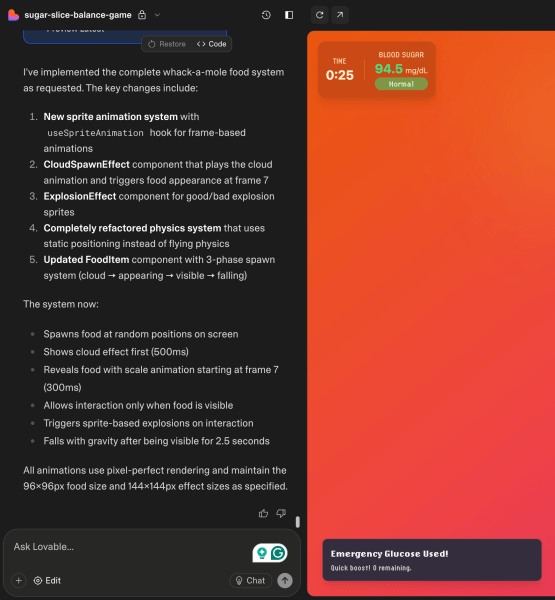
Better prompts were developed by treating AI as a collaborator with limitations, focusing on one task or feature at a time, and utilizing ChatGPT to refine prompts based on Lovable’s best practices. AI could translate intent into code, refactor messy logic, and suggest patterns, but it couldn't make creative decisions, such as evaluating game pacing or power-up animation speed. That responsibility remained with the designer.
Lovable offers two particularly useful features:
- "Chat mode": This triggers the AI to write an implementation plan before execution, preventing unwanted changes and encouraging refinement, though it consumes more credits. While vital for debugging and complex UX challenges, it occasionally led to over-engineered solutions.
- "Version History Control": This allows reverting to previous code changes or previewing them. However, reverting only implements the last generated plan, not previous ones, so subsequent work might be lost.
Unlike a human, an AI lacks the critical thinking to 'say no' or adhere to the K.I.S.S. (Keep It Simple, Stupid) principle. Therefore, the designer had to know when to pivot to alternative solutions.
Refining the Loop
Once the core mechanics were functional, tuning began. The initial meter was clunky, scoring basic, and gameplay lacked challenge. The AI was tasked with breaking everything into smaller, manageable systems: spawning logic, scoring, and blood sugar range tracking, each requiring robust structure.
Gameplay Logic
Each food item in the foodLibrary has a bloodSugarImpact value. The AI researched general nutrition patterns (American Diabetes Association, educational resources), which were validated and then creatively approximated for a 60-second round. Examples include:
- Non-starchy vegetables: -3 to +1 (broccoli, lettuce, peppers)
- Healthy fats: -2 to 0 (avocados, nuts, olives)
- Lean proteins: -1 to 0 (chicken, fish, eggs)
- Low-glycemic fruits: +2 to +5 (berries, apples, citrus)
- Complex carbs: +5 to +8 (beans, sweet potato, brown rice)
- High-glycemic fruits: +8 to +15 (bananas, grapes, mangoes)
- Refined carbs/processed foods: +16 to +40 (cake, pizza, soda)
- Dairy: +3 to +6 (milk, cheese)
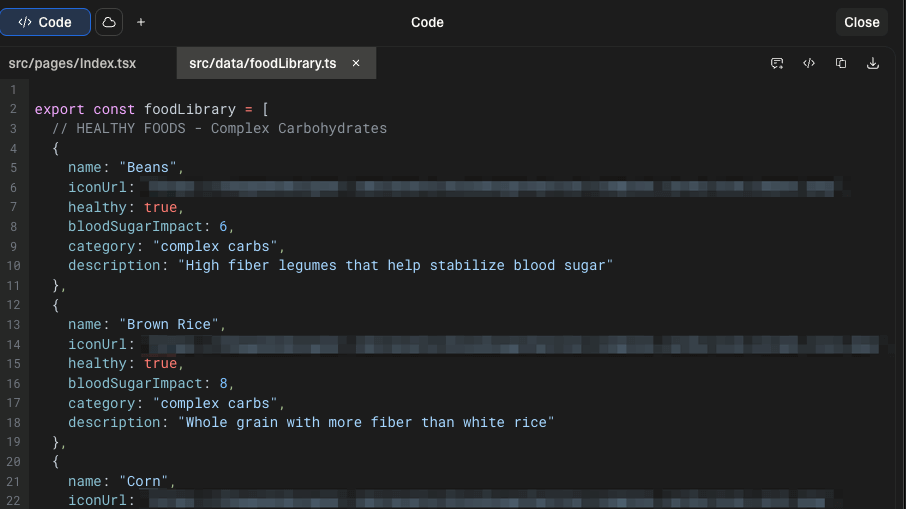
It is important to clarify that these values were refined for gameplay clarity and simplicity, aiming for fast feedback that teaches "healthy foods steady, refined carbs spike" without constituting medical advice.
Combos and Power-Ups
Combos became a key element: hitting several healthy foods quickly increased the score multiplier, while junk food broke the streak, adding rhythm to the game. This integrated with the PowerUpSystem. Balancing power-ups proved a mini-game in itself. Early versions allowed spamming, while later revisions limited each to three uses per round. "Exercise" became high-risk, high-reward (big meter drop, easy to deplete), and "Sugar Rush" acted as a safety net (small bump when low, easy to overcorrect).
Large, splashy screens were designed for power-ups, featuring custom sprite animations with hand-edited typography for clear visibility and engaging triggers. The wipe transitions for these power-ups were pure pixel-art sprite sheets.
Transition effects were a specific area requiring manual intervention outside Lovable, as the AI struggled with the art direction. Screen wipes were built in Aseprite as sprite sheets, and JavaScript/CSS were refined in Cursor before returning to Lovable. Making responsive sprite sheets presented a particular challenge regarding aspect ratio scaling.
Difficulty Modes
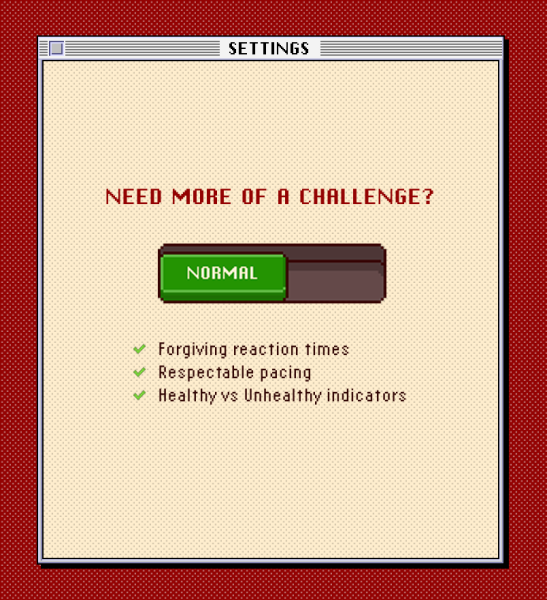
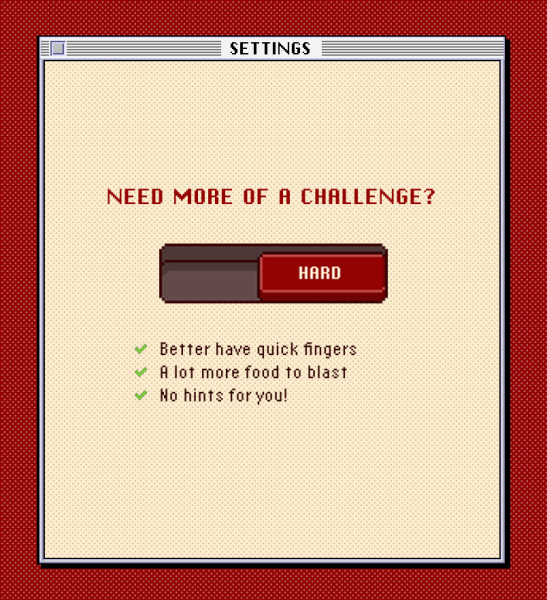
Difficulty settings were a late addition, prompted by user feedback. Normal and Hard modes adjust spawn rates, fall speeds, hints, and dual food appearances. The tutorial was also rewritten multiple times based on testing. Behind the scenes, the AI set up simple functions, allowing the designer to fine-tune settings directly in the code without AI assistance.
const BASE_DIFFICULTY = {
  PHYSICS_TICK_MS: 20,
  CLOUD_TO_APPEAR_MS: 300,
  APPEAR_TO_VISIBLE_MS: 500,
  GRAVITY_PER_TICK: 0.5,
  TERMINAL_VY: 12,
} as const;
Scoring: Making Players Care
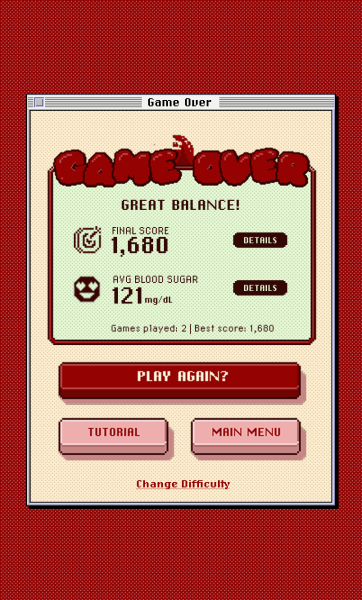
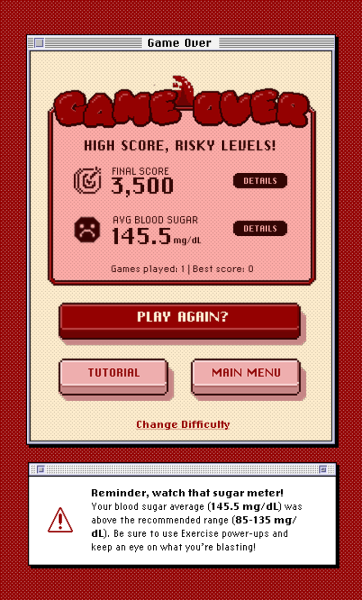
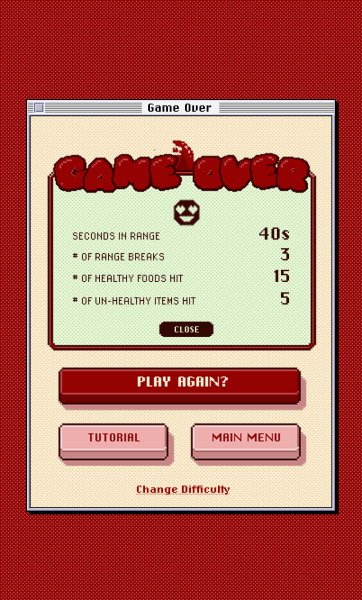
Lovable's initial game-over screen was basic. To align with the game's theme, players needed to care about the blood sugar meter, not just points. The scoring system was restructured to track 'time-in-range' in real-time, with this percentage influencing the final evaluation. Data-driven personalization was key. A weighted bloodSugarAverage was also added: time in the normal zone counts at 1.0x, warning zone at 1.8x, and critical zone at 2.5x. This ensures that drifting into danger negatively affects the outcome, even with recovery, keeping players engaged.
// Status-weighted average configuration (Option A)
export const BLOOD_SUGAR_AVG_WEIGHTS = {
  normal: 1.0,
  warning: 1.8,
  critical: 2.5,
} as const;

export const getStatusWeight = (status: BloodSugarStatus): number => {
  if (status === 'normal') return BLOOD_SUGAR_AVG_WEIGHTS.normal;
  if (status === 'warning-low' || status === 'warning-high') return BLOOD_SUGAR_AVG_WEIGHTS.warning;
  return BLOOD_SUGAR_AVG_WEIGHTS.critical; // too-low or too-high
};
For a success message, both metrics (score and blood sugar control) must align. A low score with excellent range is insufficient, as is a high score with a poor average. Multiple end-game states were set up with dynamic messages based on a score-category X sugar-category matrix, resulting in approximately 20 possible outcome variations. This complexity reinforces the educational goal: blood sugar management involves more than just points.

What I learned
AI Collaboration
- Burning Credits: AI translates intent into code but cannot make creative decisions or assess subjective quality. Early, clear instruction files for coding approach and tech stack help prevent AI from introducing unapproved dependencies. Supplementing expensive AI SaaS platforms like Lovable with ChatGPT or Copilot for debugging can save credits.
- Figma Integration: While the initial Figma-to-Lovable translation was challenging, various AI integrations (e.g., Builder.IO, Figma Make, Figma MCP & Claude code) now offer better translation to real code, potentially saving front-end design time. Lovable's control and fidelity, however, remain competitive.
- Effort is still needed: AI can augment technical skills, but advanced work requires deep involvement. It cannot fully replace a talented engineer with critical thinking.
Account for Mobile Browser UI
The shifting address bar on iOS and Android consumes vertical space. The solution involved dynamic viewport units, safe-area padding, and a compact HUD with large touch targets. Reliance on fullscreen was avoided, and the layout was designed to accommodate browser UI. The game was also set up as a PWA, but the browser experience was prioritized over requiring users to install it.
Please, Use GitHub From the Start
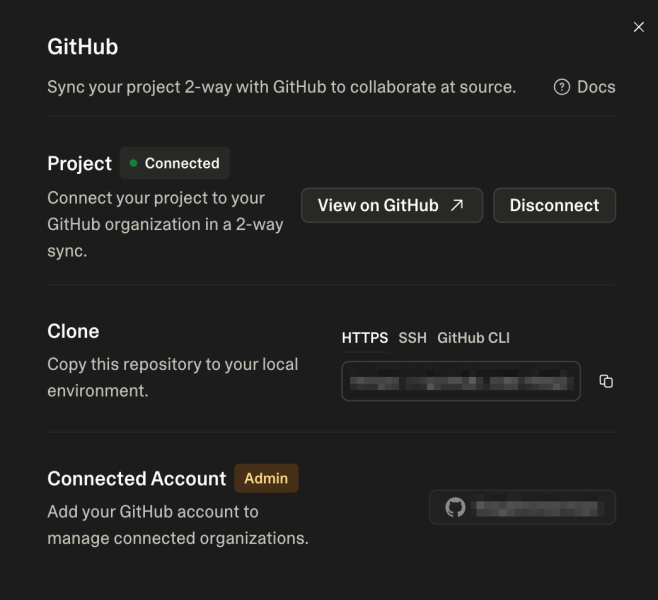
Lovable has limitations regarding direct file uploads for creative assets, and its file management is not robust. Initially, externally hosting static assets led to performance issues and temporary IP bans. Syncing to a GitHub repository from the outset is strongly recommended to simplify file management and avoid cross-domain issues. Lovable does make GitHub integration user-friendly for non-technical users.
Performance and Assets
Lack of early planning for sprite sheets meant the game loaded 79 individual, externally hosted assets concurrently. Even small files cause performance issues with numerous HTTP requests, leading to multiple temporary IP bans during development. The solution involved a styled instant loader with minimal JavaScript, tiered asset warming behind a start screen (critical UI first, effects and less-seen sprites later), and a lookahead system to decode incoming foods before they appear. This ensured a fast initial paint and smoother later gameplay. Planning for HTTP request bottlenecks early is crucial; for many assets, use sprite sheets or engineer robust preloading. The animation engine should be aligned with the art strategy before development begins.
Audio and Cross-Platform Testing
Mobile browser audio is notoriously finicky, especially on iOS. Aggressive pooling and sometimes dual encodings (WAV for iOS, OGG for others) are often necessary. Constant testing across various browsers is vital. While AI will likely improve in solving this intuitively, developers should anticipate audio bugs.
Creative Process
Constraints foster systematic thinking and cohesive aesthetics. Focusing on the concept and art direction before generating code is essential for designers, as backtracking is difficult later. Providing AI with ample context and vision from the start ensures a smoother development process. The tools do not (and should not) replace taste and critical thought; they amplify it.
Wrapping Up
Blood Sugar Battler took three months to build, with most of that time dedicated to craft: pixel art, UI/UX, and overall creative direction. AI enabled a solo designer to ship a complete game by translating intent into code, which was then iterated upon to match the vision.
For anyone looking to create something outside their technical comfort zone, AI can bridge that gap with patience. However, a clear vision and willingness to continuously tinker until it feels right, combined with personal knowledge, remain indispensable. The tools amplify creativity, they don't replace it.