Boost Focus and Arithmetic Skills with Mental Math App
Discover Mental Math, a free, open-source Android app designed to sharpen arithmetic skills and improve focus. It provides customizable, ad-free, offline challenges to counter digital distractions effectively.
The pervasive influence of short-form digital content has significantly impacted attention spans, leading to increased impulsivity, irritability, and cognitive fatigue. Constant digital stimulation can diminish one's ability to focus on substantial tasks, affecting work, relationships, and overall well-being. For individuals with certain cognitive profiles, these challenges can be particularly pronounced.
Fortunately, effective strategies exist to counter these effects. One such solution is Mental Math, an application designed to engage users productively by testing and improving arithmetic skills. It offers a focused alternative to endless scrolling and algorithm-driven content, presenting genuine math problems that stimulate critical thinking.

Mental Math: A Focused Approach to Cognitive Engagement
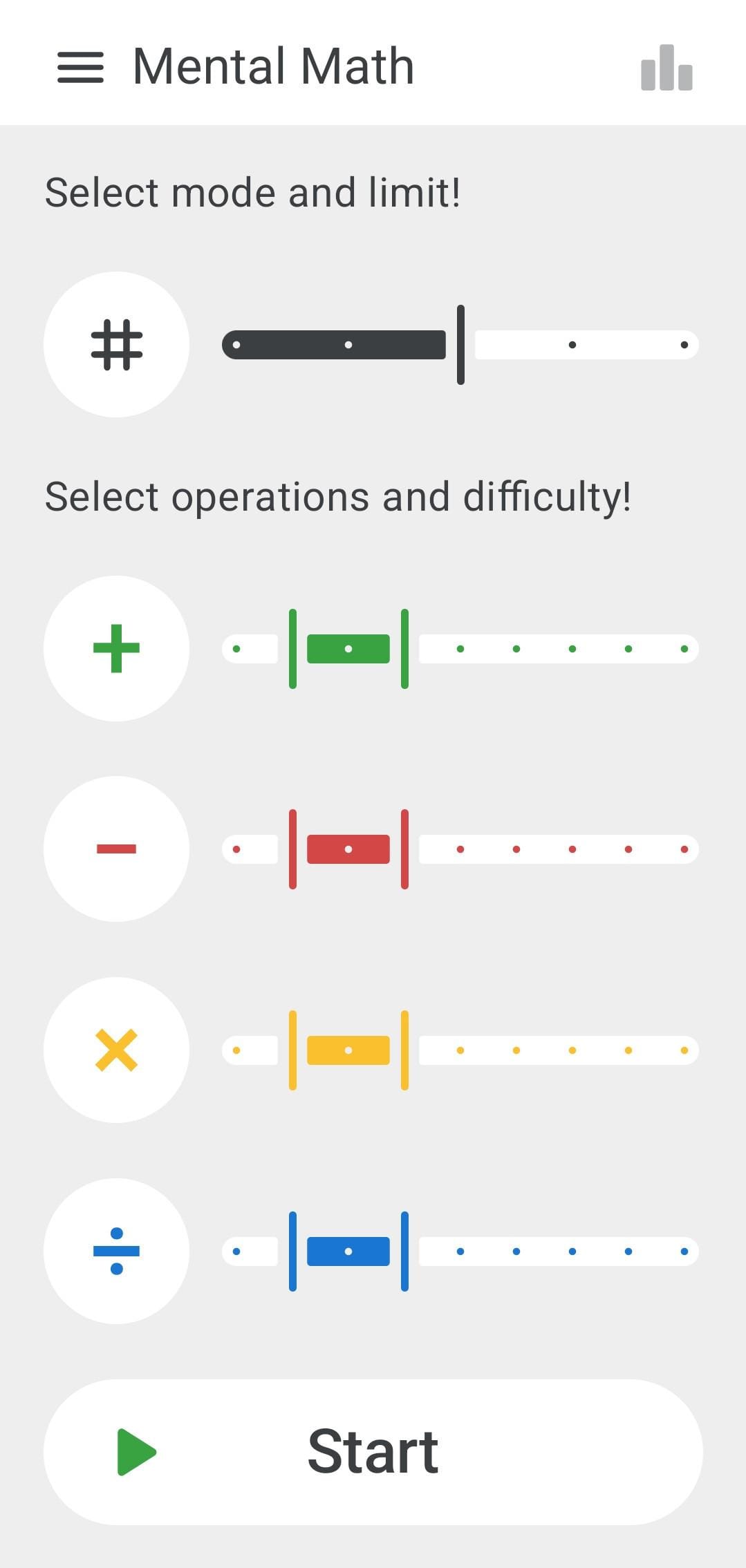
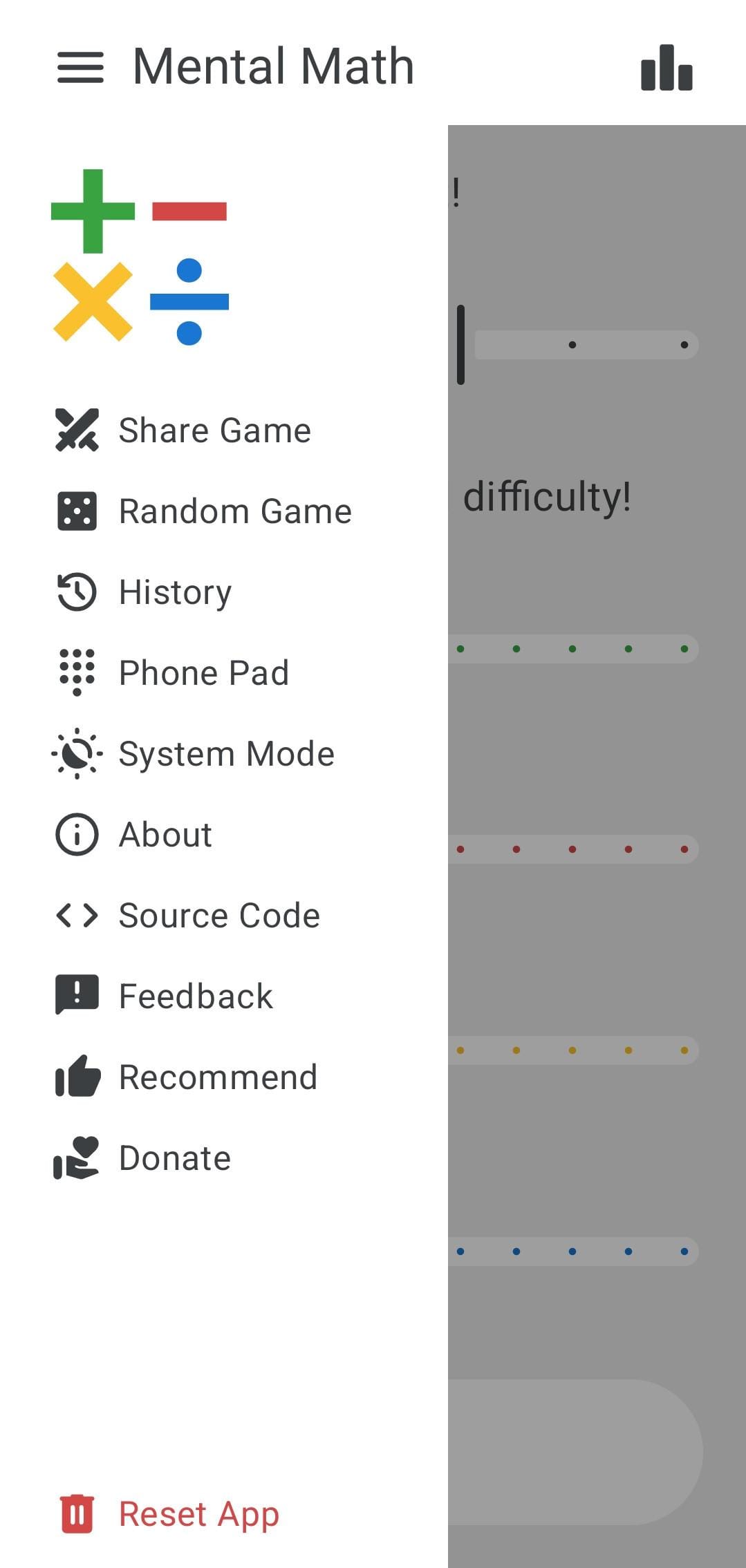
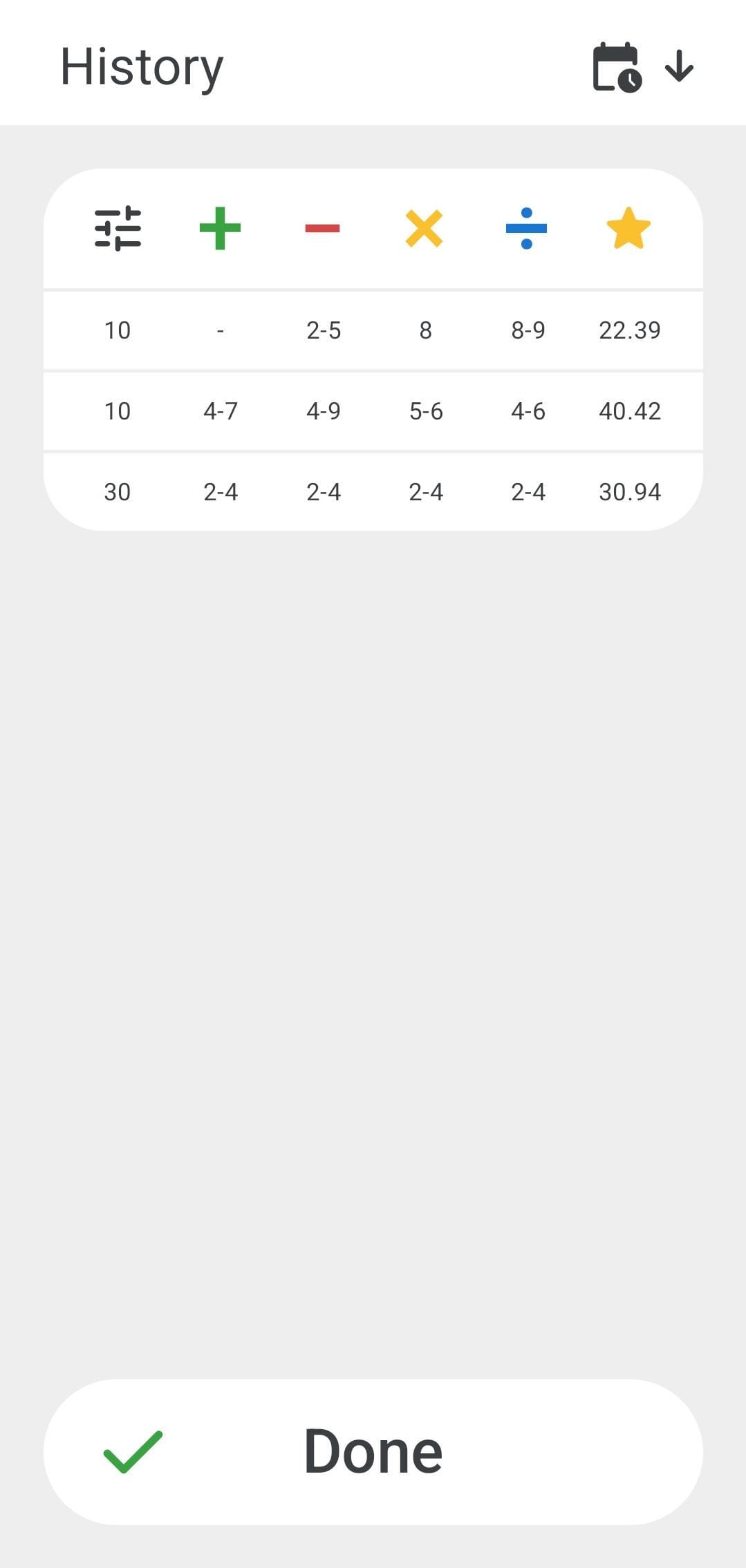 The home page, sidebar menu, and history page of Mental Math.
Developed by Alexander Goy (known as HeldDerTierwelt), Mental Math is a free and open-source arithmetic training application. Written in Kotlin, it prioritizes user privacy by collecting no data, requiring no permissions, displaying no ads, and functioning entirely offline.
Key features of Mental Math include:
- Customizable Tests: Users can select arithmetic operations (addition, subtraction, multiplication, division) across 9 difficulty levels.
- Two Game Modes:
- Task Mode: Complete a set number of problems (10-50).
- Timed Mode: Solve as many problems as possible within a specified duration (1-5 minutes).
- Challenge Friends: The app allows sharing game configurations or identical problem sets to challenge others.
- Algorithmic Difficulty: Problem difficulty is dynamically calculated using algorithms based on fundamental arithmetic operations like column addition, subtraction, long multiplication, and long division.
Upon testing Mental Math on an Android smartphone, the intuitive home page immediately presents options to select arithmetic operations and difficulty levels. Initial trials with Task Mode, using a moderate difficulty setting for all operations and problem sets of 10 and 30, demonstrated its user-friendliness.
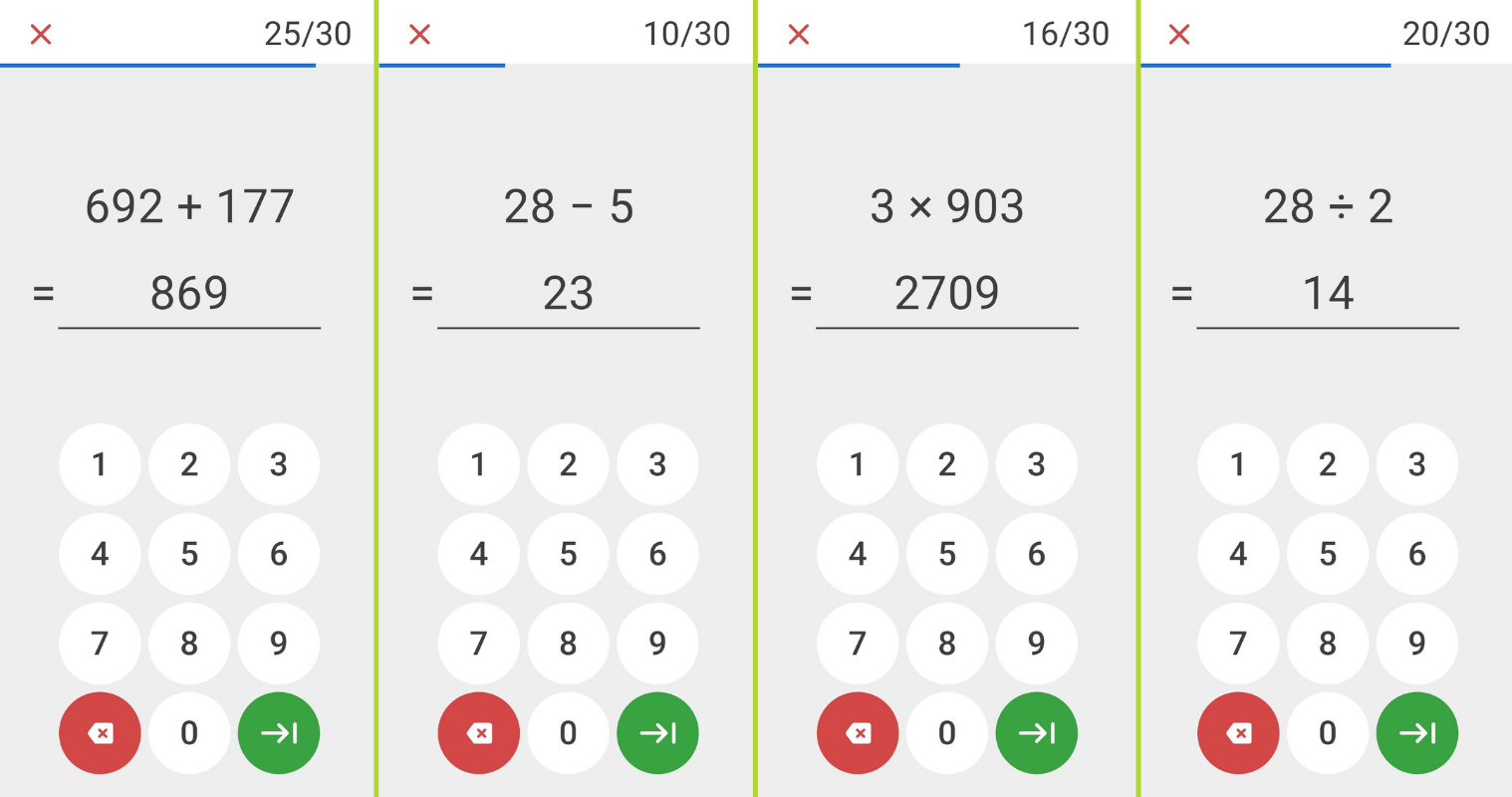 The arithmetic tests offer diverse problem sets.
The application's interface facilitates an effortless testing experience. Problems are displayed prominently, with solutions entered via an integrated number keypad. Instant visual feedback – green for correct answers and red for incorrect ones – ensures a smooth and continuous progression through the tests.
Upon test completion, a comprehensive results page provides key metrics, including accuracy, speed, and overall score. Users are encouraged to share these results with friends, fostering a friendly competition by comparing performance on identical tasks.
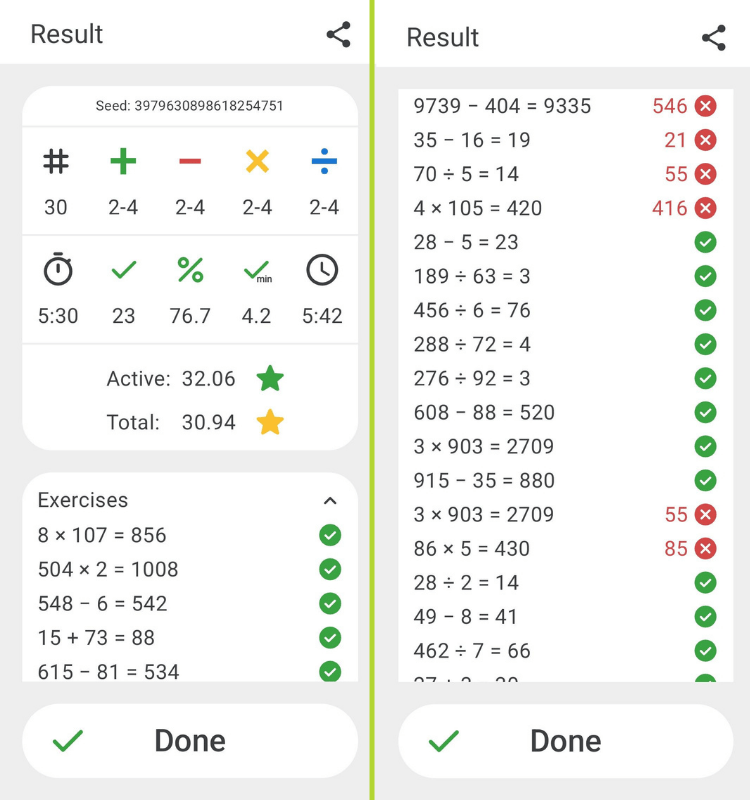 The results page provides detailed performance metrics.
Beyond core arithmetic testing, the app includes a sidebar menu granting access to settings and supplementary features. A dedicated icon provides a concise overview of the top 10 scores for various difficulty combinations. Additionally, a history page allows users to review all past game sessions, sortable by time or score.
Install Mental Math
Mental Math is exclusively available for Android users. It can be obtained from F-Droid, the Play Store, or directly from the releases page of the project's repository on Codeberg, where the source code is also publicly accessible.