Enhancing Gemini CLI: Introducing Interactive Shell Support
Gemini CLI now supports complex interactive commands like vim, top, and git rebase -i directly within its interface, leveraging pseudo-terminal (PTY) technology for a seamless, in-context workflow.
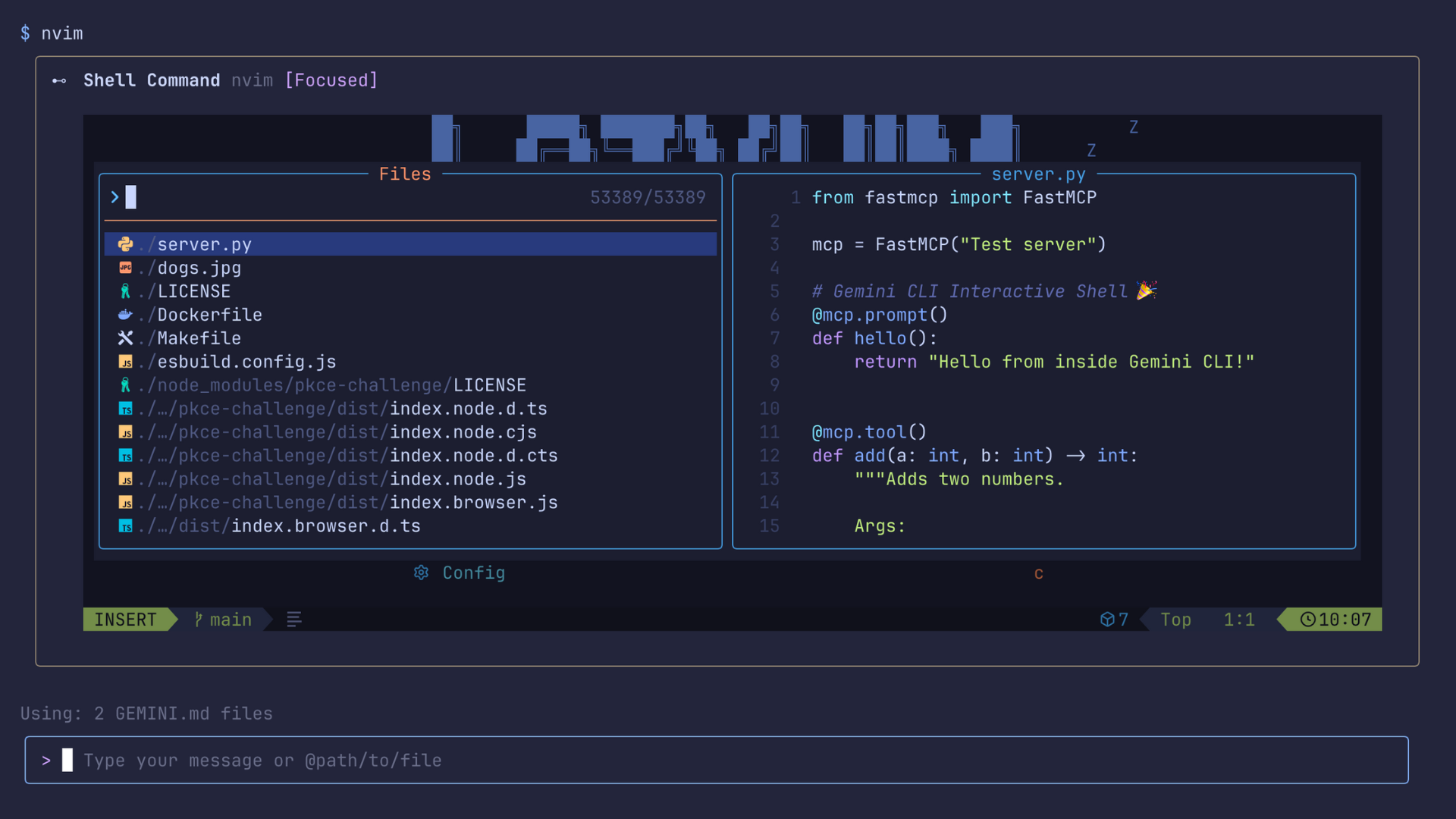
We are thrilled to announce a significant enhancement to Gemini CLI, making your command-line workflow more powerful and intuitive. We've upgraded the terminal to enable the execution of complex, interactive commands—such as vim for editing, top for monitoring, or even an interactive git rebase -i—all directly within the Gemini CLI environment.
This means you no longer need to switch to a separate terminal or contend with a CLI that "hangs" when an interactive command is initiated. Everything you need remains precisely where you are, streamlining your development process.
Keeping Everything in Context
This update is crucial because all operations now stay within Gemini CLI’s context. Previously, running interactive shell commands required exiting the Gemini CLI, causing these commands to run outside its operational context. By integrating pseudo-terminal (PTY) support, commands demanding rich terminal capabilities—like text editors, system monitors, or reliance on specific terminal control codes—can now execute seamlessly within Gemini CLI and its dedicated context.
How It Works: Serializing the Terminal State
When you execute a shell command, Gemini CLI now spawns a new process within a pseudo-terminal in the background, utilizing the node-pty library. The PTY serves as an essential intermediary, providing the necessary interface for the operating system to recognize the session as a fully functional terminal. This allows applications and commands to operate exactly as they were designed.
To visualize how this virtual terminal appears on your screen, think of it as a live video stream. Our new serializer captures a snapshot of the pseudo-terminal at every moment, meticulously recording every piece of text, every color, and even the cursor's precise position. These dynamic snapshots are then streamed directly to you, enabling real-time interaction with the terminal application. It's not merely a stream of text; it's a vibrant, live feed.
Full Two-Way Interaction
This innovative architecture facilitates full two-way communication. We've introduced new functionalities to allow input to the terminal and even resize it dynamically. When you type, your keystrokes are transmitted to the running process. Similarly, if you adjust your window size, the application inside Gemini's shell will intelligently adapt its layout, mirroring the behavior of a native terminal. You can quickly focus on the terminal by pressing Ctrl+F.
Furthermore, we've significantly improved our output handling to ensure the correct rendering of colorful terminal output, allowing you to experience your favorite command-line tools in their full visual splendor.
Getting Started with the Interactive Shell
The new interactive shell is enabled by default in Gemini CLI starting from v0.9.0.
To upgrade to the latest version, use the following command:
npm install -g @google/gemini-cli@latest
For more detailed information, please refer to the official Gemini CLI documentation.
Here are a few examples of the powerful interactive commands you can now run:
- Edit code with
vim,nvim, ornano. - Manage your commits effectively with interactive
gitcommands. - Utilize interactive REPLs (Read-Eval-Print Loops) for your preferred programming languages.
- Run full-screen terminal applications such as
htopormc. - Effortlessly navigate interactive setup scripts like
npm initorng new. - Respond to interactive prompts for specific
gcloudcommands.
This marks a major advancement in our shell integration efforts, and we are continually working to refine input handling across all platforms. We encourage you to share your valuable feedback on our GitHub repository if you encounter any inconsistencies.
Try it out today and let us know your thoughts!