InfluxDB Cloud Dedicated Admin UI: Visual Overhaul and New Features
InfluxDB Cloud Dedicated Admin UI is enhanced with a visual overhaul, live cluster observability, improved navigation, and detailed table schemas for superior database management.
Introducing the enhanced Admin UI for InfluxDB Cloud Dedicated, bringing a visual overhaul and powerful new features to elevate your cluster management experience.
Authored by Beth Legesse and Bill O'Connell, this update was released on November 17, 2025.
InfluxDB Cloud Dedicated provides hosted and managed InfluxDB Cloud clusters within a single-tenant environment, optimized to handle high write and query loads. InfluxData is thrilled to announce significant updates to its Admin UI, improving visibility and usability across the platform. Among the recent updates are live observability for customer clusters, overhauled site navigation, and improved visibility into table schemas.
Cluster Observability
The new "Overview" page within the Admin UI now offers built-in access to your cluster's identifying information and size, alongside new dashboards that provide up-to-date observability metrics.
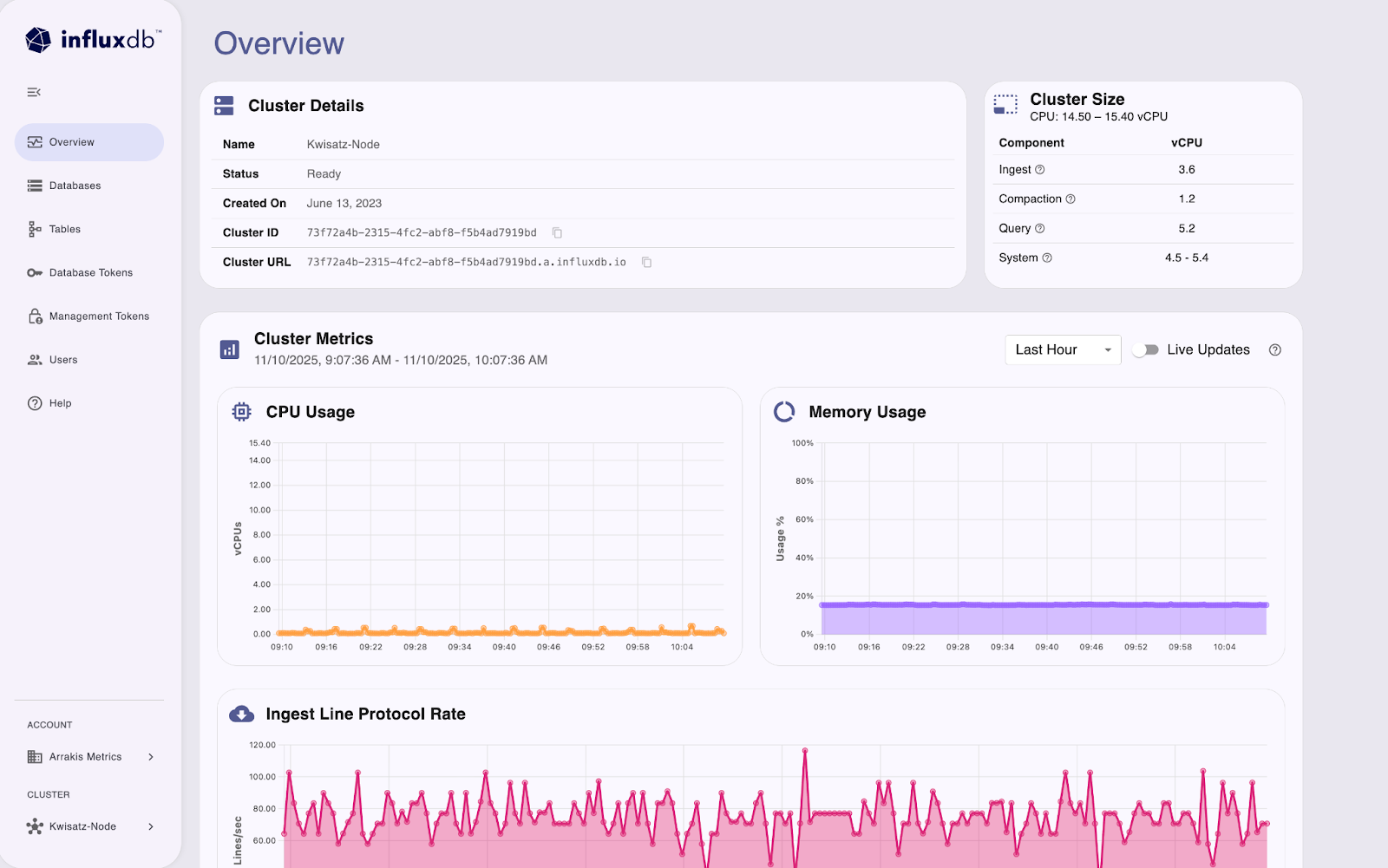
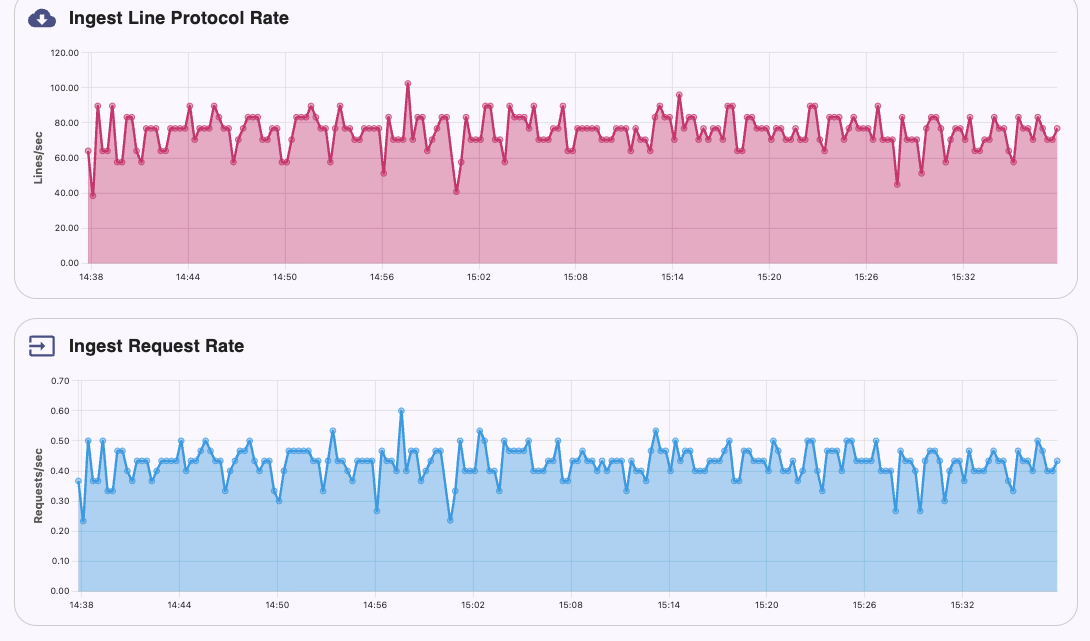
Monitor your cluster's status across various time periods, such as the last minute, hour, day, or month, with access to the following critical cluster metrics:
- Total CPU and memory usage
- Rate of line protocol ingestion, and request rate
- Query request rate
- Querier, ingester, and compactor CPU and memory usage
New Navigation
An updated navigation menu allows for quick switching between key cluster resources, including databases, tables, database tokens, and management tokens. Access the "Users" tab to review currently active users and invite new ones, or visit the "Help" tab for useful guides and reference materials specifically for InfluxDB Cloud Dedicated.

For customers managing multiple clusters or accounts, the Admin UI now facilitates quick switching between different accounts and clusters directly from the navigation menu.
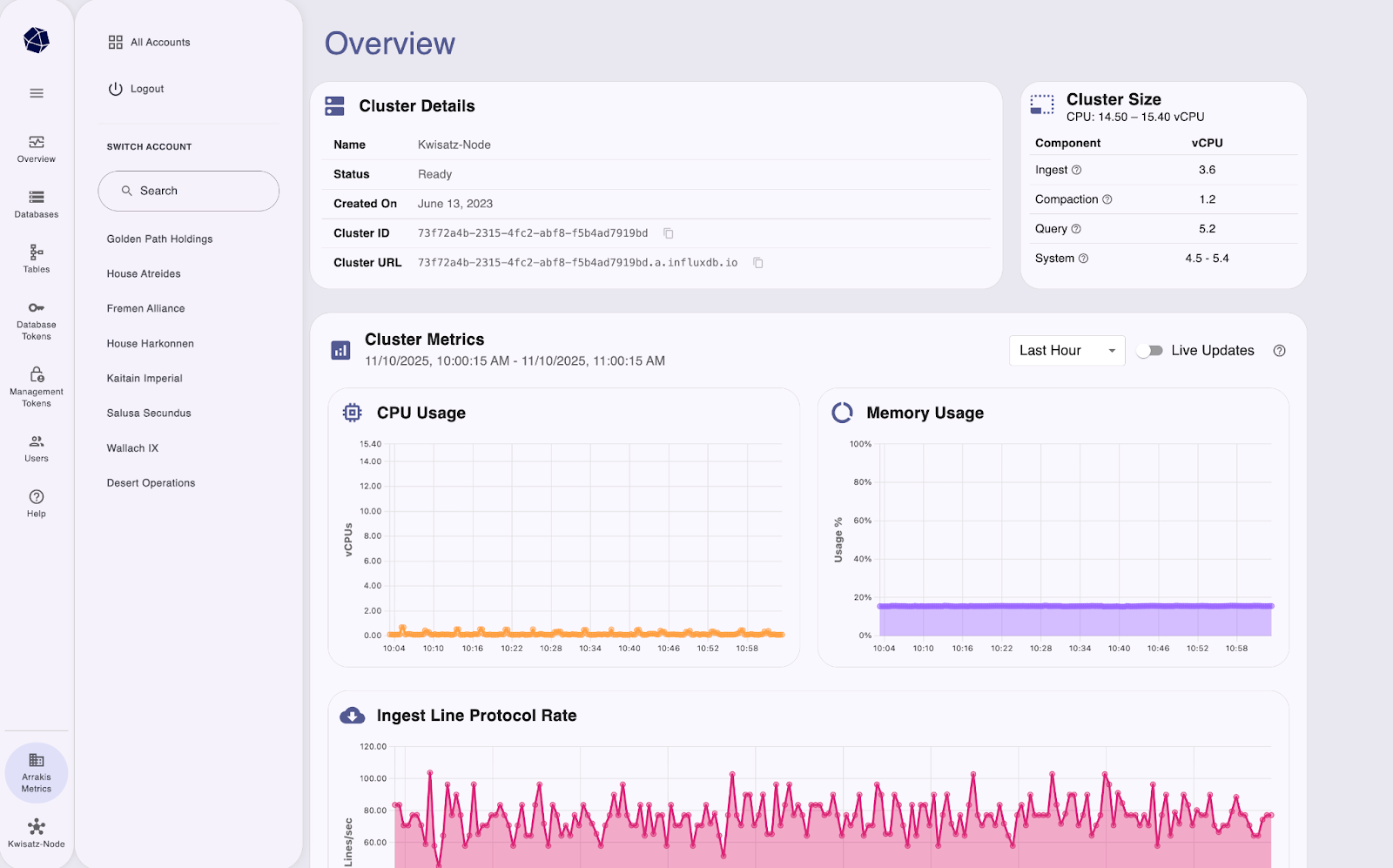
Table Schemas
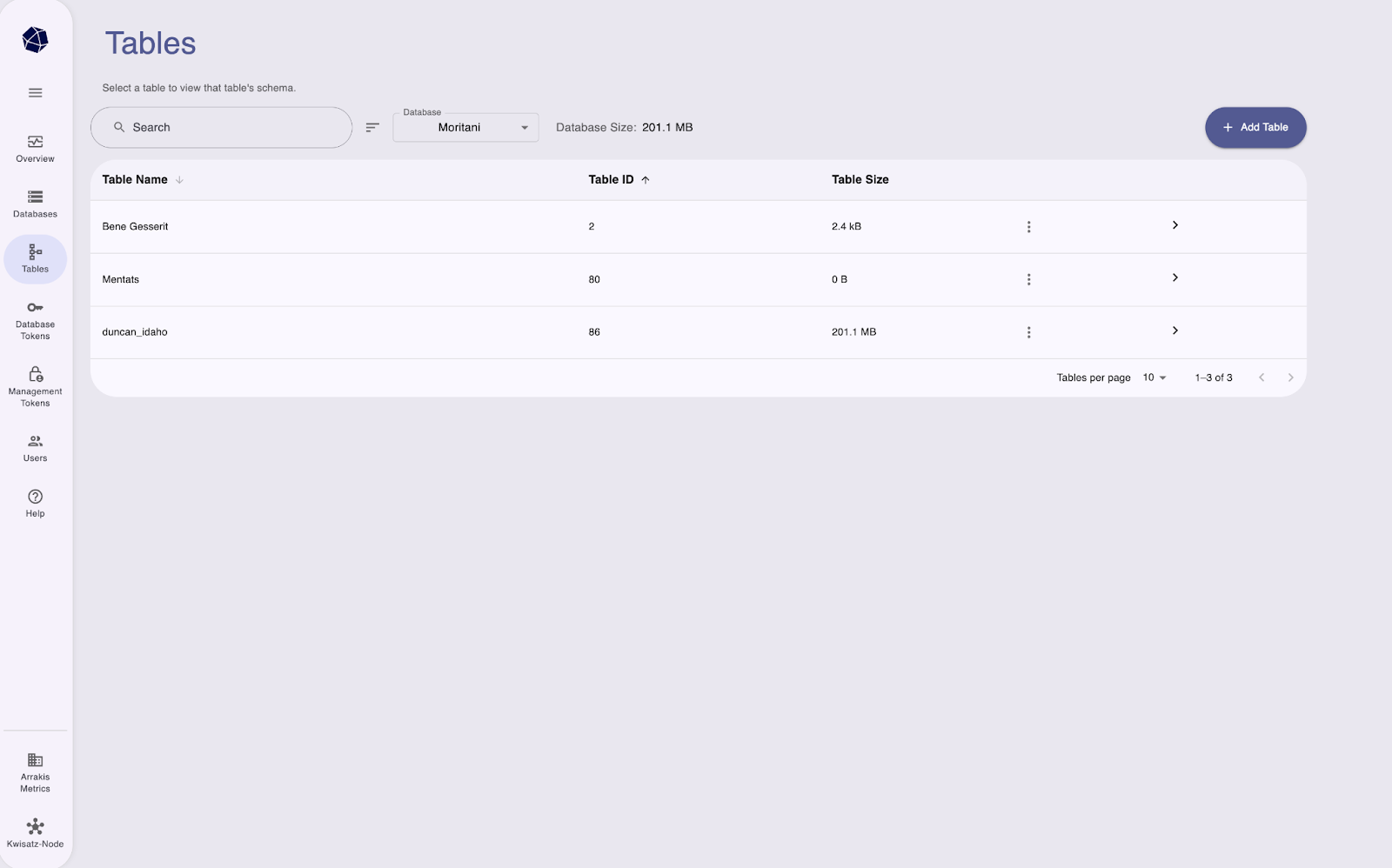
The Admin UI allows you to effortlessly browse the databases and tables within your cluster, along with the schemas for each table. On the "Tables" page, you can click any table, or multiple tables simultaneously, to view all columns of that table's schema and the associated tag or field type. Filter for particular column types in your schemas and navigate between different databases and tables—all from a single, intuitive interface.
We are excited to bring these new features and improved usability to the experience of our Cloud Dedicated users!
For more information on how the Cloud Dedicated Admin UI can help you gain deeper visibility into your cluster, learn more about its features in the official documentation.