Introducing FileBrowser Quantum: A Modern Evolution in Self-Hosted File Management
Discover FileBrowser Quantum, an actively developed, modern open-source solution for self-hosted file management. It offers robust features like OnlyOffice integration, advanced authentication, and granular access controls for a powerful, user-friendly experience.
FileBrowser Quantum stands as an ambitious evolution following the popular filebrowser open-source project, which transitioned to a maintenance-only mode earlier this year.
Actively developed for years, FileBrowser Quantum initially prioritized features requested by its core maintainer and a small group of GitHub users. The development process, previously focused on rapid iteration and relying on technically inclined users to navigate occasional issues, has recently shifted. The project now emphasizes a smoother, more predictable release process, aiming to provide a better experience for the average user. An official stable release track has been established to shield users from unexpected bugs introduced by significant new changes, while simultaneously making the beta release track more robust and useful for contributors.
Introduction to FileBrowser Quantum
New users are encouraged to explore the newly published official documentation. Getting started is straightforward, as the application supports a wide range of platforms, including Windows, Linux, macOS, FreeBSD, and Docker. Installation typically involves downloading the relevant release (or Docker image) and executing the program with a customized config.yaml.
Stable vs Beta
Selecting your release version is a simple yet crucial decision.
The stable version is recommended for most users seeking a reliable experience without immediate concerns for development contributions or potential issues.
For those who wish to actively contribute to the project's improvement and gain early access to new features, the beta version is highly recommended! Beta users are encouraged to participate actively in discussions for general inquiries and to open issues for bug reports, change requests, or feature suggestions.
Who is FileBrowser Quantum exactly for?
The self-hosted community is currently vibrant, offering diverse options to suit various users and use cases.
The original filebrowser gained widespread popularity due to its ease of use and cross-platform compatibility, requiring minimal system resources. FileBrowser Quantum aims to preserve these core strengths while introducing numerous critical features previously absent.
Recent developments in FileBrowser Quantum have focused on addressing key user demands. This includes the integration of OnlyOffice support for enhanced document editing, robust authentication features like two-factor and OIDC single-sign-on support, and an intuitive access control system that integrates seamlessly with OIDC groups. Furthermore, extensive file sharing controls and options have been added, offering significant customization.
While certain advanced features, such as granular file share controls or OnlyOffice integration, may require some initial effort, the project prioritizes maintaining a simple default installation and configuration.
FileBrowser Quantum is an ideal modern file hosting solution for users seeking:
- Free and open-source
- Easy setup and intuitive usage
- Frequent updates with modern features
- A beautiful, responsive interface with engaging animations
- Integrated office editing support
- Highly customizable theming, configuration, and user settings
- A user-friendly API experience with Swagger documentation
Is there a reason not to use it?
Indeed, FileBrowser Quantum may not be suitable for every user or use case.
The project intentionally omits some features present in the original filebrowser, such as command runners. There are also no immediate plans for mobile companion applications, and certain features like WebDAV, Collabra, or FTP support are not on the near-term roadmap.
By default, FileBrowser Quantum indexes the filesystem to enable rapid search capabilities and features like displaying folder sizes. While this provides significant benefits, it can result in higher memory consumption. Users have the option to disable indexing for specific parts or the entirety of their source configuration, and further optimizations are planned.
Ultimately, personal preferences regarding the project's design philosophies may also influence its suitability.
Screenshots
While a live demo and extensive video demonstrations are currently under development (coming soon), the following screenshots offer a glimpse into the application's interface as of v1.1.1-beta:
 Login Screen
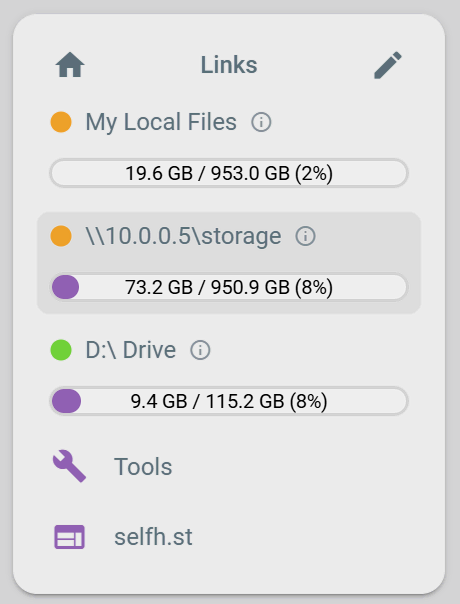 Customizable Sidebar
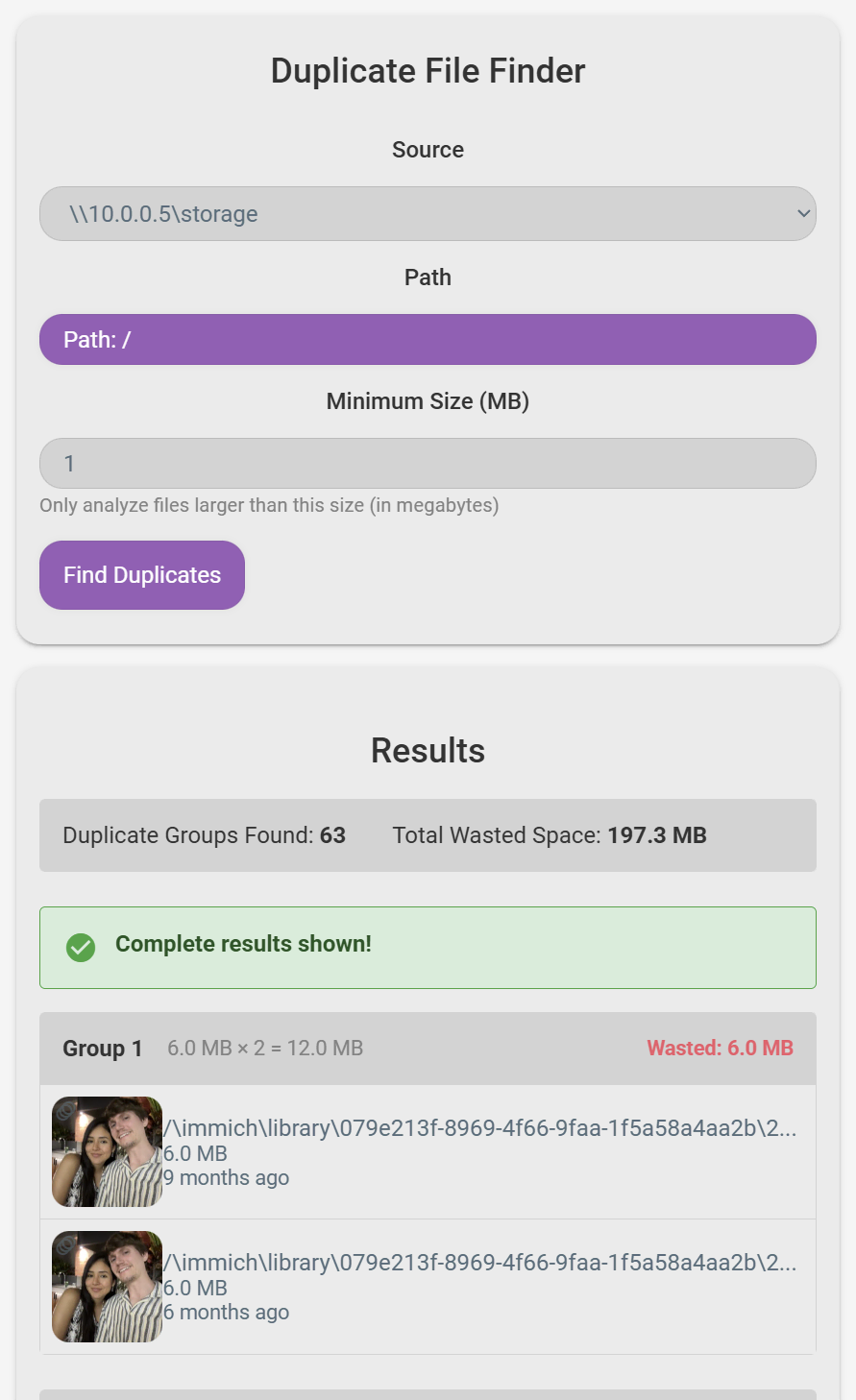 Duplicate File Finder
 Context Menu (Light Mode)
 Gallery View Mode with Folder Previews Enabled
Conclusion
FileBrowser Quantum is positioned to integrate seamlessly into the self-hosted ecosystem while offering distinct advantages. The project maintains an active presence on GitHub, with ongoing development and a welcoming environment for new contributors. Currently, the core development team includes the maintainer and @Kurami32, with continuous opportunities for others to join. Prospective contributors are encouraged to engage directly by submitting contributions, a path exemplified by recent additions to the team.
Sustaining an active, evolving, and stable open-source project requires considerable effort. The current infrastructure is designed for long-term viability, and immense gratitude is extended to the original filebrowser maintainers for their foundational work. While acknowledging the challenges that led to the original project's discontinuation, the future of FileBrowser Quantum is focused on continued growth and community involvement. The community is invited to join and contribute to making FileBrowser Quantum an even better solution for all.