Krayin CRM: The Open-Source Laravel Solution for Modern Business Management
Krayin CRM is an open-source, Laravel and Vue.js-based CRM for SMEs and enterprises. It offers a clean, flexible, and developer-friendly solution with modular architecture, custom attributes, email parsing, and quick installation for streamlined business management.
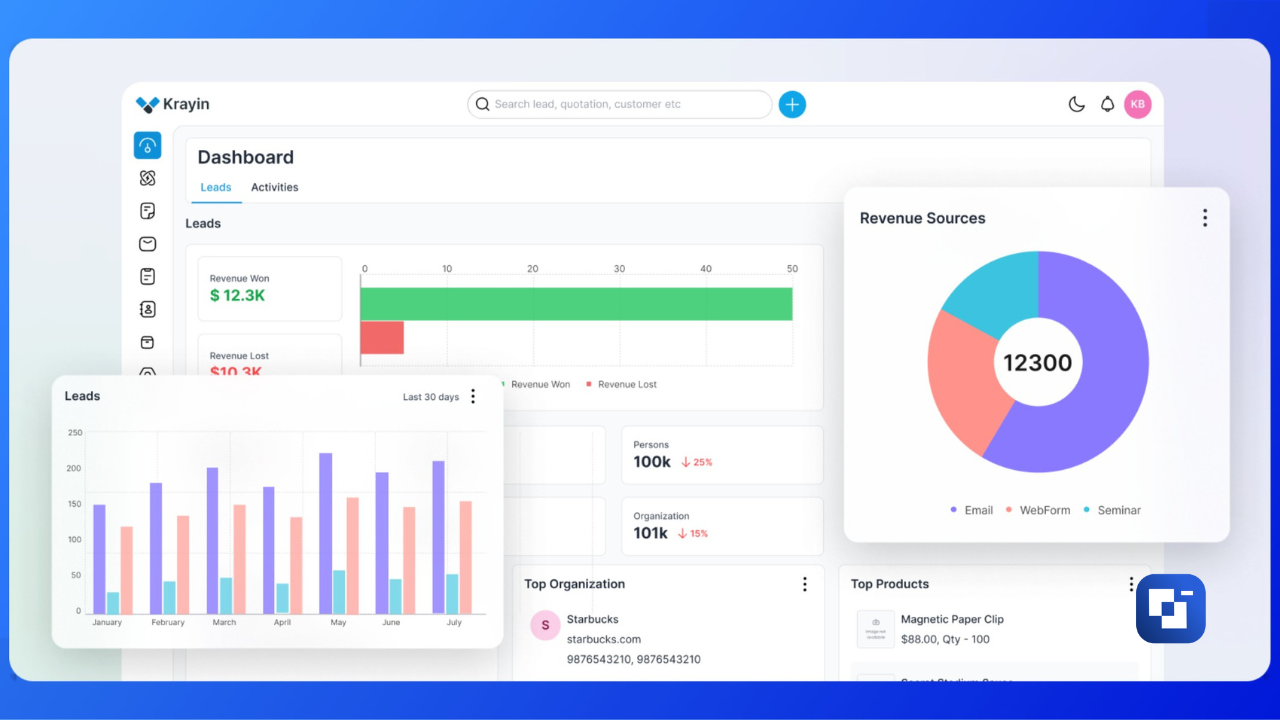
Krayin CRM is a robust, open-source customer relationship management system meticulously crafted using Laravel and Vue.js. It offers a streamlined, flexible, and developer-friendly CRM experience, specifically designed for small and medium-sized enterprises (SMEs) and larger organizations. Krayin eliminates the common pitfalls of enterprise bloat and complex setups, providing a clean solution for modern business needs.
Why Krayin CRM Excels
Krayin CRM stands out with a suite of features engineered for efficiency and adaptability:
- Clean & Intuitive Admin Panel: Navigate a modern dashboard designed to simplify the management of leads, contacts, and various activities, ensuring a seamless user experience.
- Modular Architecture: Built upon Laravel's modular framework, Krayin offers unparalleled ease of customization and extension for developers, allowing the CRM to evolve with your business.
- Custom Attributes: Tailor the CRM precisely to your unique operational workflows by adding custom fields as needed.
- Email Parsing: Benefit from automated email parsing capabilities, including robust support for SendGrid integration, to streamline communication.
- Developer-Friendly Design: Leveraging the popular Laravel and Vue.js ecosystem, Krayin CRM is an ideal choice for development teams already proficient with these powerful technologies.
Available Extensions
Expand Krayin CRM's capabilities with a range of powerful extensions:
- Multi-Tenant SaaS Functionality
- WhatsApp CRM Integration
- VoIP Integration
Quick Installation
Getting started with Krayin CRM is straightforward:
composer create-project krayin/krayin-crm
php artisan krayin-crm:install
After running these commands, simply configure your .env file, database settings, and mail services, and your Krayin CRM instance will be ready for use.
Explore the Live Demo
Experience Krayin CRM firsthand by visiting our live demonstration: https://demo.krayincrm.com