Mastering AI-Assisted Coding: A Professional Workflow for LLM Integration
Discover best practices for integrating AI coding assistants into your development workflow. This guide covers structured planning, iterative development, providing context, model selection, lifecycle integration, crucial human oversight, robust version control, and customizing AI behavior to maximize productivity and code quality in AI-assisted software engineering.
AI coding assistants have revolutionized software development, significantly enhancing the capabilities of Large Language Models (LLMs) in real-world coding scenarios. While many developers have embraced these tools – with examples like Anthropic reporting ~90% of Claude Code's development being AI-generated – effective integration is not a simple, magical solution. Programming with LLMs can be challenging and counter-intuitive, demanding new patterns and critical thinking.
Through extensive project experience, a consensus workflow is emerging: treat the LLM as a highly capable pair programmer requiring explicit direction, comprehensive context, and diligent oversight, rather than delegating autonomous judgment. This article outlines a disciplined "AI-assisted engineering" methodology for planning, coding, and collaborating with AI, sharing best practices and insights for responsible and productive software development.
Start with a Clear Plan: Specifications Before Code
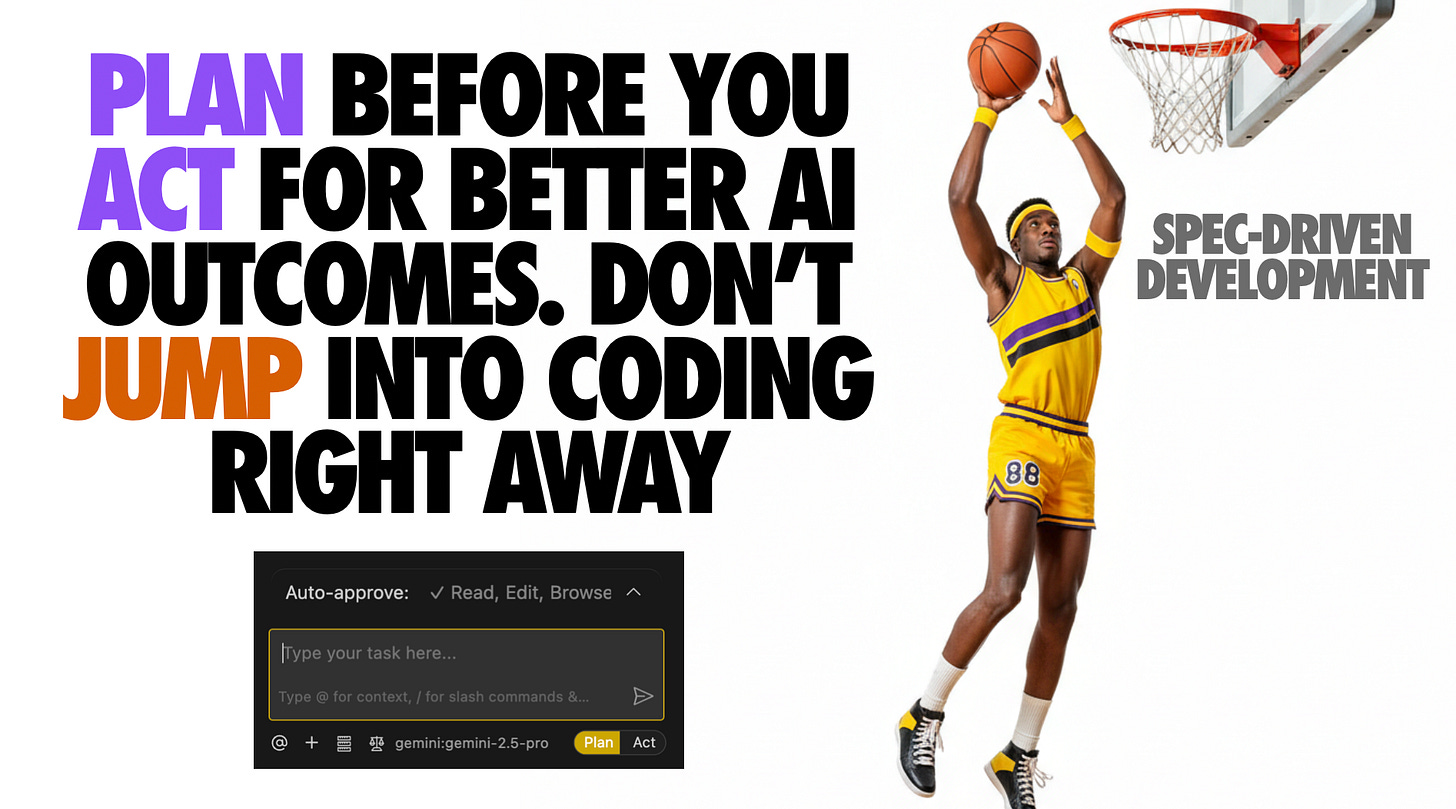
Avoid the common pitfall of initiating code generation with vague prompts. Instead, begin by meticulously defining the problem and planning its solution. A robust workflow starts with brainstorming a detailed specification alongside the AI. This involves describing the project idea and allowing the LLM to iteratively ask clarifying questions to uncover requirements and edge cases. The output is a comprehensive spec.md file, detailing requirements, architectural decisions, data models, and a testing strategy, serving as the development foundation.
Subsequently, feed this specification into a reasoning-capable model, prompting it to generate a project plan that breaks the implementation into logical, manageable tasks or milestones. This acts as a rapid "design document." Iteratively refine this plan with the AI's critique until it is coherent and complete. While this upfront planning may seem time-consuming, it significantly streamlines subsequent coding, akin to a "waterfall in 15 minutes." A clear specification and plan ensure both human and AI understand the project's objectives, preventing wasted cycles and establishing a critical cornerstone for experienced LLM developers.
Break Work into Small, Iterative Chunks
Effective scope management is paramount when collaborating with LLMs; provide them with manageable tasks rather than the entire codebase simultaneously. Avoid requesting large, monolithic outputs. Instead, segment the project into iterative steps or "tickets" and address them sequentially. This best practice in software engineering is amplified with AI integration. LLMs perform optimally with focused prompts, such as implementing a single function, fixing one bug, or adding a specific feature. For example, after the initial planning phase, instruct the code generation model to "implement Step 1 from the plan," then proceed to test and iterate through subsequent steps.
This granular approach ensures the AI operates within a manageable context, producing code that is easier to understand and verify. It also prevents the model from generating confusing or "jumbled" outputs, a common issue when attempting large-scale generation, leading to inconsistencies and duplication. The solution is to halt, reassess, and decompose the problem into smaller, incremental pieces. Each iteration builds upon the previous context, aligning well with a Test-Driven Development (TDD) approach where tests can be written or generated for each component. Modern coding-agent tools increasingly support this chunked workflow, often through structured "prompt plan" files. The principle is to avoid significant leaps, favoring small, controlled iterations to minimize errors and enable rapid course correction, leveraging the LLM's strength in contained tasks.
Provide Extensive Context and Guidance
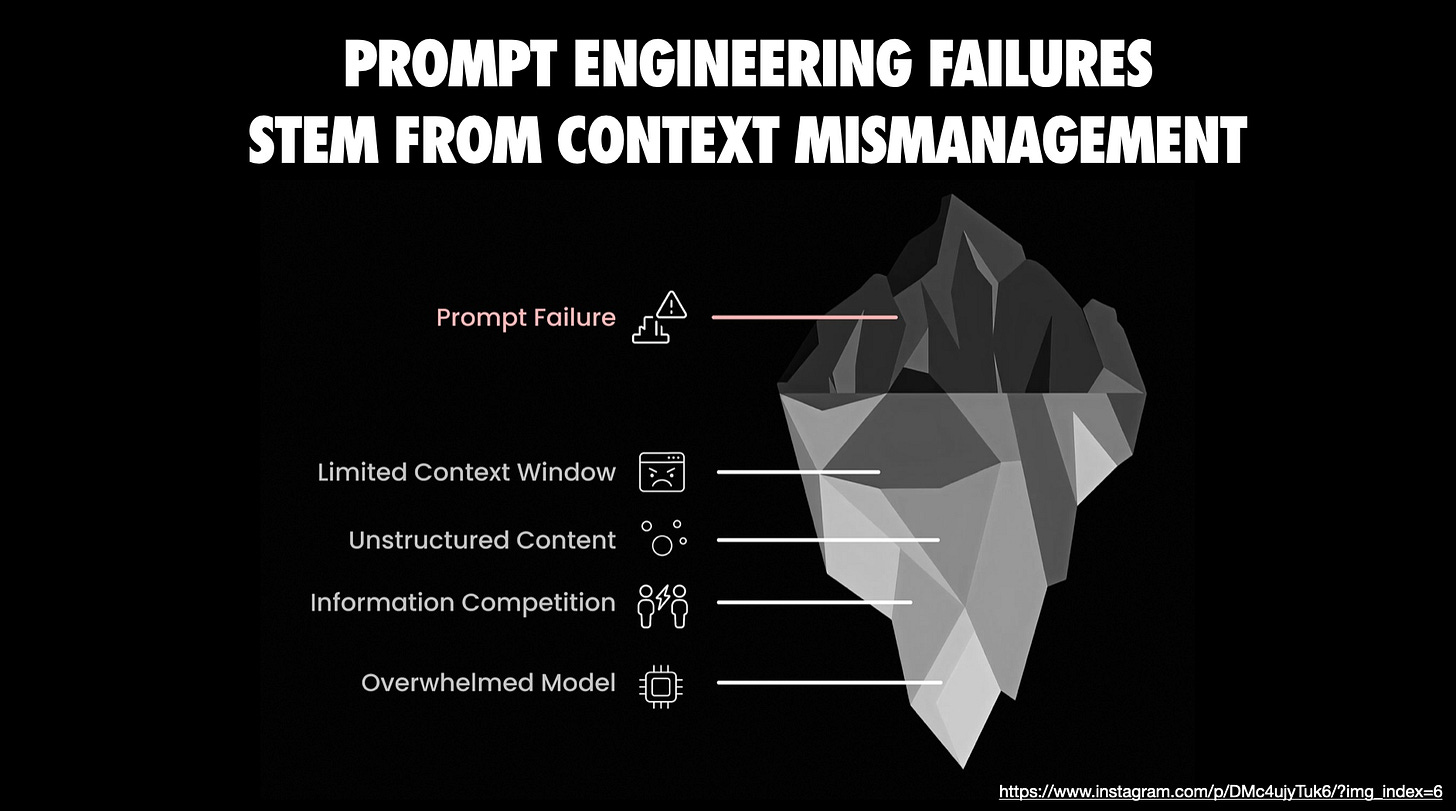
The efficacy of LLMs is directly proportional to the context provided. It is essential to furnish the AI with all necessary information, including relevant code, documentation, technical constraints, known pitfalls, and preferred approaches. While modern tools like Anthropic’s Claude (in “Projects” mode) and IDE assistants (Cursor, Copilot) can automatically include open files or even entire repositories, augmenting this with manual "context packing" is often beneficial. This involves a "brain dump" of high-level goals, invariants, examples of optimal solutions, and warnings against ineffective strategies.
For complex implementations or when using niche libraries/APIs, pasting official documentation or READMEs directly into the conversation prevents the AI from operating blindly. This proactive provision of context significantly enhances output quality, ensuring the model works with facts and constraints rather than assumptions. Utilities like gitingest or repo2txt can automate the bundling of relevant codebase sections into text files for LLM ingestion, especially valuable for large projects. The core principle is to avoid partial information; if a task spans multiple modules, present all relevant modules. While token limits exist, contemporary models offer substantial context windows, which should be utilized judiciously, focusing on task-relevant code and explicitly noting out-of-scope elements.
Emerging concepts like "Claude Skills" show promise, transforming repetitive prompting into durable, reusable modules encapsulating instructions, scripts, and domain expertise. This enables more reliable, context-aware results and promotes consistent workflows. Until broader official support for Skills, workarounds exist. Furthermore, integrating guidance directly into prompts with comments and specific rules (e.g., "extend X to do Y, but be careful not to break Z") is effective. LLMs are literalists, so detailed, contextual instructions minimize hallucinations and ensure the generated code aligns with project needs.
Choose the Right Model (and Use Multiple When Needed)
Not all coding LLMs are created equal. An effective workflow involves intentionally selecting the most suitable model for each task and being prepared to switch models as needed. Given the array of capable code-focused LLMs available, it can be advantageous to test multiple LLMs in parallel to compare their approaches to the same problem. Each model possesses distinct characteristics; if one struggles or produces subpar results, experimenting with another can often overcome a "blind spot." This "model musical chairs" strategy can be a lifeline.
Furthermore, prioritize using the most advanced "pro" tier models whenever possible, as quality directly impacts productivity, justifying the investment. Ultimately, select an AI pair programmer whose interaction style resonates with you, as the user experience and conversational tone play a significant role in a continuous dialogue with an AI. Maintaining an agile approach, being willing to seek a "second opinion" from a different model, ensures you always employ the optimal tool from your available AI arsenal.
Leverage AI Coding Across the Lifecycle
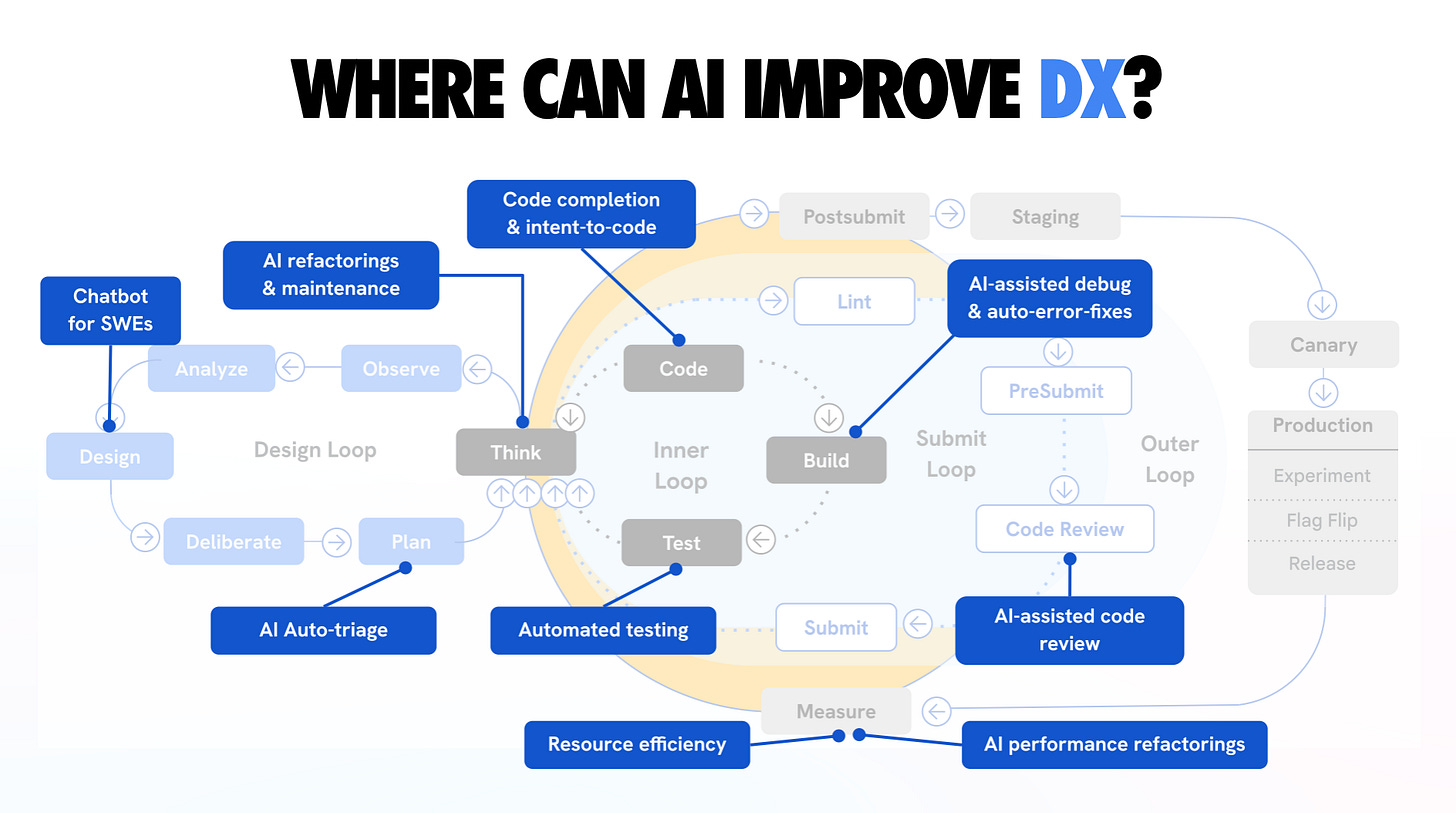
Integrate coding-specific AI assistance throughout the Software Development Lifecycle (SDLC) to significantly enhance workflows. Command-line interface (CLI) tools like Claude Code, OpenAI’s Codex CLI, and Google’s Gemini CLI enable direct interaction within project directories, facilitating file reading, test execution, and multi-step issue resolution. Asynchronous coding agents, such as Google’s Jules and GitHub’s Copilot Agent, operate by cloning repositories into cloud VMs, autonomously performing tasks like writing tests, fixing bugs, and creating pull requests, marking a significant advancement in development automation.
However, these tools are not infallible and necessitate an understanding of their limitations. While they excel at accelerating mechanical coding aspects—generating boilerplate, applying repetitive changes, and automating tests—they greatly benefit from human guidance. When using agents, providing them with pre-defined plans or to-do lists from earlier stages ensures they adhere to the exact sequence of tasks. Loading specification or plan documents into the agent's context before execution further maintains focus.
We have not yet reached a point where AI agents can autonomously develop entire features flawlessly. A supervised approach is crucial: allow them to generate and execute code, but maintain vigilant oversight at each step, prepared to intervene if anomalies arise. Orchestration tools like Conductor permit parallel execution of multiple agents on distinct tasks, scaling AI assistance. While potentially effective for rapid progress, monitoring multiple AI threads can be mentally demanding. For most scenarios, a primary agent with a secondary one for reviews (as discussed later) is a balanced approach. Always remember, these are powerful tools; human control over their application and outcomes remains essential.
A comprehensive overview illustrating how AI can enhance the developer experience across design, inner, submit, and outer loops, specifically targeting the reduction of development toil.
Keep a Human in the Loop: Verify, Test, and Review Everything
While AI can generate plausible-looking code, ultimate responsibility for quality rests with the human engineer. Never blindly trust an LLM's output; as stated by Simon Willison, consider an LLM pair programmer "over-confident and prone to mistakes." It produces code with conviction, irrespective of underlying flaws, and will not self-correct unless issues are detected. Therefore, treat all AI-generated snippets like contributions from a junior developer: meticulously review, execute, and test as required. Robust testing, including unit tests and manual feature exercising, is non-negotiable.
Integrating testing directly into the workflow is highly effective. The planning phase should include generating a list of tests or a comprehensive testing plan for each step. When using tools like Claude Code, instruct it to run the test suite post-implementation and debug any failures. This rapid feedback loop (code -> test -> fix) is an area where AI excels, provided a solid test suite exists. Strong testing practices significantly amplify the utility and reliability of AI coding agents.
Beyond automated tests, conduct thorough code reviews—both manual and AI-assisted. Regularly pause to review generated code line-by-line. Consider using a second AI session or a different model to critically evaluate code produced by the first (e.g., asking Gemini to review code generated by Claude for errors or improvements). This approach can uncover subtle issues. Crucially, never skip reviews simply because AI wrote the code; AI-generated code often requires extra scrutiny due to its capacity to be superficially convincing while concealing deeper flaws.
Tools like Chrome DevTools MCP can enhance the debugging and quality loop by granting AI agents direct access to browser inspection, DOM analysis, performance traces, console logs, and network traces. This integration streamlines automated UI testing via LLMs, enabling high-precision bug diagnosis and fixes based on real-time runtime data.
The repercussions of neglecting human oversight are well-documented, often leading to inconsistent code, duplicate logic, and architectural incoherence. As the accountable engineer, merge or ship code only after thoroughly understanding it. If AI produces convoluted code, request explanations or simplify it. If something feels incorrect, investigate diligently. The mindset should be that the LLM is an assistant, not an autonomously reliable coder. This approach not only ensures higher code quality but also fosters continuous developer growth, sharpening instincts at an accelerated pace. In essence: remain vigilant, test frequently, and always review; it is ultimately your codebase.
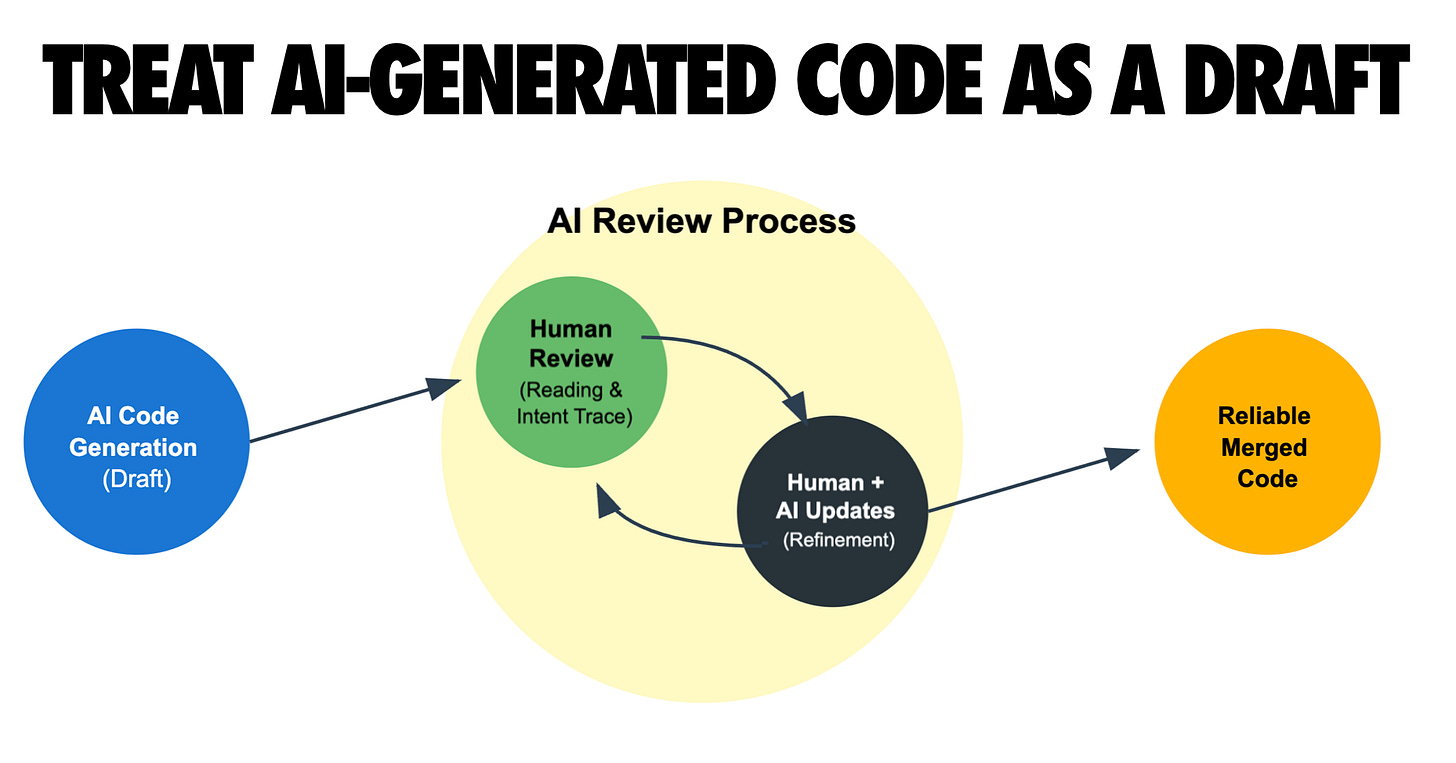
Commit often and utilize version control as a crucial safety net. Never commit code that cannot be fully explained or justified.
Commit Often and Use Version Control as a Safety Net
Frequent commits serve as critical "save points," enabling the reversal of AI missteps and facilitating understanding of changes. When an AI rapidly generates substantial code, maintaining granular version control is essential to prevent deviations. Commit early and often, even more frequently than during manual coding, with clear commit messages after each small task or successful automated edit. This establishes recent checkpoints, allowing for easy reverts or cherry-picks if subsequent AI suggestions introduce bugs or messy changes, minimizing lost work. This strategy empowers experimentation with bold AI refactors, knowing that a git reset can undo any undesirable outcomes.
Robust version control is also instrumental for AI collaboration. Given LLMs' context window limitations, the Git history becomes an invaluable log. Reviewing recent commits can brief both human and AI on code changes. Furthermore, LLMs can leverage provided commit histories or git diffs to understand new code or previous states, excelling at parsing diffs and using tools like git bisect for bug identification—a process they perform with infinite patience. This capability is, however, contingent on a well-maintained, tidy commit history.
Small, well-described commits also document the development process, aiding both human and AI code reviews. If an AI agent makes multiple changes in a single commit, isolating issues becomes challenging. Adopting a discipline of "finish task, run tests, commit" ensures each chunk of work corresponds to a distinct commit or pull request, aligning with iterative development practices.
Finally, utilize branches or worktrees to isolate AI experiments. An advanced workflow involves creating fresh Git worktrees for new features or sub-projects, allowing multiple parallel AI coding sessions on the same repository without interference, with changes merged later. This sandbox-like approach for each AI task simplifies management; failed experiments can be discarded without impacting the main branch, while successful ones are integrated. This coordination capability is vital for simultaneous AI-driven feature development. In summary, commit frequently, organize work with branches, and leverage Git as the primary control mechanism to manage and reverse AI-generated changes effectively.

Customize AI Behavior with Rules and Examples
Actively steer your AI assistant by providing explicit style guides, examples, and "rules files" to achieve superior outputs. It's crucial to understand that AI's default style isn't immutable; it can be heavily influenced by clear guidelines. For instance, maintaining model-specific markdown files (e.g., CLAUDE.md, GEMINI.md) containing process rules, coding style preferences (e.g., linting rules, functional vs. OOP), and function restrictions ensures the AI aligns with project conventions. Feeding this file to the AI at the start of a session effectively keeps the model "on track" and prevents undesired patterns.
Beyond dedicated rules files, custom instructions or system prompts in tools like GitHub Copilot and Cursor can configure AI behavior globally for a project. Articulating coding style preferences (e.g., "Use 4 spaces indent, avoid arrow functions in React, prefer descriptive variable names, code should pass ESLint") significantly improves the adherence of AI suggestions to team idioms. This upfront investment in "teaching" the AI your expectations yields remarkably accurate and integrated outputs.
Another potent technique involves providing in-line examples of desired output formats or approaches. Demonstrating how a similar function was implemented or presenting a specific commenting style primes the model for mimicry, as LLMs excel at replicating patterns from given examples. The community has also developed creative "rulesets" to temper LLM behavior, such as including "no hallucination/no deception" clauses to encourage truthfulness and prevent fabricated code. Explicit instructions like "If you are unsure... ask for clarification rather than making up an answer" reduce hallucinations, while rules like "Always explain your reasoning briefly in comments when fixing a bug" enhance clarity for future reviews.
In essence, treat the AI not as a black box, but as a customizable team member. By configuring system instructions, sharing project documentation, and codifying explicit rules, you transform the AI into a specialized developer, analogous to onboarding a new hire. This tuning process offers a substantial return on investment, leading to outputs that require minimal tweaking and integrate seamlessly into your codebase.

Embrace Testing and Automation as Force Multipliers
AI performs optimally within a development environment equipped with robust continuous integration (CI/CD), linters, and code review bots. A well-orchestrated pipeline significantly boosts AI productivity. Ensure repositories utilizing AI coding have a strong CI setup, including automated tests on every commit/PR, enforced code style checks (ESLint, Prettier), and ideally, staging deployments for new branches. This allows the AI to trigger these checks and evaluate their results. For instance, if an AI agent opens a pull request, CI reports failures can be fed back to the AI for debugging, establishing a collaborative, rapid-feedback loop for bug resolution.
Automated code quality tools, such as linters and type checkers, also serve as essential guides. Including linter output in prompts, for example, allows the AI to precisely address reported issues. Once an AI is aware of tool outputs (failing tests, lint warnings), it demonstrates a strong inclination to correct them, reinforcing the importance of providing environmental context. AI coding agents are increasingly integrating automation hooks, often refusing to declare a task "done" until all tests pass. Code review bots further act as filters, generating feedback that can be used as additional prompts for AI-driven improvements.
This synergy between AI and automation creates a virtuous cycle: AI writes code, automated tools identify issues, and AI fixes them under human oversight. This dynamic mimics a high-velocity junior developer whose work is rigorously audited by a tireless QA engineer. However, this effectiveness depends entirely on the robust environment you establish. Projects lacking adequate tests or automated checks risk latent bugs and quality degradation.
Moving forward, strengthening quality gates around AI code contributions—through more comprehensive testing, enhanced monitoring, and even AI-on-AI code reviews—will be crucial. While seemingly paradoxical, AI-on-AI reviews have proven effective in catching oversights. Fundamentally, an AI-friendly workflow is built upon strong automation; these tools are indispensable for maintaining AI integrity and code quality.
Continuously Learn and Adapt: AI Amplifies Your Skills
Each AI coding session presents a valuable learning opportunity; enhanced personal knowledge directly correlates with increased AI assistance, fostering a virtuous cycle. The integration of LLMs into development has profoundly expanded understanding, exposing developers to new languages, frameworks, and techniques that might otherwise remain unexplored. Fundamentally, AI amplifies productivity multifold for those with strong software engineering fundamentals, while a lack of foundational knowledge may lead to amplified confusion. As seasoned developers observe, LLMs reward existing best practices—such as clear specifications, robust tests, and diligent code reviews—making them even more impactful.
AI empowers developers to operate at a higher level of abstraction, focusing on design, interfaces, and architecture while the AI handles boilerplate code. This necessitates a strong grasp of high-level skills first. As Simon Willison highlights, the attributes of a senior engineer—system design, complexity management, and discerning automation opportunities—are precisely what yield the best outcomes with AI. Leveraging AI thus inherently pushes engineers to elevate their craft, fostering greater rigor in planning and architectural consciousness, as one effectively " manages" a rapid yet sometimes naive coder.
Concerns about AI degrading developer skills are unfounded if the tools are used correctly. Reviewing AI-generated code exposes new idioms and solutions, while debugging AI mistakes deepens understanding of languages and problem domains. Engaging the AI to explain its code or rationale behind fixes offers continuous learning, akin to interviewing a candidate about their work. Furthermore, AI serves as an exceptional research assistant, capable of enumerating options and comparing trade-offs for libraries or approaches. This continuous engagement enriches a programmer's knowledge base.
The overarching benefit is that AI tools amplify existing expertise. Instead of posing a threat to employment, they liberate developers from mundane tasks, allowing more time for creative and complex software engineering challenges. However, it is critical to acknowledge that without a solid skill foundation, AI can create a "Dunning-Kruger on steroids" effect, where perceived accomplishment masks underlying flaws. The advice, therefore, is to continuously hone your craft and use AI to accelerate that process. Periodically coding without AI is also recommended to maintain sharp raw skills. Ultimately, the developer + AI partnership is significantly more powerful than either component alone, with the human developer's expertise remaining the indispensable half.
Conclusion
Embracing AI in the development workflow, particularly as "AI-augmented software engineering," has proven highly effective. The key insight is that optimal results stem from applying classic software engineering discipline to AI collaborations. Established best practices—such as designing before coding, comprehensive testing, robust version control, and maintaining high standards—are not only still relevant but are even more critical when AI contributes significantly to the codebase.
The future of AI in development promises continued evolution, with potential for autonomous "AI dev interns" handling more foundational tasks, freeing human engineers for higher-level challenges, and the emergence of novel debugging and code exploration paradigms. Throughout these advancements, maintaining human oversight remains paramount: guiding AIs, learning from their outputs, and responsibly amplifying productivity. Ultimately, AI coding assistants are powerful force multipliers, but the human engineer remains the indispensable director of the development process.