Mastering Dynamic Page Transitions with the View Transition API
Explore the View Transition API for animating elements between page navigations. Learn about default, custom, page-based, and connected element transitions with code examples.

Brought to you by:
 NERV
NERV
God's in his Heaven, all's right with the world
View Transition API
Published: November 2025
Status: Seed
Views: 3274
Target Audience: Front-end developers
The View Transition API offers a robust method to create animated transitions for elements when navigating between different pages. While it is supported across all major browsers, Firefox currently provides only limited functionality.
Default Transition
To enable the API, you must opt-in by adding the following CSS rule to each page:
/index.css
@view-transition {
  navigation: auto;
}
This CSS snippet activates the default cross-fade animation, which subtly decreases the opacity of outgoing elements while simultaneously increasing the opacity of incoming elements.
GO TO SITE (An arrow within a square pointing to the top-right)
Each example's CSS and JavaScript code is unminified and embedded directly within the HTML file.
Custom Transition
Beyond the default, you can customize the animation using standard CSS selectors and keyframes:
/index.css
@keyframes fade-in {
  from { opacity: 0; }
}
@keyframes fade-out {
  to { opacity: 0; }
}
@keyframes slide-to-left {
  to { translate: -120px; }
}
@keyframes slide-from-right {
  from { translate: 120px; }
}

/* Set the animation for outgoing page elements */
::view-transition-old(root) {
  animation: slide-to-left 1s, fade-out 1s;
}

/* Set the animation for incoming page elements */
::view-transition-new(root) {
  animation: slide-from-right 1s, fade-in 1s;
}
GO TO SITE (An arrow within a square pointing to the top-right)
Page-based Transition
It's also possible to vary the animation based on the destination page. The example below demonstrates sliding elements left when navigating to 'page A' and right when returning to the 'index' page. This approach leverages:
pageswap: An event triggered on the outgoing page just before the last frame is rendered.pagereveal: An event fired on the incoming page after initialization but prior to its first render.window.navigation: A property used to obtain URLs, though its availability is limited. A workaround involves storing the URL insessionStorageon the outgoing page and retrieving it on the incoming page.
/index.css
:root {
  --transition-old: slide-to-left 1s, fade-out 1s;
  --transition-new: slide-from-right 1s, fade-in 1s;
  --transition-old-reverse: slide-to-right 1s, fade-out 1s;
  --transition-new-reverse: slide-from-left 1s, fade-in 1s;
}

::view-transition-old(root) {
  animation: var(--transition-old);
}

::view-transition-new(root) {
  animation: var(--transition-new);
}
/index.js
function isReverseTransition(toURL) {
  /* Using endsWith because I'm iframing the page */
  /* return toURL.pathname === "/index.html"; */
  return toURL.pathname.endsWith("/index.html");
}

async function setTemporaryReverseTransition(transitionPromise) {
  const root = document.documentElement;
  root.style.setProperty("--transition-old", "var(--transition-old-reverse)");
  root.style.setProperty("--transition-new", "var(--transition-new-reverse)");
  await transitionPromise;
  // Clean up
  root.style.removeProperty("--transition-old");
  root.style.removeProperty("--transition-new");
}

function onTransition(toURL, evt) {
  if (isReverseTransition(toURL)) {
    setTemporaryReverseTransition(evt.viewTransition.finished);
  }
}

window.addEventListener("pageswap", async (evt) => {
  // Not used: just demonstrating how to access
  const fromURL = new URL(evt.activation.from.url);
  const toURL = new URL(evt.activation.entry.url);
  onTransition(toURL, evt);
});

window.addEventListener("pagereveal", async (evt) => {
  const toURL = new URL(window.navigation.activation.entry.url);
  /* evt.viewTransition doesn't exist on page load (pagereveal will trigger on page load) */
  if (evt.viewTransition) {
    onTransition(toURL, evt);
  }
});
GO TO SITE (An arrow within a square pointing to the top-right)

WARNING: The pagereveal event listener must execute before the first rendering opportunity. Therefore, it needs to be registered within a classic parser-blocking script placed in the <head> of your HTML (not a module, async, or defer script). If you must use module or async, ensure it's marked as render-blocking by adding blocking=render.
Connect Elements
To create a morphing animation between elements on different pages, assign them the same view-transition-name property. This causes the outgoing element to smoothly transform into the incoming element.
/index.css
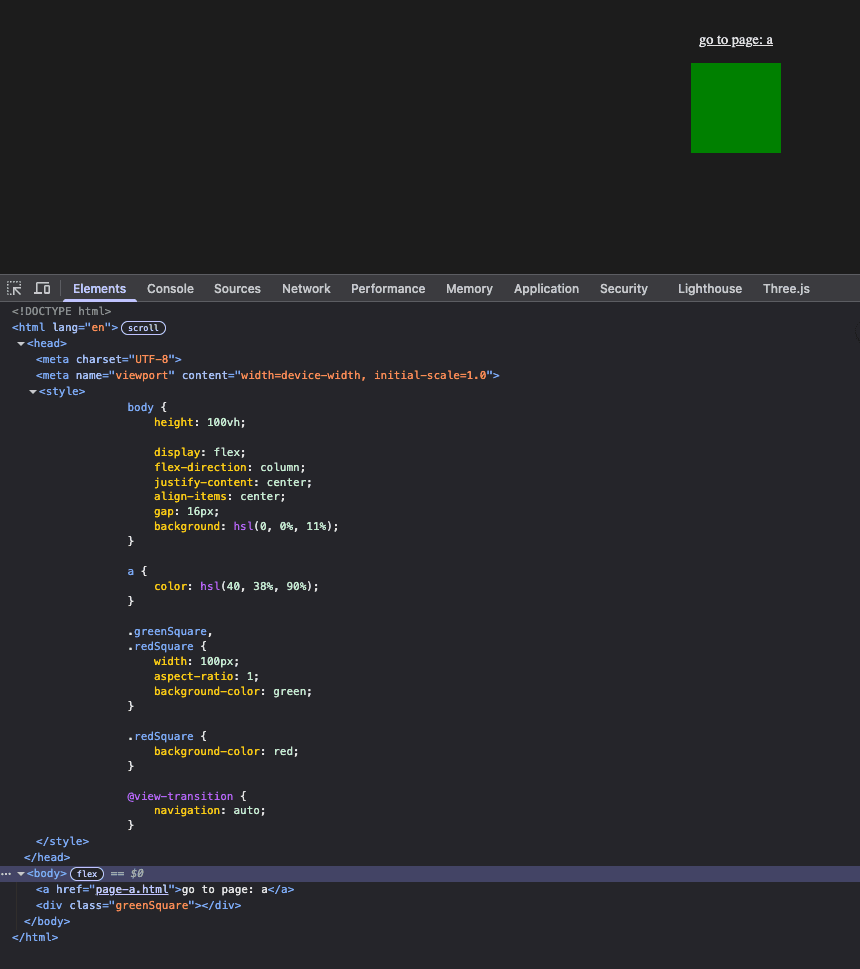
.greenSquare {
  width: 100px;
  aspect-ratio: 1;
  margin-right: 240px;
  background-color: green;
  view-transition-name: my-transition;
}

.redSquare {
  width: 200px;
  aspect-ratio: 1;
  margin-left: 240px;
  background-color: red;
  view-transition-name: my-transition;
}
GO TO SITE (An arrow within a square pointing to the top-right)
Multiple Transitions
You can orchestrate more than one animation within a single transition. For instance, you can:
- Customize the default animation duration (here, to two seconds) for anchors.
- Create a new, distinct transition (e.g.,
my-transition) specifically for squares.
/index.css
.greenSquare, .redSquare {
  /* ... other styles ... */
  view-transition-name: my-transition;
}

::view-transition-old(root) {
  animation-duration: 2s;
}

::view-transition-new(root) {
  animation-duration: 2s;
}

::view-transition-old(my-transition) {
  animation: slide-to-left 1s, fade-out 1s;
}

::view-transition-new(my-transition) {
  animation: slide-from-right 1s, fade-in 1s;
}
GO TO SITE (An arrow within a square pointing to the top-right)
UI Example: Menu
The View Transition API is exceptionally well-suited for animating transitions from a menu to a selected item's detail page. This often involves a small image in the menu expanding into a larger image on the item page. This effect can be achieved by:
- Setting a
view-transition-nameon the image element for each item page. - Temporarily assigning the
view-transition-nameto a menu item's image:- When the menu item is clicked.
- When navigating back to the menu page, using the
pagerevealevent.
/index.js
async function setTemporaryReverseTransition(elem, transitionPromise) {
  elem.style.viewTransitionName = "my-transition";
  // Cleanup
  await transitionPromise;
  elem.style.removeProperty("view-transition-name");
}

window.addEventListener("pagereveal", async (evt) => {
  const fromURL = new URL(navigation.activation.from.url);
  const { pathname } = fromURL;
  const parts = pathname.split("/");
  const anchor = document.querySelector(`a[href="${parts.pop()}"]`);

  // Required because pagereveal event triggers on initial page load
  if (!anchor) return;

  const sibling = anchor.nextElementSibling;
  setTemporaryReverseTransition(sibling, evt.viewTransition.finished);
});

// Add transition name to square when anchor clicked
document.addEventListener("DOMContentLoaded", () => {
  const anchors = document.querySelectorAll("a");
  anchors.forEach((anchor) => {
    anchor.addEventListener("click", (evt) => {
      // Capture the square
      const sibling = anchor.nextElementSibling;
      sibling.style.viewTransitionName = "my-transition";
    });
  });
});
GO TO SITE (An arrow within a square pointing to the top-right)

Overflow: hidden - A Known Issue
One challenge with the View Transition API is that elements contained within a parent with overflow: hidden may visually break out of their container during a transition. As illustrated below, squares within a circular div with overflow: hidden will unexpectedly appear outside the circle during the animation.
GO TO SITE (An arrow within a square pointing to the top-right)
References
Feedback
Have any feedback about this note or just want to comment on the state of the economy? Send Feedback
=640&q=75)