Next.js 16.1: Accelerating Development Workflows with Turbopack and New Tools
Next.js 16.1 enhances developer workflows with stable Turbopack file system caching, an experimental Bundle Analyzer for optimization, and easier debugging, significantly improving performance and stability.
Next.js 16.1 focuses on faster development workflows and improved stability, with major updates to Turbopack and tooling.
Key Highlights:
- Turbopack File System Caching for
next dev(Stable): Significant compile time improvements enabled by default. - Next.js Bundle Analyzer (Experimental): An interactive tool to optimize code and bundle sizes.
- Easier Debugging: Streamlined debugging with
next dev --inspect. - Transitive External Dependencies: Turbopack automatically handles these without warnings or extra configuration.
Upgrade Today
To upgrade your existing project or start a new one:
# Use the automated upgrade CLI
npx @next/codemod@canary upgrade latest

# ...or upgrade manually
npm install next@latest react@latest react-dom@latest

# ...or start a new project
npx create-next-app@latest
Turbopack File System Caching for next dev
Turbopack file system caching for next dev is now stable and enabled by default. This feature stores compiler artifacts on disk, resulting in significantly faster compile times when restarting your development server, especially beneficial for large projects.
Internal benchmarks show dramatic improvements in cold start times for various applications:
react.dev: Approximately a 10x speedup (from 3.7s to 380ms)nextjs.org: Improved by about 5x (from 3.5s to 700ms)- Large internal Vercel application: Experienced a 14x faster cold start (from 15s to 1.1s)
Following this release, the team plans to stabilize file system caching for next build. For more information, refer to the documentation and share your feedback on the dedicated GitHub discussion.
Next.js Bundle Analyzer (Experimental)
Next.js 16.1 introduces an experimental Bundle Analyzer, integrated with Turbopack. This powerful tool simplifies the optimization of bundle sizes for both server and client code, contributing to better Core Web Vitals, reduced lambda cold start times, and easier identification of bloated dependencies.
To run the Bundle Analyzer:
next experimental-analyze
Running this command launches an interactive UI to inspect production bundles, identify large modules, and understand their inclusion reasons.
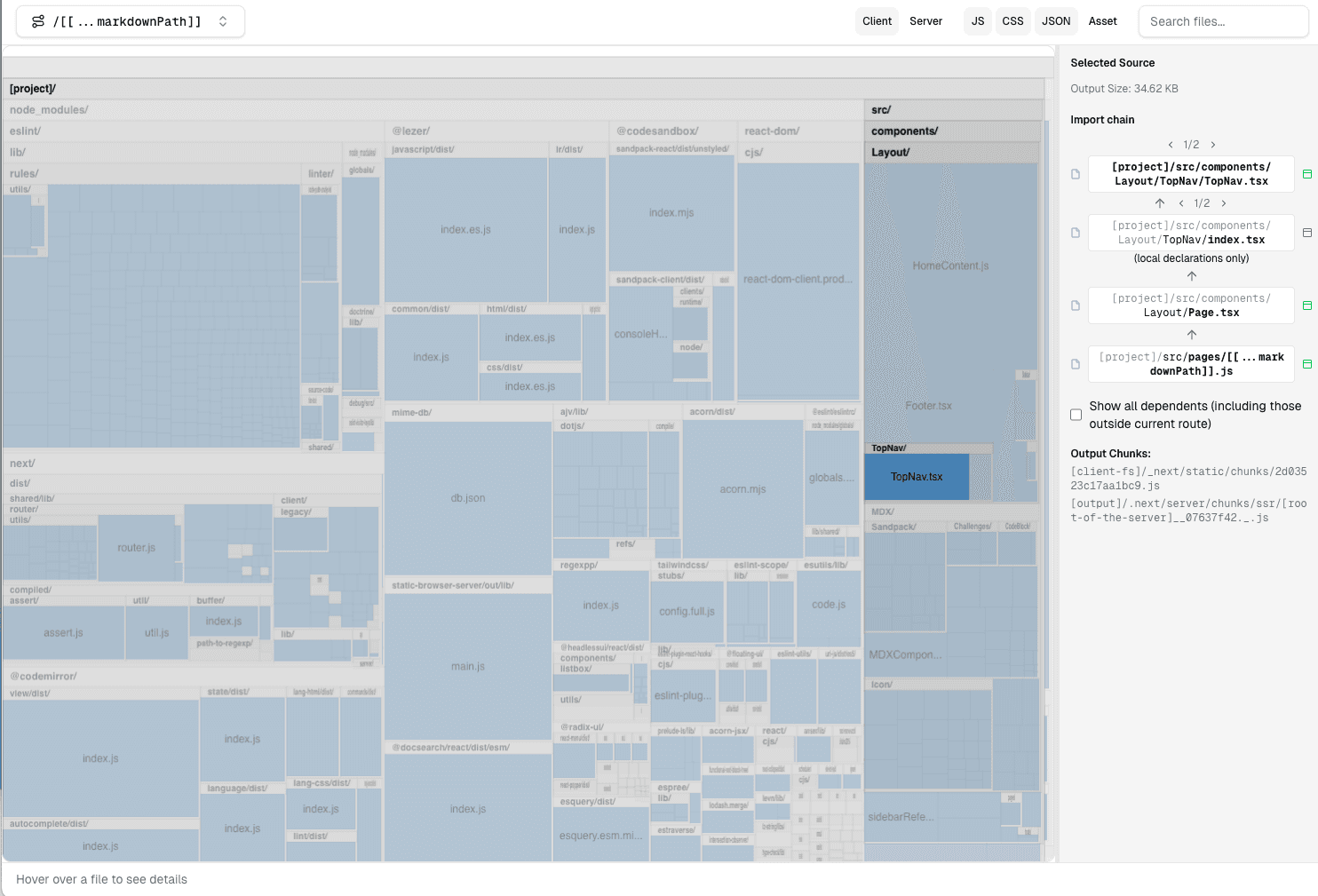
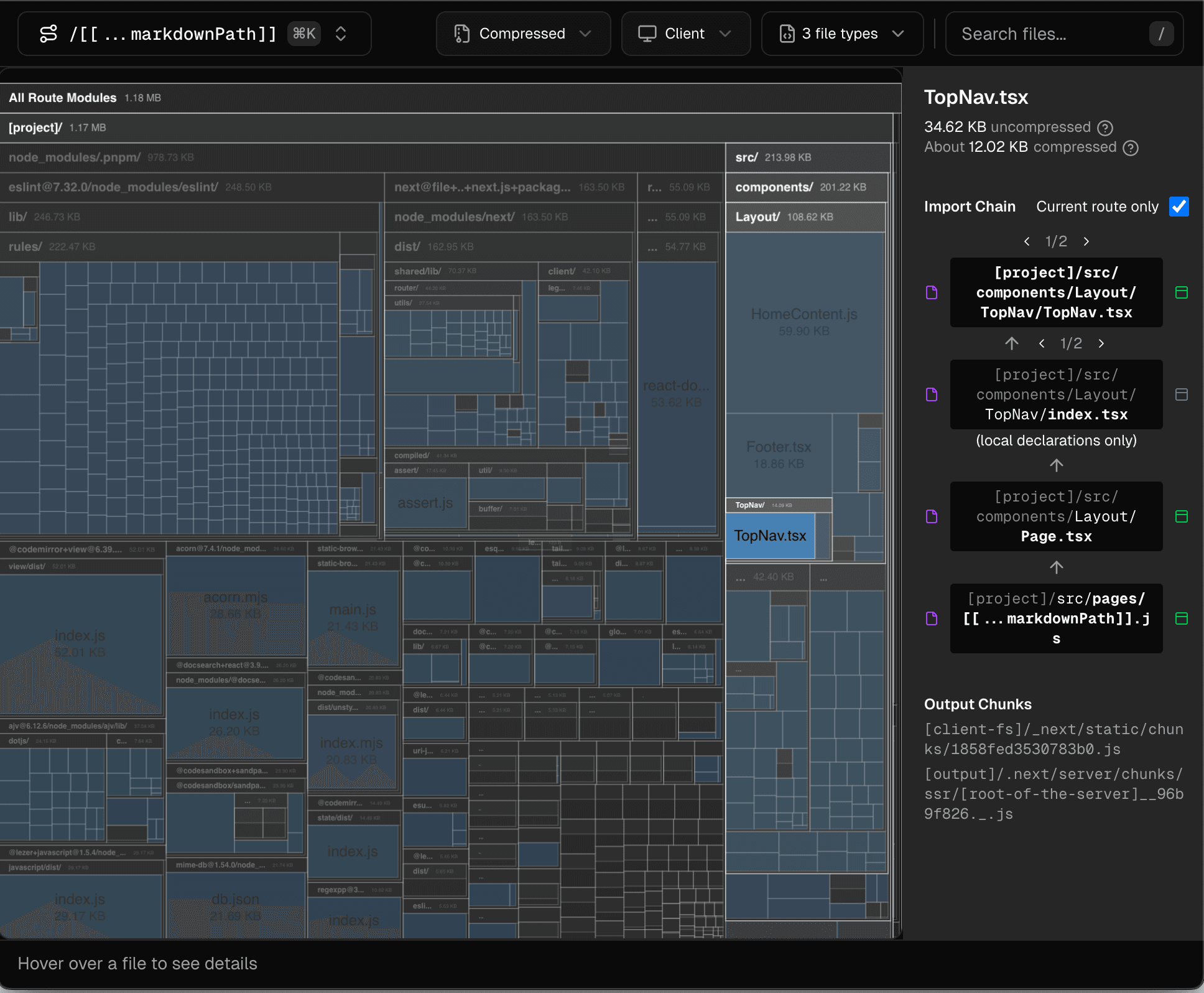 The Next.js Bundle Analyzer visualizes module dependencies as a treemap, highlighting import chains for selected components like
 TopNav.tsx.
Try it yourself: Open the interactive Bundle Analyzer demo to explore the module graph.
The Bundle Analyzer is deeply integrated into Next.js, allowing you to:
- Filter bundles by route
- View the full import chain showing why a module is included
- Trace imports across server-to-client component boundaries and dynamic imports
- View CSS and other imported asset sizes
- Switch between client and server views
As the Bundle Analyzer is in early development, it will be further improved in future releases. Share your feedback on the dedicated GitHub discussion.
Easier Debugging with next dev --inspect
Debugging Next.js applications is now simpler with the --inspect flag for next dev. Previously, enabling the Node.js debugger required setting NODE_OPTIONS=--inspect, which attached the inspector to all spawned Next.js processes. Now, --inspect specifically targets the process running your code, streamlining the debugging workflow.
Improved Handling of serverExternalPackages
Next.js allows developers to prevent bundling of certain dependencies using serverExternalPackages. Historically, this feature primarily supported direct dependencies. If a library internally relied on an external dependency (e.g., sqlite), developers had to manually add that external dependency to their package.json, even if it wasn't a direct project dependency. This led to exposed internal details, increased maintenance, and potential version conflicts.
Next.js 16.1 addresses this limitation within Turbopack, which now correctly resolves and externalizes transitive dependencies specified in serverExternalPackages without requiring additional configuration.
Other Updates
- 20MB smaller installs: Next.js installation size reduced by approximately 20MB due to optimizations in the Turbopack file system caching layer.
- New
next upgradecommand: A streamlinednext upgradecommand has been introduced to simplify future Next.js version updates. - MCP
get_routestool: The Next.js DevTools MCP server now includes aget_routestool for retrieving a comprehensive list of an application's routes. generateStaticParamstiming: Time spent executinggenerateStaticParamsis now logged as part of request timings in development environments.- Build worker logging: During
next build, "Collecting page data" and "Generating static pages" steps now log the number of worker threads utilized. - Improved async import bundling: Turbopack features enhanced bundling of async imports in development, reducing the number of chunks produced and mitigating certain complex real-world scenarios.
- Relative source map paths: Turbopack now generates source maps with relative file paths for server-side code, improving compatibility with Node.js and other ecosystem tools.