One Month with CodeRabbit: An AI-Assisted Code Review Experience
A one-month review of CodeRabbit's AI-assisted code review tool for open-source projects. Explore its setup, critical findings, and practical limitations for developers.
September 13, 2025
By ildyria
One Month with CodeRabbit: An AI-Assisted Code Review Experience

This post is an independent review of CodeRabbit, based solely on my personal experience and opinions. I have no affiliation with CodeRabbit, nor have I received any compensation for this write-up.
As outlined in my previous post, our team has been exploring CodeRabbit to assist with code reviews across our open-source projects. CodeRabbit offers a generous open-source plan, providing free usage for public repositories with certain limitations, which perfectly suits our needs.
Initial Setup
The setup process was remarkably easy and straightforward. We simply logged into their website using our GitHub account, and the platform prompted us to select the repositories we wished to integrate for scanning.
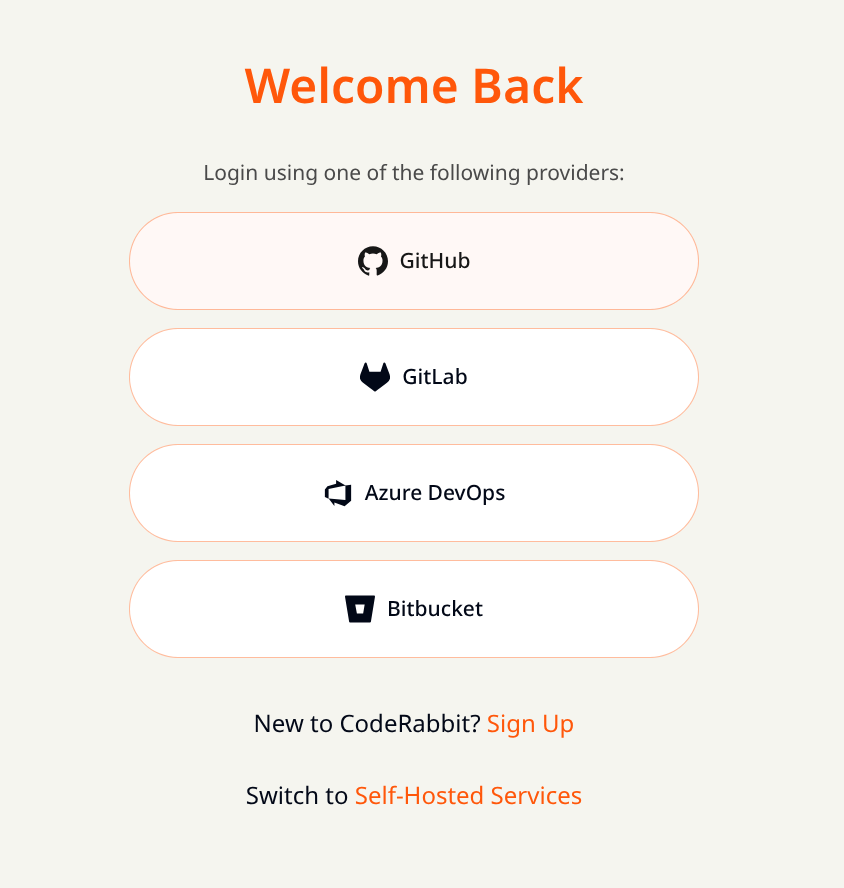
Upon clicking the authorization button, we were immediately redirected to GitHub to grant the bot the necessary permissions. Once authorized, CodeRabbit automatically begins scanning any new pull requests opened in the selected repositories.
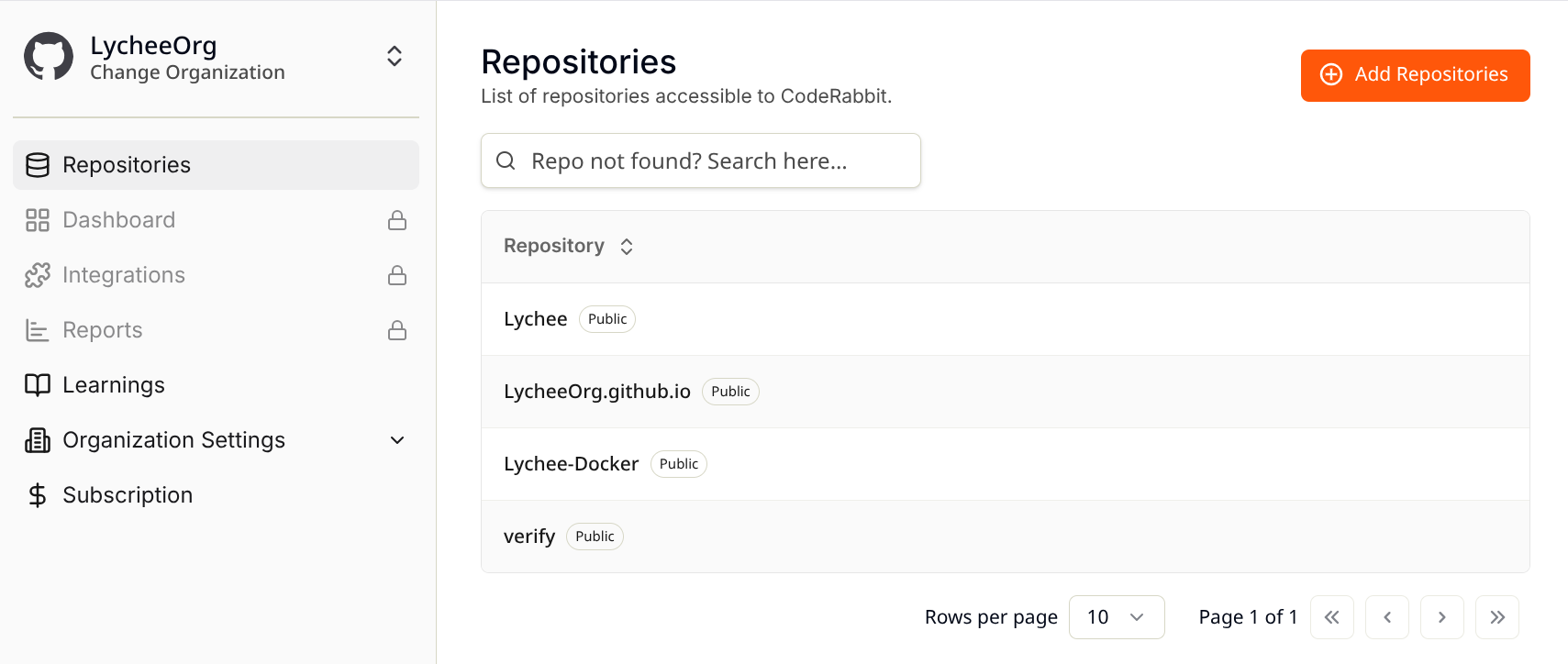
The only minor point of disappointment during setup was the loading time for the "Loading your workspace…" screen, which typically lasted a few seconds, followed by another brief wait before the repositories became visible. While the website's UI isn't exceptionally snappy, this is a minor concern as frequent interaction with the web interface isn't required.
 This screen persists for several seconds – longer than ideal, in my opinion.
First Impressions on PR Reviews
Having grown accustomed to receiving few comments on my pull requests from colleagues, and striving to produce high-quality code by default, my expectations for AI-assisted tools were tempered. My prior experience with Copilot on the GitHub web interface had been underwhelming. Consequently, I anticipated CodeRabbit to be a "nice-to-have" if it found issues, but not a significant loss if it didn't.
Simply put: I was wrong.
CodeRabbit proved to be impressively thorough, identifying issues I would have easily overlooked. Before delving into the specifics, let's look at how it operates.
When a new pull request is opened, the bot automatically edits its description to summarize the PR's purpose. Compared to Copilot's summaries, CodeRabbit's are consistently more relevant and accurate. This was particularly evident on a PR with a staggering 8,500 lines of code changed!
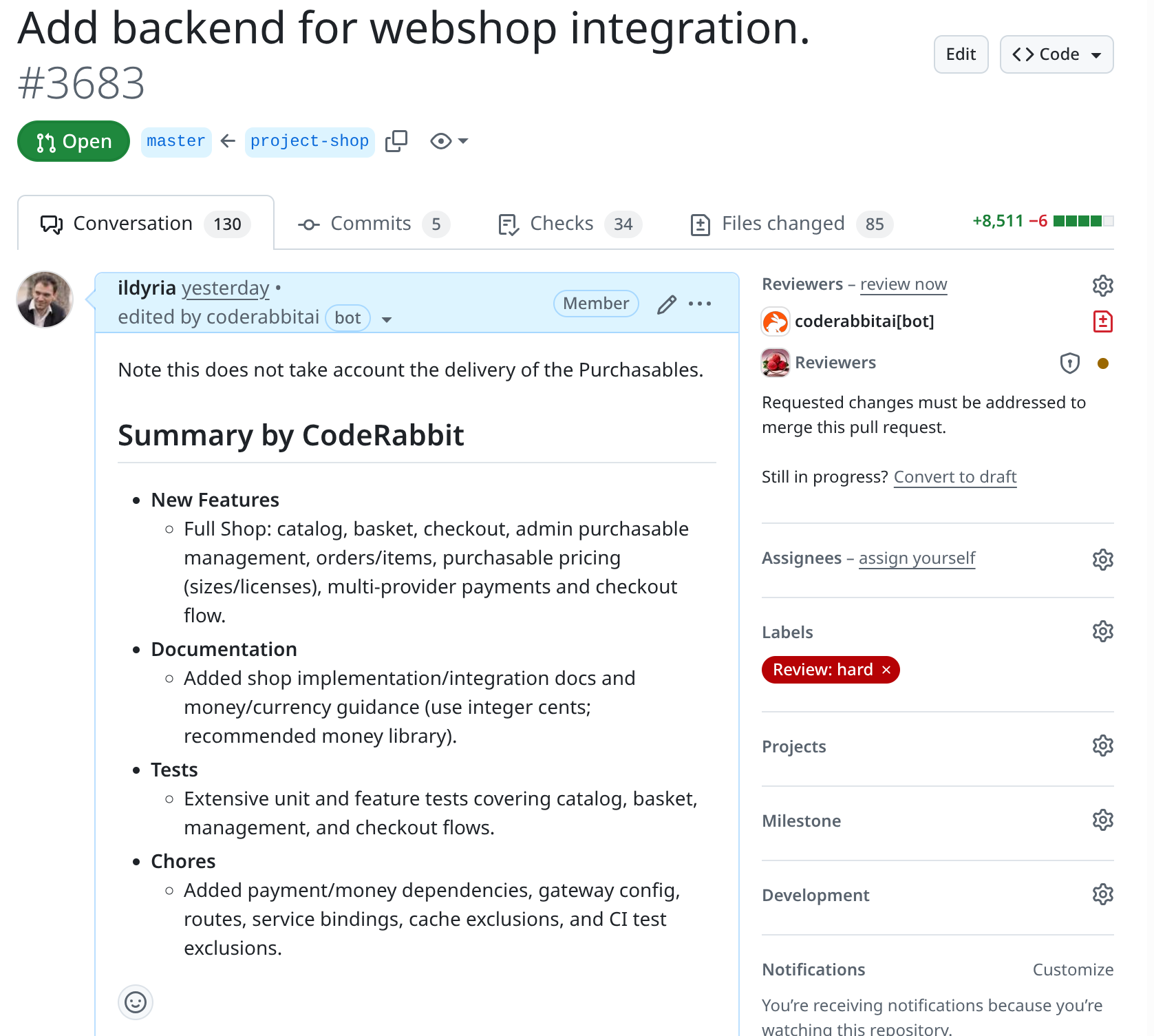
After analyzing the code for a few minutes (patience is key here), CodeRabbit adds a second comment, summarizing its findings and requesting changes. To address these findings, you have several options:
- Fix the issues: Push a new commit, and CodeRabbit will incrementally analyze the updated PR, revising its comment accordingly.
- Reply to the comment: Explain why you believe an issue is not relevant or problematic. CodeRabbit will analyze your response and update its comment.
- Dismiss the comment: If an issue is deemed irrelevant, mark it as "resolved."
Once all comments are marked "resolved," CodeRabbit automatically approves the pull request.
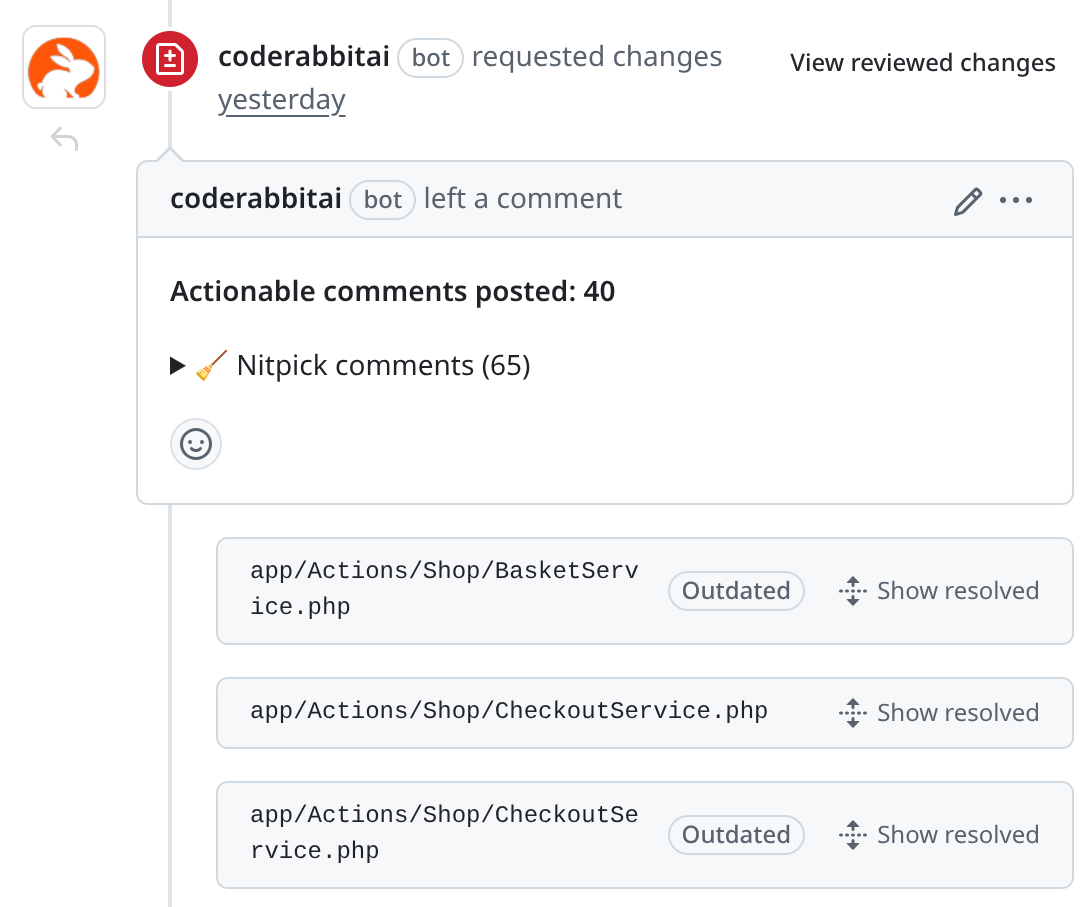
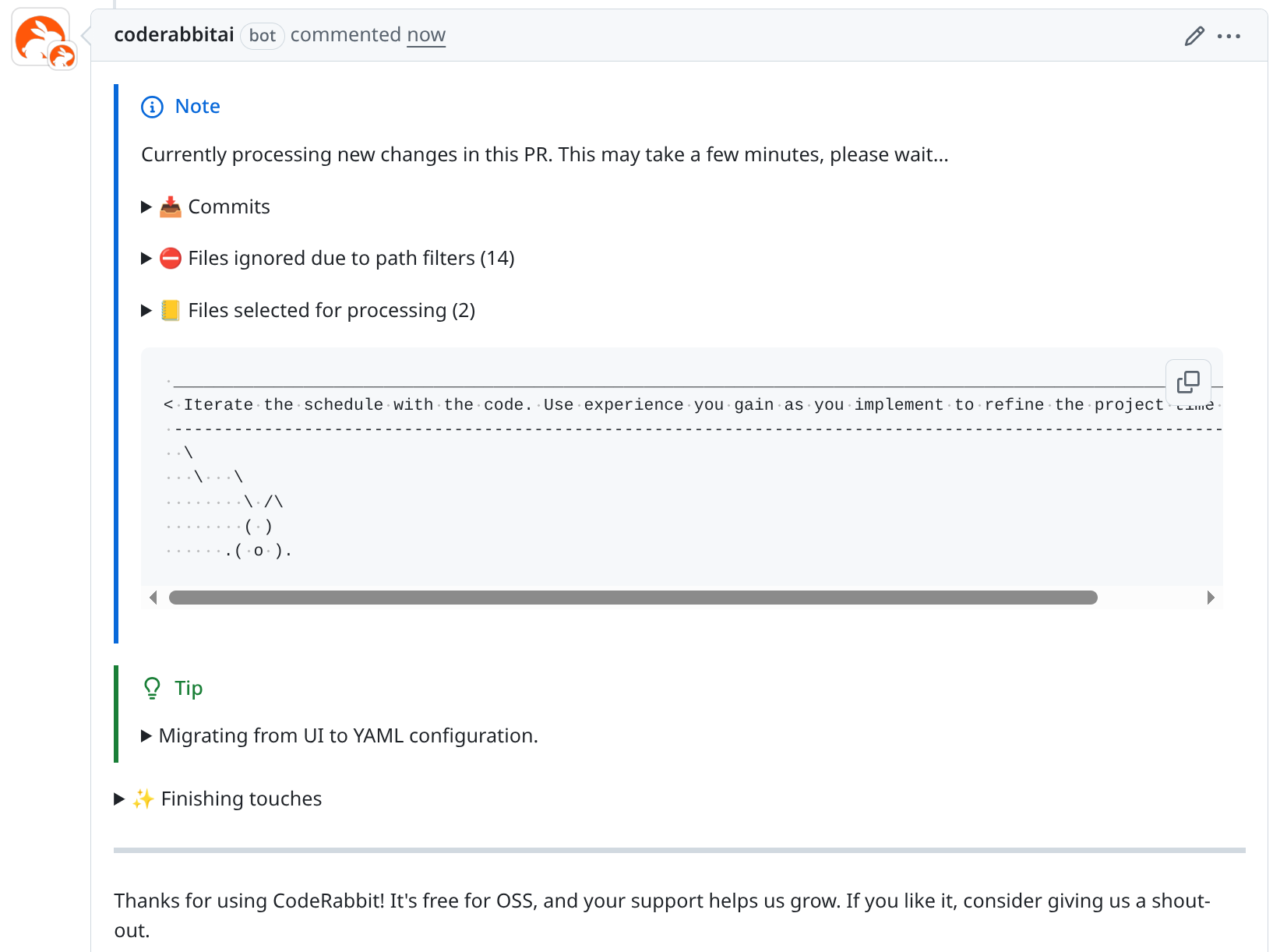
The comments themselves are exceptionally well-structured and often include a touch of humor. The small ASCII bunny accompanied by a quote, visible while waiting for the review, is a delightful detail.
About the Findings
As mentioned, the sheer number of issues CodeRabbit identified was surprising. However, the crucial factor is the value these findings bring. Automated issues that are irrelevant merely create noise and waste valuable time – time I'd rather not spend on non-actionable feedback.
To assess the tool's effectiveness, I reviewed every comment CodeRabbit made on our PRs over the past month. Here's a snapshot of the activity:
- 28 pull requests reviewed
- 32,784 lines of code added
- 4,768 lines removed
- 693 files changed
Across these reviews, CodeRabbit identified 290 issues, averaging about 10 issues per PR, which is a respectable number. I categorized each finding into one of five types:
- Useless/Trash: Absolutely irrelevant issues, things we don't care about, or simply incorrect assessments. These are considered noise, though their relevance can be codebase-specific.
- Wrong Assumption: Issues based on a misunderstanding of the code's functionality, intent, or an oversight by the AI.
- Nitpicking: Minor points for improvement that wouldn't significantly impact software behavior if left unaddressed.
- Thoughtful: A special category. While some may stem from wrong assumptions, these comments prompt a deeper review of the code, making you question, "Is this truly what I want?" or "Did I overlook something?" They aren't outright wrong but often highlight areas for re-evaluation.
- Quality Improvements: Essential issues that must be fixed. Merging without addressing these would lead to unwanted behavior or bugs. These are the truly valuable findings.
- Security/Critical Findings: A sub-category of Quality Improvements. These are not counted separately but represent findings that could lead to security vulnerabilities or critical bugs.
Here are the results of my analysis:
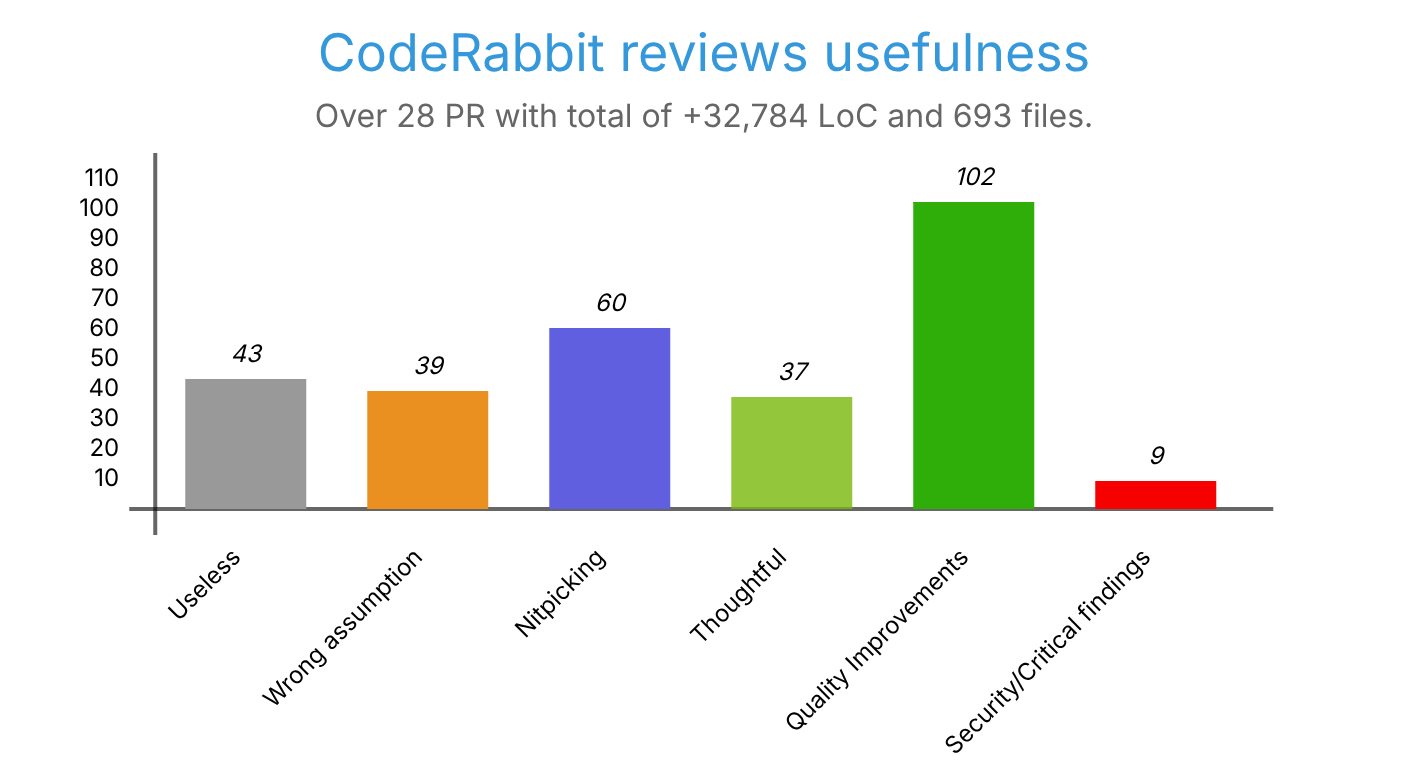
In summary, the distribution of findings (updated post-review) was:
- 15% useless
- 13% wrong assumptions
- 21% nitpicking
- 13% thoughtful
- 35% quality improvements
- (of which 3% were security/critical findings)
This means that while 28% of the findings were less interesting, a significant 72% were relevant, with approximately 71% (51/72) of those bringing actual value. This is an excellent ratio, demonstrating that CodeRabbit effectively contributes to code quality rather than merely generating extraneous comments.
Examples of Critical Findings
Here are some specific examples of critical vulnerabilities CodeRabbit identified in our PRs:
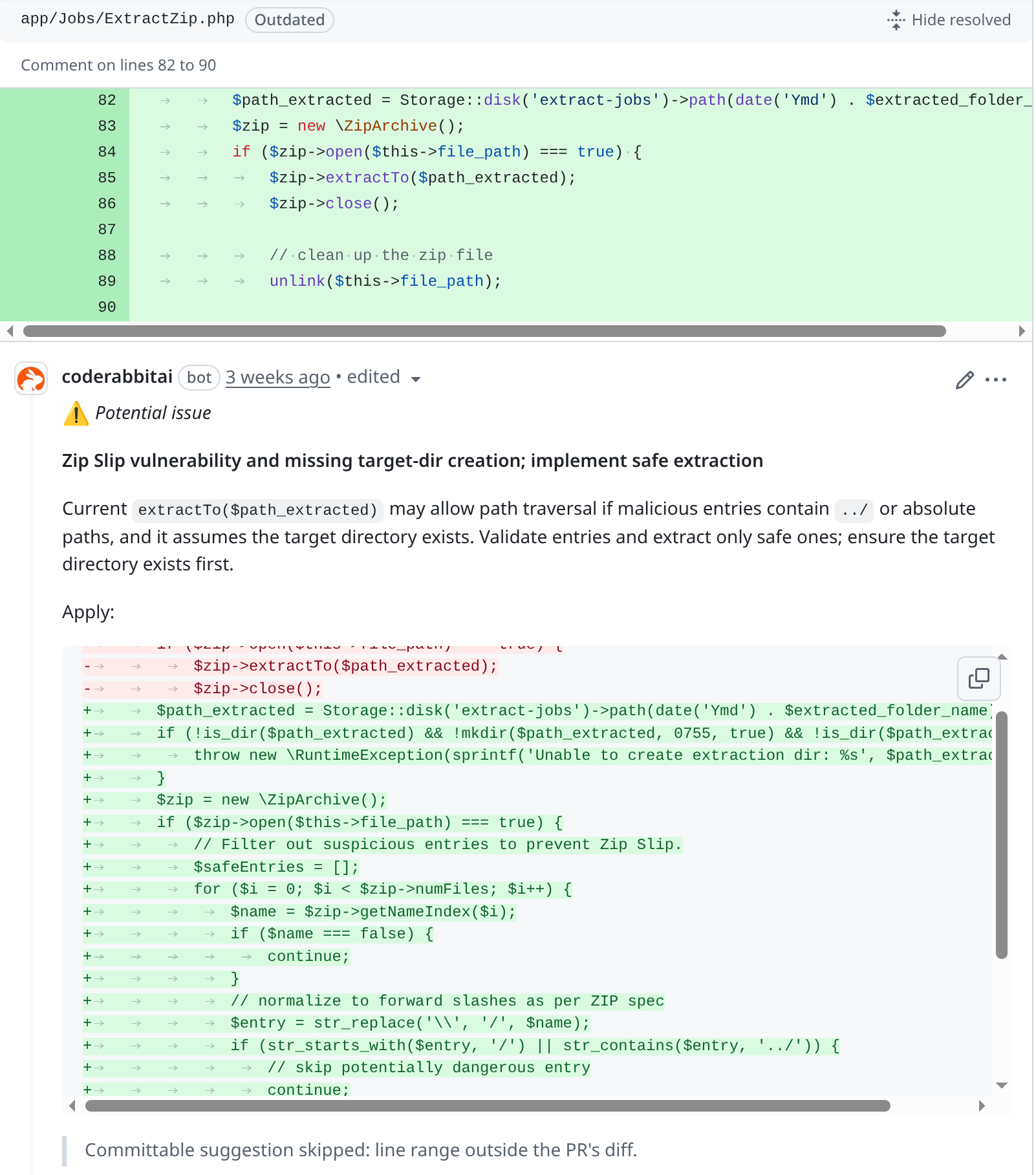
- Zip Slip Vulnerability: Identified a potential risk where extracting a zip file could lead to malicious file injection.
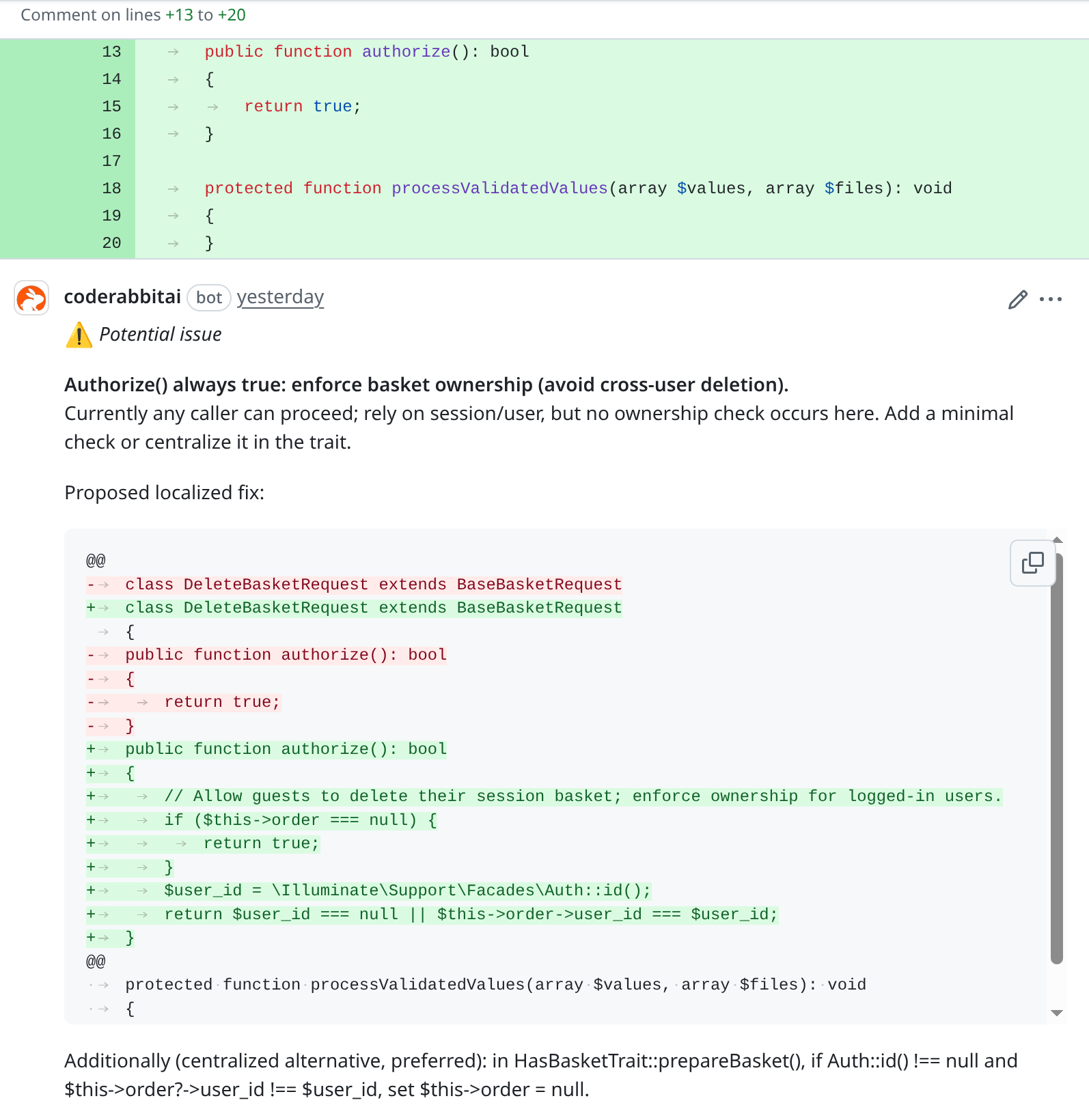
- Cross-User Data Access: Highlighted a flaw allowing one user to delete another user's shopping basket.
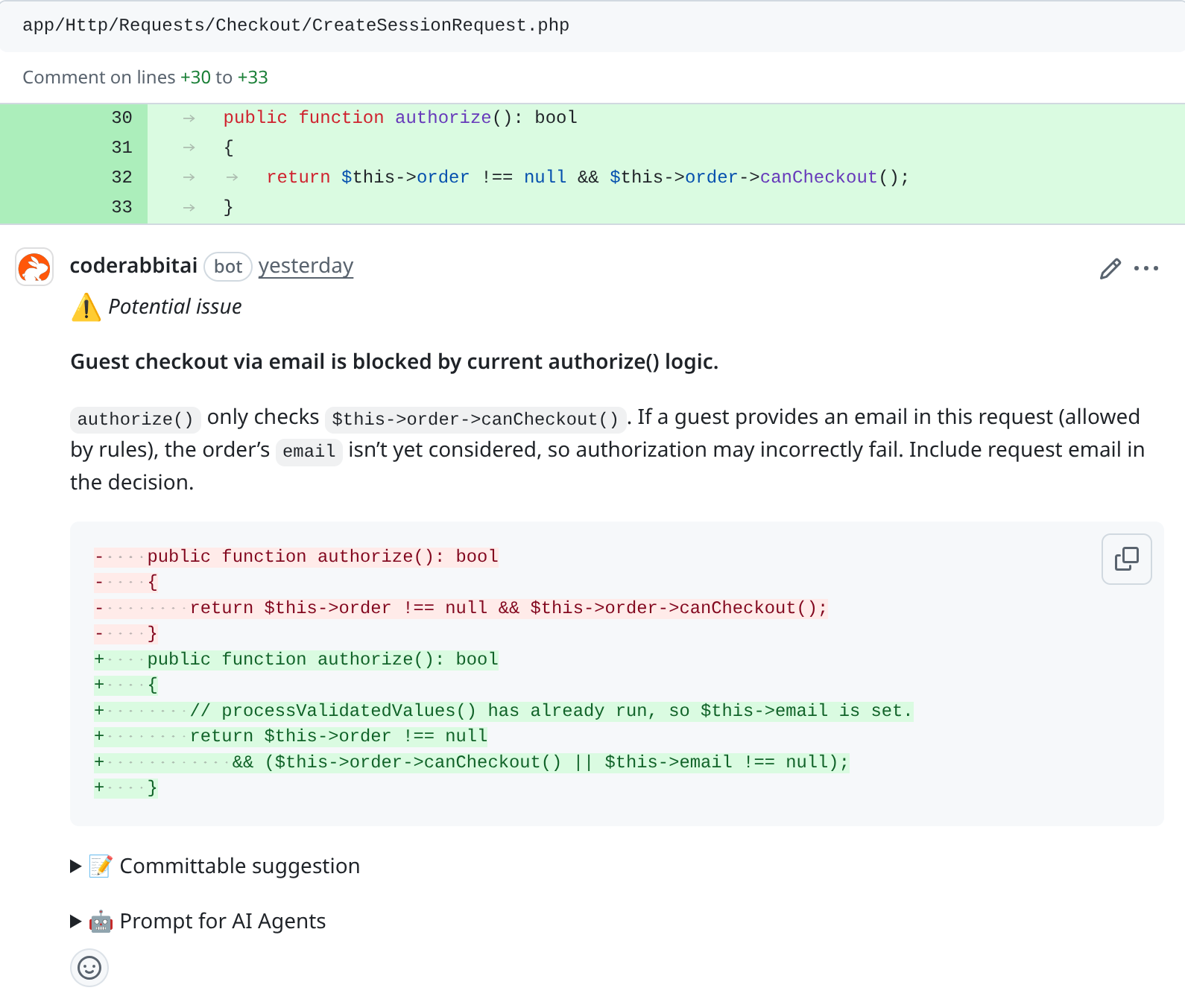
- Faulty Logic: Detected an oversight in control flow validation.
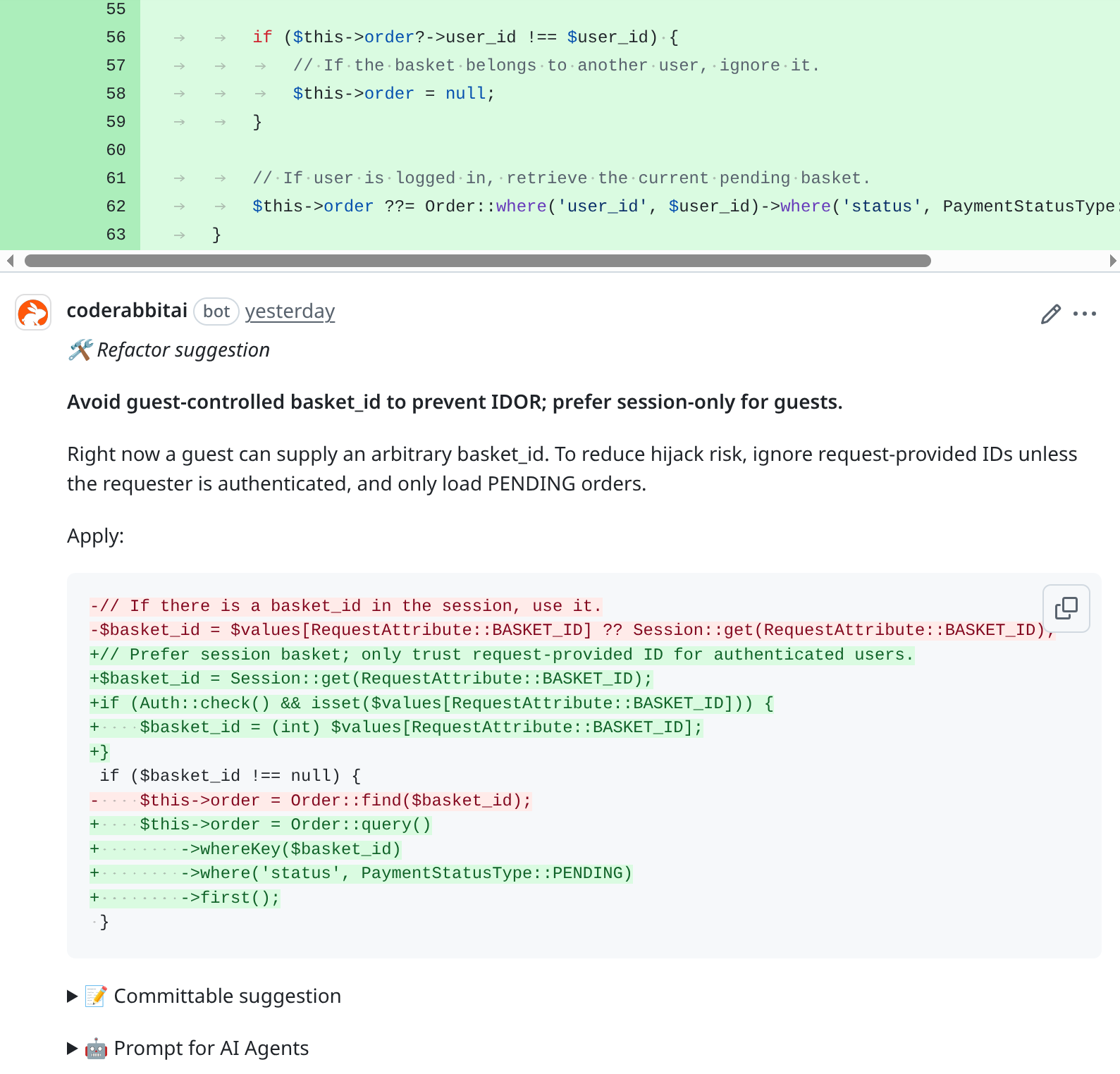
- IDOR Vulnerability: Identified an Insecure Direct Object Reference, potentially allowing a user to access another user's basket.
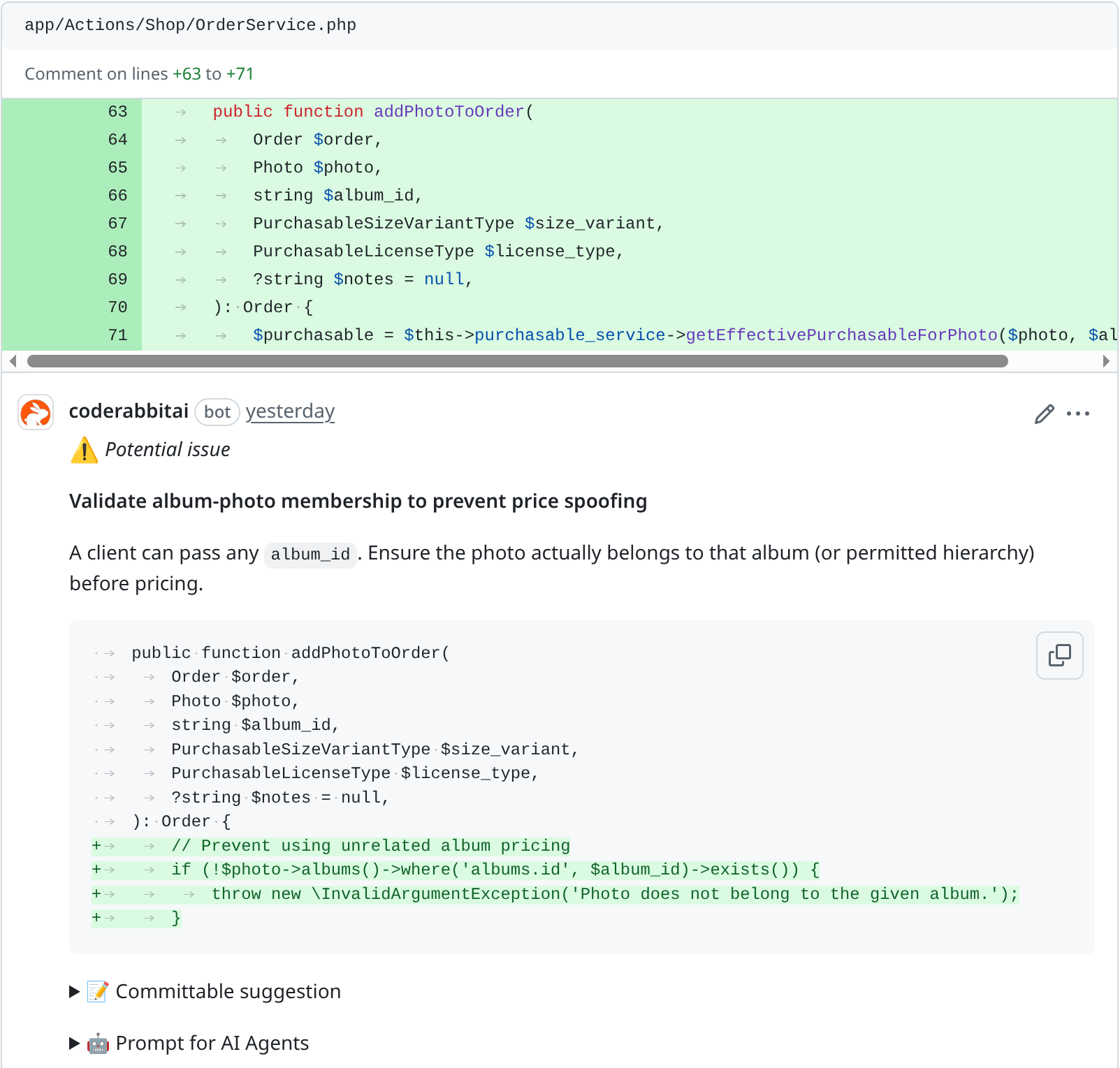
- Missing Validation: Uncovered an exploit where a user could manipulate a cheaper album to obtain an unintended discount on a photo.
Limitations
Despite its strengths, CodeRabbit does have some limitations worth noting, especially for active developers who might encounter them frequently. The open-source plan, for instance, has rate limits:
- Files Reviewed per Hour: 200
- Number of Reviews: 3 consecutive reviews, followed by 2 reviews per hour
- Number of Conversations: 25 consecutive messages, followed by 50 messages per hour
If you're particularly eager, you might frequently encounter the following message:
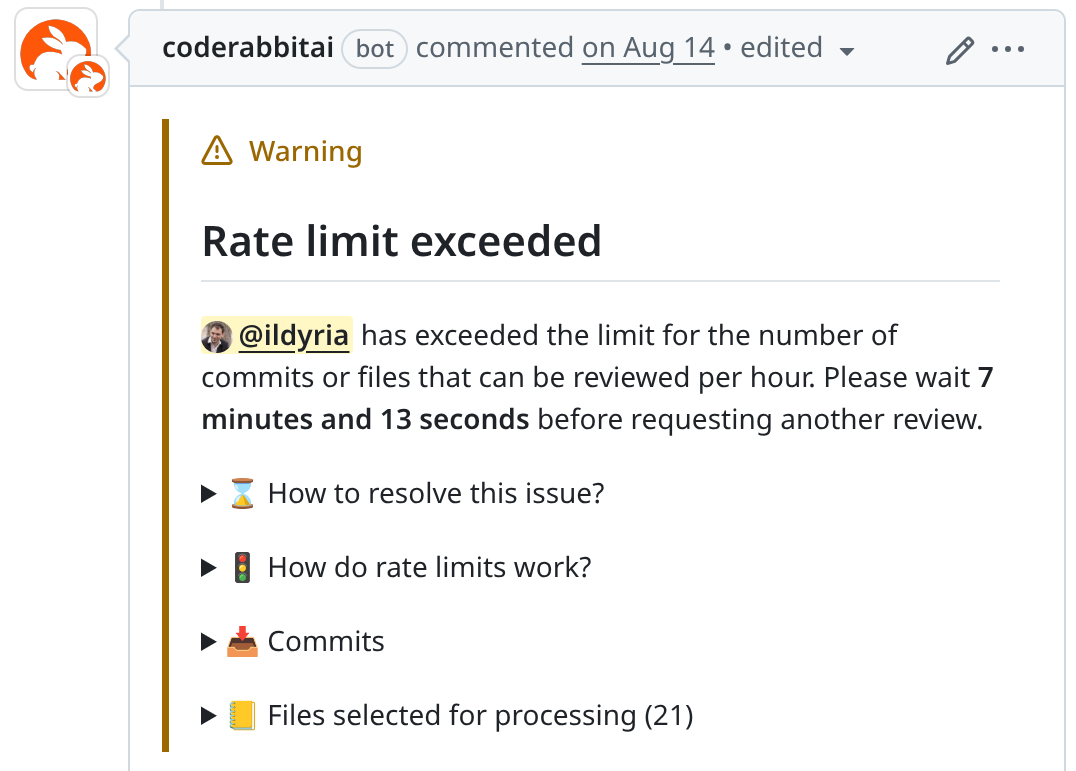
My advice for navigating these limits is to commit frequently but avoid pushing immediately. Instead, accumulate a few commits before pushing them all at once for review.
Conclusion
Overall, I am highly satisfied with CodeRabbit. It's an invaluable tool that significantly enhances the code quality of our open-source projects. While it's not a perfect replacement for human review, it serves as an excellent complement. Its findings are often highly relevant, helping either to resolve genuine issues or prompting us to rethink our code to ensure it meets our intended logic.
For any open-source maintainer, I wholeheartedly recommend giving CodeRabbit a try. Its free plan is more than sufficient for the majority of projects.
P.S.: I deliberately omitted discussion on CodeRabbit's features for direct code change proposals within PRs or its prompts for "AI-driven" IDEs. These are functionalities I haven't utilized and am not currently interested in, so I cannot offer commentary on them.
P.S.: Special thanks to u/Asphias for double-checking my basic math skills!