Resolving Headphone Buzz: A Deep Dive into GPU-CPU Transfers and Game Audio Interference
Investigate how a custom game caused headphone buzzing, pinpointing full GPU-to-CPU picking texture transfers as the culprit and demonstrating an optimized, localized download solution.
This article describes a common, yet perplexing, issue faced during game development: headphones buzzing when a specific game is run, even when other demanding applications work fine. This case study details the debugging process, from initial hypotheses to uncovering the root cause in GPU-CPU data transfers, and ultimately, finding an elegant solution.
The Problem: Unwanted Audio Buzz
A developer creating an isometric game (inspired by titles like Gnomoria, RimWorld, and Dwarf Fortress) encountered a persistent buzzing sound in their headphones whenever the game was launched. This anomaly was peculiar, as high-fidelity games like Fortnite or Overwatch caused no such disturbance, indicating the issue was specific to their custom-built game engine, developed using Rust and wgpu-rs.
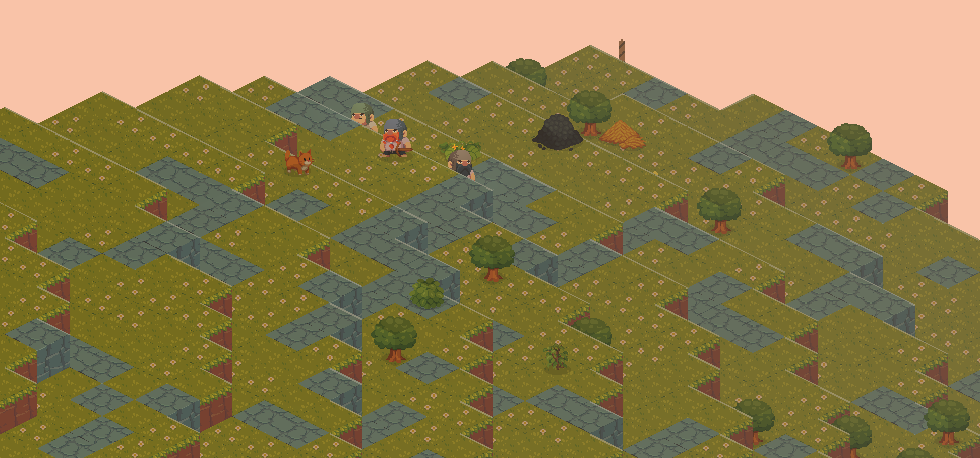
The hardware setup was robust, featuring a decent CPU, an RTX 3090 GPU, 32GB RAM, and USB audio routed through a MODI 2 DAC. A crucial detail was the MODI device's power source: a USB port on the computer. Initial suspicions leaned towards power supply issues, but this theory struggled to explain why a relatively "tiny" game would cause more interference than significantly more resource-intensive titles. Further investigation revealed that the buzzing ceased when rendering was disabled, shifting the focus from CPU-related work to the GPU.
Understanding the Graphics Pipeline
The game's graphics pipeline is straightforward, leveraging WebGPU (specifically wgpu-rs). It involves compute work to identify visible entities, followed by indirect drawing. The rendering pipeline outputs two main elements: the final buffer displayed on screen and a "picking texture."

A picking texture is a clever mechanism for handling user interaction. Instead of traditional color values, each object instance writes its unique EntityID into the texture. When a user clicks on the screen, the game queries the EntityID at the mouse cursor's pixel position, effectively identifying the clicked object.
Crucially, at the end of each frame, this entire picking texture is copied from GPU memory back to system RAM to facilitate mouse click detection. While functional, this full GPU-to-CPU transfer is not optimal and represents a potential bottleneck:

Pinpointing the Root Cause Given that rendering directly correlated with the buzzing, the debugging process focused on the GPU workload. Despite the GPU not appearing to be under heavy load, the problem persisted. A systematic approach of disabling parts of the rendering pipeline revealed a significant clue: skipping the download of the picking texture completely eliminated the buzzing. Experimenting with the download frequency further confirmed this; increasing the frequency of the GPU-to-CPU transfer intensified the noise.
This established the picking texture download as the likely culprit. Discussions with other graphics engineers offered a plausible explanation: the pattern of intensely hitting the GPU with work, then pausing it to wait for a large texture transfer, and immediately re-engaging it at 100% for the next frame, could create electrical interference. This rapid power cycling and data transfer activity through the USB bus was likely disrupting the audio signal path to the USB-powered DAC.
The Optimized Solution With the cause identified, the solution, in hindsight, became apparent. There was no need to transfer the entire picking texture from the GPU to the CPU every single frame. Instead, only the small portion of the texture corresponding to the mouse's current position was required for click detection.
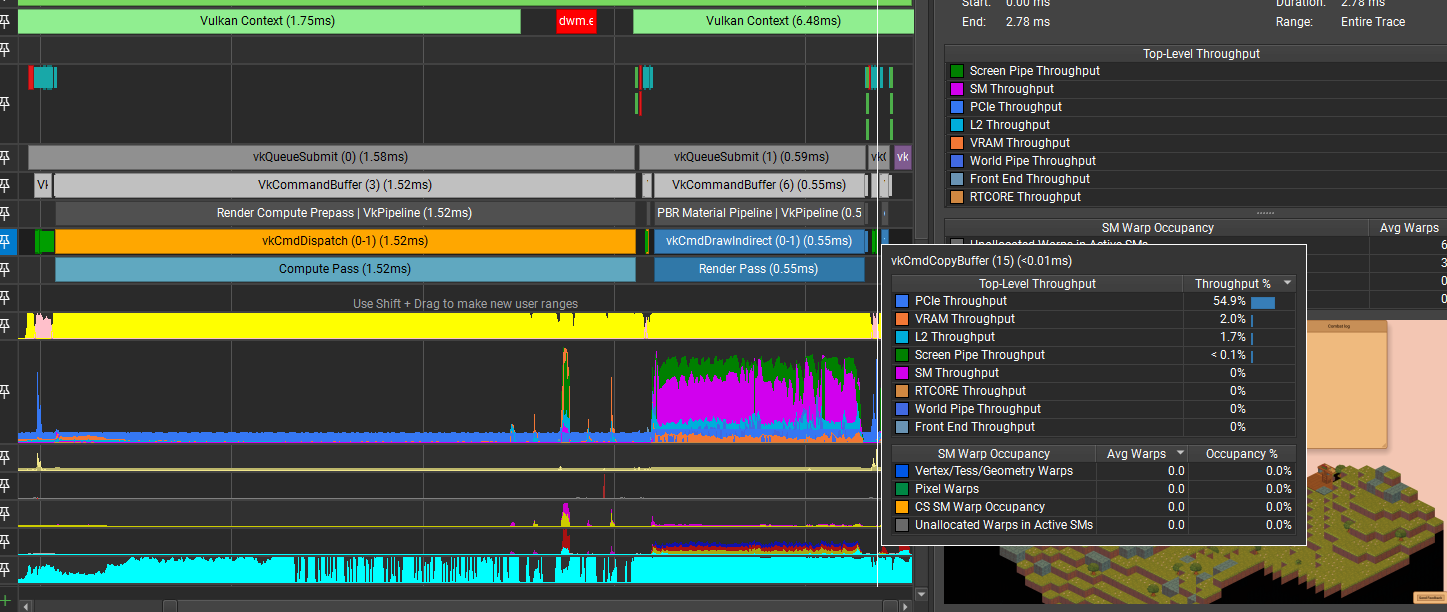
Implementing this targeted download strategy resolved the buzzing entirely. As an additional benefit, this optimized approach significantly reduced the GPU overhead associated with the transfer, making it virtually invisible in GPU traces:
This case study highlights the intricate connections between hardware, software, and subtle electrical interference, demonstrating how even seemingly minor inefficiencies in a graphics pipeline can lead to unexpected audio disturbances.