The Evolving Landscape of AI-Native IDEs in 2026: Beyond Cursor
Explore the rapidly evolving world of AI-native Integrated Development Environments in 2026. This guide compares Cursor, once dominant, with specialized alternatives like Claude Code, Fusion, and Zed, helping developers choose the right AI IDE for specific workflows and team needs.
Cursor redefined code development, evolving from a VS Code fork into a leading AI-native editor. However, by 2026, the market has matured significantly, presenting developers with a range of powerful alternatives. The focus has shifted from mere AI-powered chatbots to sophisticated agents capable of end-to-end code delivery. While Cursor remains an excellent tool, many teams now find specialized solutions better suited for specific workflows, such as terminal automation, design system integration, or enterprise-grade specifications. This article provides an overview of agentic IDEs in 2026, comparing Cursor against its strongest competitors.
What is Cursor (in 2026)?
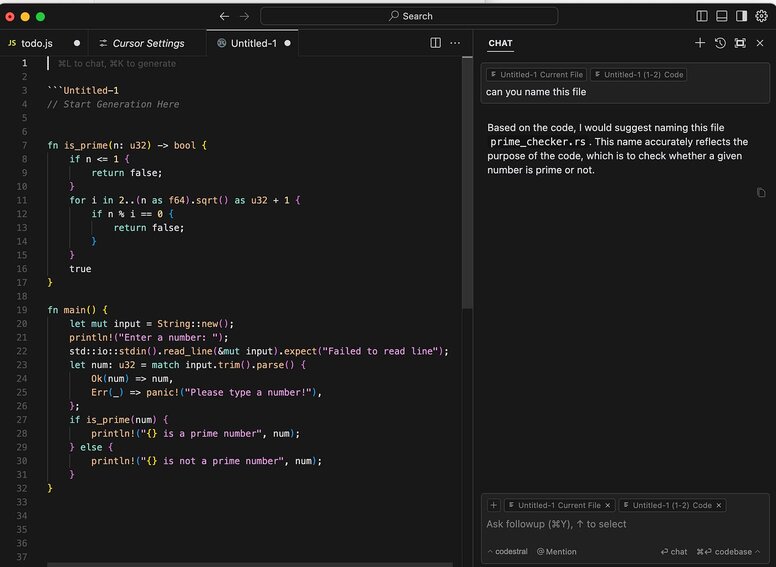
Cursor is an AI-powered Integrated Development Environment (IDE) built upon the VS Code framework. It features a "Composer" agent designed for multi-file edits, comprehensive repository indexing, and an inline chat interface that enables users to read and modify their entire codebase. For numerous developers, Cursor has become the primary tool for integrating large language models (LLMs) directly into their coding workflow.
Benefits of Cursor
Cursor continues to be a benchmark for AI-enhanced VS Code experiences. Its primary strength lies in its context engine, which efficiently indexes entire repositories, allowing it to accurately answer complex queries such as "where is the authentication logic handling token refresh?". The "Composer" agent has evolved into a robust solution for multi-file modifications. As a VS Code fork, Cursor ensures users retain their familiar keybindings and preferred extensions, minimizing the learning curve.
Downsides to Cursor
Despite its strengths, some limitations have emerged with Cursor's growth:
- Performance: Indexing large monorepos can consume substantial RAM, and the inherent Electron overhead can impact performance on less powerful laptops.
- Cost Complexity: The "Ultra" pricing tiers for teams have become a notable expenditure, leading many engineering managers to question the necessity of a $40/month per-seat cost for functionalities like advanced autocomplete.
- Workflow Lock-in: Cursor's design heavily promotes a "chat-sidebar + inline-diff" workflow. This can be restrictive for developers who prefer terminal-centric environments or require a visual canvas, as Cursor positions itself as the central development hub.
Considering Cursor as the foundational AI IDE, the following alternatives distinguish themselves by addressing specific niche requirements.
How to Choose: A Selection Framework
To effectively evaluate AI IDE alternatives beyond marketing hype, consider these four critical dimensions:
- Local vs. Cloud vs. Hybrid: Determine if the agent operates locally on your machine (offering privacy and offline capabilities), within a cloud sandbox (providing extensive compute resources), or via a hybrid approach.
- Agentic Depth: Assess the tool's intelligence. Is it merely advanced autocomplete, a file-aware chatbot, or a true agent capable of executing terminal commands, generating new files, and autonomously resolving issues like lint errors?
- Ecosystem: Evaluate compatibility with your existing development environment. Will you retain access to your VS Code extensions, and does it support your preferred language servers (LSP)?
- Team Readiness: Consider collaboration features. Can context and indexes be easily shared across your team, or does each developer operate in isolation?
For developers seeking guidance on interacting with these tools, numerous resources offer practical prompts applicable across various AI IDEs, including Cursor, Claude Code, Codex, and Fusion.
Quick Reference: The Selection Checklist
For those with clear priorities, here’s a quick guide to potential solutions:
- Terminal-centric Developers: Consider Claude Code.
- Design and Code Integration: Explore Fusion.
- High-Performance Local Editing: Investigate Zed.
- Cursor-like UX with Alternative Roadmaps/Pricing: Evaluate Windsurf or Trae AI.
- Open-Source Privacy Focus: Examine Void.
- Google Cloud / Firebase Ecosystem Users: Explore Firebase Studio & Antigravity.
- Spec-Driven, Auditable Enterprise Workflows: Learn about Kiro.
Claude Code: For Terminal-Centric Developers
Claude Code embodies an IDE reimagined as a command-line interface. Initially a terminal-first agent, it now includes a native VS Code extension, offering flexibility as either a CLI driving your editor or a fully integrated GUI within VS Code. Built upon the powerful Claude models, its workflow mirrors the command-line efficiency of Git more closely than VS Code's typical chat sidebar. The VS Code extension provides a dedicated Claude Code panel, inline diffs, a planning mode, and persistent conversation history, making it feel like an augmentation to VS Code rather than a distinct AI IDE.
Claude Code vs. Cursor
Claude Code specializes in "agentic Git automation." Users can instruct it with complex tasks such as: "Clone the analytics repository, identify the User event definition, and update the tracking schema in the current repository to match." The agent will autonomously navigate directories, search for information (grep), modify files, execute tests, and even stage commits, with progress viewable via standard output logs or through the extension's plan and diff reviews. While Cursor offers "VS Code with a built-in agent," Claude Code presents itself more as an "autonomous teammate" integrated within your terminal and IDE. Cursor maintains a traditional editor paradigm (files, tabs, inline suggestions), whereas Claude Code excels in high-level tasks spanning multiple files, branches, and repositories.
Who Should Choose Claude Code?
- Operations & Backend Teams: For workflows involving frequent transitions between microservices and configuration file updates, a CLI agent often outperforms opening multiple IDE windows.
- Terminal-Native Engineers: Developers proficient with command-line tools like
tmux,fzf, andgitwill find Claude Code a seamless extension of their existing workflow, with the option to use the VS Code GUI for diff inspection and file navigation. - VS Code Standardized Teams: Organizations deeply committed to VS Code can integrate Claude Code as a powerful agent layer, enhancing their existing editor rather than requiring a switch to a new IDE.
Tradeoffs of Claude Code
Adopting Claude Code involves a few considerations:
- Diff Visibility: Pure terminal usage may lack the polished, always-visible diff view found in Cursor's GUI, although the VS Code extension significantly mitigates this.
- Mindset Shift: It necessitates a comfort with delegating significant, repository-wide tasks to an autonomous agent that controls both your terminal and editor. This shift from incremental inline suggestions to post-execution review can initially feel more risky until trust and safeguards are established.
Fusion: A Visual-First IDE
Fusion is an agentic, visual-first IDE tailored for frontend development and design systems. It diverges from traditional text editors by offering a live canvas interface that comprehends components, design tokens, and layout rules, directly generating production-ready code into your repository.
Fusion vs. Cursor
Fusion is not intended as a general-purpose editor. Instead, it integrates seamlessly with your existing tech stack—including GitHub, Jira, Figma, and Slack—allowing direct visual manipulation of your UI:
- Interact with components in a live preview and instruct the agent to modify properties, such as adjusting padding to match
spacing.md. - Initiate feature development by pasting a Jira ticket or tagging team members in Slack, enabling Fusion to create a branch, implement the feature, and manage feedback iterations.
- Import Figma frames, allowing Fusion to map them to your actual components, design tokens, and APIs.
Fusion 1.0 transcends a simple visual layer for frontend developers; it acts as an AI agent fluent in product, design, and code, maintaining synchronization with a single Git repository and driving feature delivery until pull requests are finalized. While Cursor functions as an AI-native editor you live in all day, Fusion serves as the AI agent and visual IDE specifically for the product interface of your application.
Who Should Choose Fusion?
- Frontend Developers & Designers: For professionals frequently adjusting CSS or React props, Fusion's visual canvas offers significant advantages over text-based chat interfaces. It particularly excels in resolving visual regression issues and comprehending intricate state or layout conditions that are not apparent in a code tab.
- "No-Handoff" Teams: Fusion facilitates direct collaboration among product managers, designers, and engineers on the actual product within a shared repository, eliminating the need for extensive specification handoffs. With integrations like the Supabase MCP server, it can ingest live data or tickets from platforms like Linear/Jira to generate compilable code.
- Design System-Centric Organizations: Fusion supports both text-to-code and visual-to-code workflows, recognizing that components like a "button" encompass more than just a JSX snippet; they are rendered elements that must conform to Figma designs and the established design system.
Tradeoffs of Fusion
- Specialized Focus: Fusion is not a general-purpose editor; it is optimized exclusively for frontend and product workflows. It is not suitable for tasks such as Rust backend development or Docker configuration management.
- Complementary Tool: Fusion is designed to complement your existing IDE, functioning as a VS Code extension or a standalone desktop application, rather than serving as a replacement.
Windsurf: Cursor's Closest Alternative
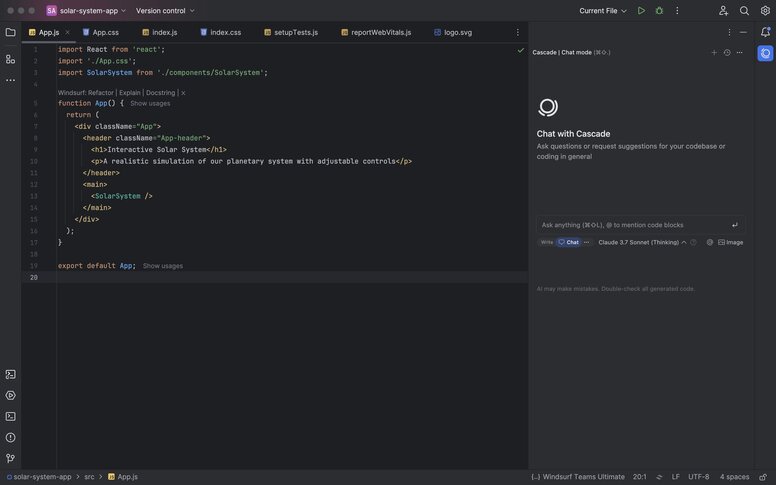
Windsurf, leveraging the "Cascade" agent, offers a similar user experience to Cursor but with a distinct underlying AI architecture and development roadmap. While operating within the VS Code ecosystem, Windsurf emphasizes agents that passively observe your workflow and proactively suggest modifications as you code.
Windsurf vs. Cursor
Despite a similar user interface, Windsurf's core philosophy diverges. Its agent passively monitors user actions, tracking terminal commands and file openings to build context dynamically, reducing the need for explicit file tagging. This approach aims to integrate seamlessly with the user's flow, feeling more like a silent pair programmer than an explicit chatbot requiring prompts. Windsurf's roadmap is also influenced by Cognition (the creators of Devin), suggesting a future where the IDE could offload significant tasks to a fully autonomous background agent, freeing developers to focus on immediate frontend work.
Who Should Choose Windsurf?
- "Cursor Curious" Developers: Windsurf offers the most straightforward transition for users who appreciate Cursor's workflow but seek alternatives due to pricing, model preferences, or specific UI aspects. It provides a familiar experience with a distinct approach to AI integration.
Tradeoffs of Windsurf
- Evolving Product Direction: Windsurf's product focus has seen several shifts. With the anticipated integration of "Devin," its future as a standalone IDE versus a control interface for a cloud-based agent remains uncertain.
Void: Open-Source AI Coding
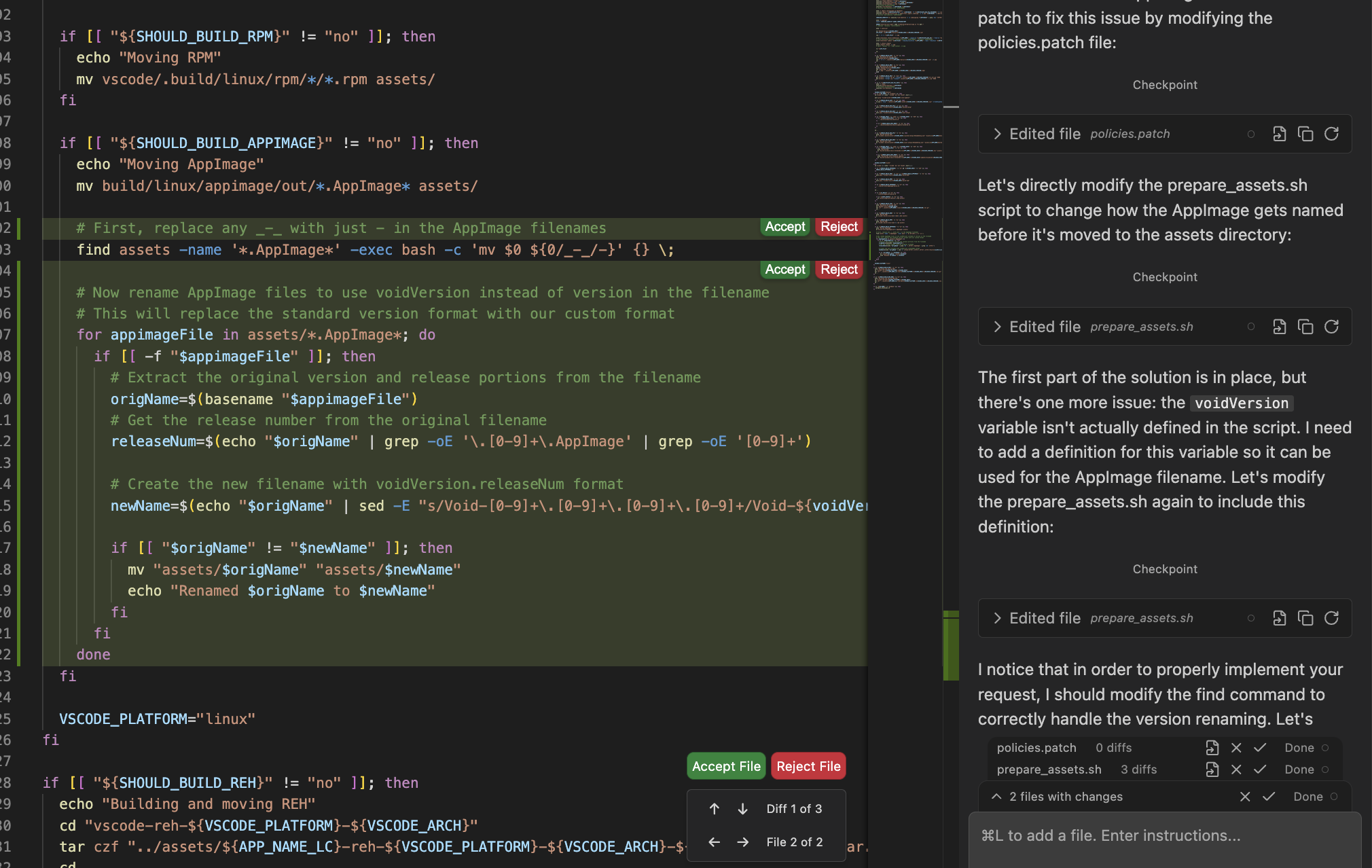
Void is an open-source fork of VS Code designed to replicate Cursor's feature set while eliminating closed-source vendor lock-in and reliance on hosted-only services. It offers the experience of "owning" your AI editor.
Void vs. Cursor
Cursor operates as a proprietary system, often requiring code to be sent to its servers and mandating a subscription. In contrast, Void runs entirely locally or integrates with your self-provided API keys (e.g., Anthropic, OpenAI, Gemini). It delivers comparable "inline diff" and "chat with repo" functionalities, but grants users full control over the underlying infrastructure.
Who Should Choose Void?
- Privacy-Focused Users: Void provides a solution for organizations where legal restrictions prevent sending intellectual property to third-party services, allowing integration with local LLMs or private enterprise instances.
- Open-Source Advocates: For developers who fundamentally distrust proprietary development tools, Void offers an IDE that aligns with open-source principles.
Tradeoffs of Void
- Community-Driven Development: As a community-driven project, Void may not offer the same level of polished user experience as commercially backed products. Features might be less stable, and overall refinement could lag behind paid alternatives.
Trae AI: A Free (for now) Contender
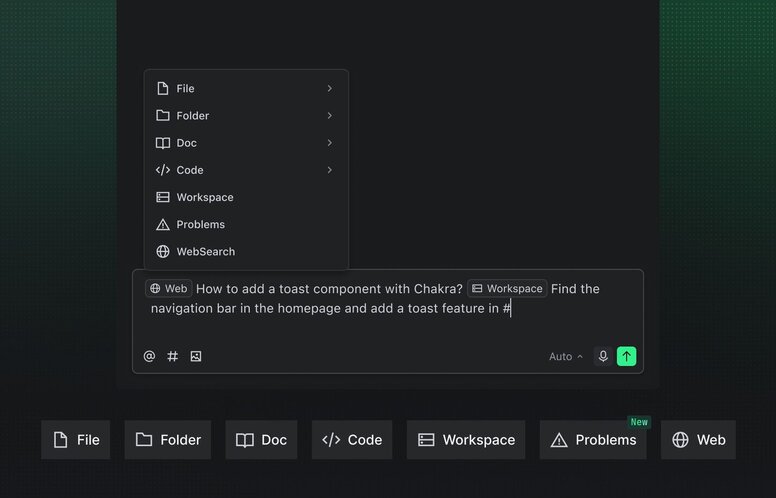
Trae AI, a ByteDance-backed initiative, positions itself as a free alternative striving to emulate Cursor's speed and refinement. It appeals to budget-conscious developers by offering a comprehensive free tier that closely mirrors Cursor's paid functionalities.
Trae AI vs. Cursor
Trae AI closely replicates Cursor's user experience, effectively removing the paywall. It delivers the speed and polish typically associated with venture-capital-backed tools, strategically utilizing its "free" status to attract users. In contrast to Cursor's often less transparent pricing, Trae openly employs loss-leading strategies to drive market adoption.
Who Should Choose Trae AI?
- Students & Independent Developers: For individuals where monthly subscription costs are a barrier, Trae provides a remarkably capable free tier suitable for small to medium-sized repositories. It offers a fast, familiar (VS Code-based) experience, currently supported by significant backing.
Tradeoffs of Trae AI
- Data Privacy Concerns: The "free" offering from Trae AI, owned by ByteDance, comes with potential privacy implications. Developers concerned about telemetry and data collection, particularly those working with sensitive intellectual property or in regulated sectors, should thoroughly review its privacy policy before integrating it into their workflows. The perceived "free" cost could potentially compromise data sovereignty.
Zed: Performance-First, AI-Enhanced
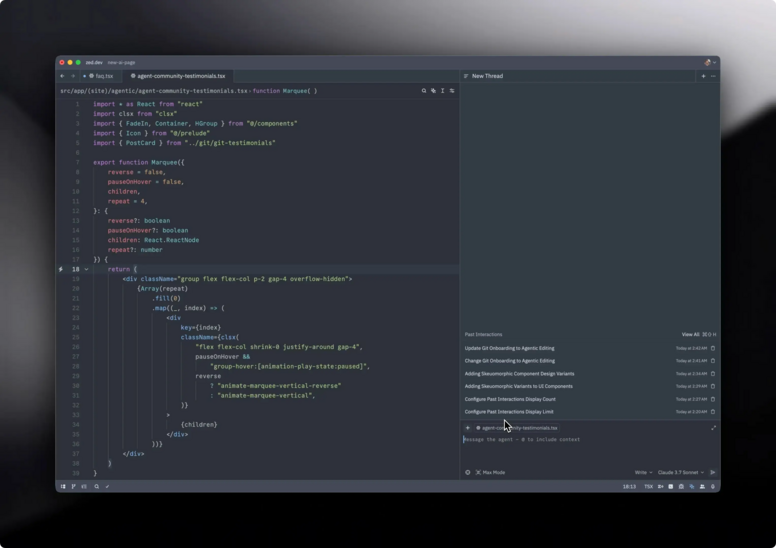
Zed is a high-performance, native editor engineered for speed, written in Rust and leveraging GPU acceleration. Its AI capabilities are deeply integrated into the core architecture rather than added as an external layer, aiming for an editor experience as fluid as a video game.
Zed vs. Cursor
Zed's fundamental distinction is its independence from VS Code, which presents both significant advantages and disadvantages:
- Strength: It offers exceptional speed, with instantaneous file opening and virtually zero typing latency, making Electron-based editors feel noticeably slow.
- Weakness: Users forgo access to the extensive VS Code extension marketplace, although Zed is developing its own growing ecosystem of extensions.
Zed's AI integration adopts a "bring your own model" philosophy. While it supports inline generation and chat, it's designed for power users who prefer to configure their desired AI models, such as local Llama 4 or Mistral, ensuring code remains entirely on their machine—a capability less straightforward with Cursor. Furthermore, Zed excels in real-time multiplayer collaboration, allowing multiple developers to edit the same file concurrently, a transformative feature for remote pair programming.
Who Should Choose Zed?
- Performance Enthusiasts: Developers who prioritize responsiveness and minimal latency in their editing environment will find Zed exceptionally satisfying.
- Pair Programming Teams: Its integrated, real-time collaboration features are considered industry-leading, significantly enhancing remote pair programming sessions.
Tradeoffs of Zed
- Agentic Workflow Maturity: Zed's agentic workflows are currently less refined than Cursor's. Users accustomed to Cursor's "Apply to file" functionality and the Composer's polish might find these aspects less developed in Zed.
OpenAI Codex: A Cloud-Native Workspace
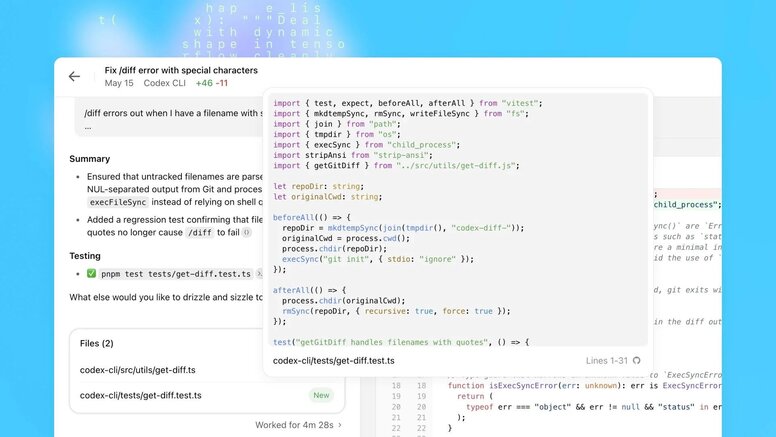
OpenAI Codex offers a cloud-native development environment where the IDE serves as a portal to a remote agent. Users define objectives, and Codex orchestrates sandboxed environments in the cloud to perform builds, run tests, and execute potentially risky commands remotely, offloading computational burden from local machines. Additionally, a Codex CLI (npm i -g @openai/codex) provides terminal-based interaction, enabling code reading, editing, and execution within your repository via an interactive UI and slash commands (/model, /review, /approvals, and AGENTS.md-based instructions). The CLI can also initiate Codex Cloud tasks and apply generated diffs locally.
Codex vs. Cursor
- Cursor: A local, intelligent editor residing on your laptop, focused on file manipulation, user-initiated changes, and diff acceptance.
- Codex: A cloud-first environment that provisions sandboxed setups, executes builds and tests remotely, and streams results back to the user. This approach is highly suitable for large repositories and high-risk operations.
While Cursor is largely file-centric, Codex adopts a task-centric philosophy. Users define desired outcomes, and Codex intelligently orchestrates the necessary tools and environments to achieve them. Although the Codex CLI offers a local terminal interface, the core power and execution reside with the cloud agent rather than a local editor window.
Who Should Choose Codex?
- Teams Requiring Scalable Compute: Codex Cloud is ideal for projects that overwhelm local machine resources, enabling the offloading of intensive builds and experiments.
- Python / Data-Heavy Workflows: Its environment-oriented, Jupyter-like model is well-suited for data science, machine learning pipelines, and related Python-centric tasks.
- OpenAI Ecosystem Users: For organizations deeply integrated with ChatGPT, Copilot-style tools, and OpenAI infrastructure, Codex offers a first-party agent that unifies their tech stack.
Tradeoffs of Codex
- Reliance on Cloud Infrastructure: Codex operates as a rented development environment, meaning service availability is dependent on internet connectivity and OpenAI's operational status and pricing models.
- Less Personalization: It may feel less personalized than a deeply customized local editor. While a local CLI exists, its core strength lies in the cloud sandbox; for those prioritizing a deeply local, editor-centric workflow, alternatives like Cursor, Claude Code, or Zed might be more suitable.
Kiro: An Enterprise-Grade AI IDE
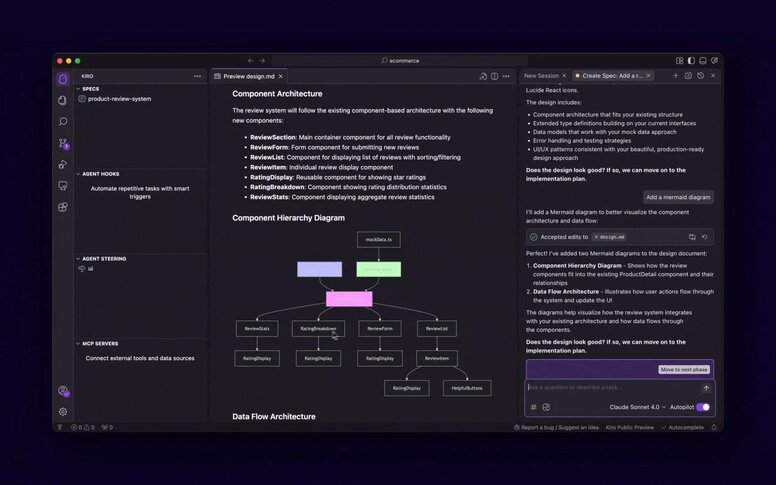
Kiro, an agentic IDE and CLI from AWS, is designed for "spec-first" development. Rather than direct "vibe-coding," users articulate their requirements, which Kiro then transforms into structured specifications, design documentation, and a sequenced task plan. Agents execute this plan, maintaining synchronization with the repository. Kiro is engineered for teams prioritizing traceability, governance, and the delivery of production-grade AI systems, moving beyond rapid prototyping.
Kiro vs. Cursor
Kiro and Cursor approach development from fundamentally different perspectives:
- Cursor: A conversational IDE where users interact with an agent for inline edits as they work on files, emphasizing rapid iteration within a familiar editor environment.
- Kiro: A structured, "spec-first" system. Users provide a Product Requirements Document (PRD), a high-level prompt, or an existing system, from which Kiro generates detailed requirements, design documents, and a task plan. Agents then execute this plan under strict guardrails, often incorporating hooks and policies for automated tests, documentation, and security checks on every save. Kiro prioritizes justification, reproducibility, and long-term audibility for all changes.
Who Should Choose Kiro?
- Large Enterprises: Kiro offers robust audit trails, essential for organizations needing clear answers on code origin and change authorization.
- Architects: It supports a "Spec-First Development" paradigm, where architects define requirements and Kiro automates the generation of boilerplate code.
Tradeoffs of Kiro
- Reduced Agility: Kiro's structured, spec-first approach can impede the spontaneity of "vibe coding." It necessitates a detailed architectural mindset before coding begins.
- Overhead for Prototyping: For quick scripts or experimental library use, Kiro's stringent requirements for specifications, EARS notation, and implementation plans can feel burdensome, akin to excessive paperwork. While powerful for complex systems, it can stifle creative prototyping.
Google's Cloud IDEs: Firebase Studio & Antigravity
Google's cloud IDEs seamlessly integrate Gemini AI with the Google Cloud Platform (GCP) ecosystem. These tools offer an agent-first workflow tightly coupled with your existing infrastructure, particularly beneficial for those building on Firebase or Google Cloud.
Firebase Studio: Browser-Only, Firebase-Native
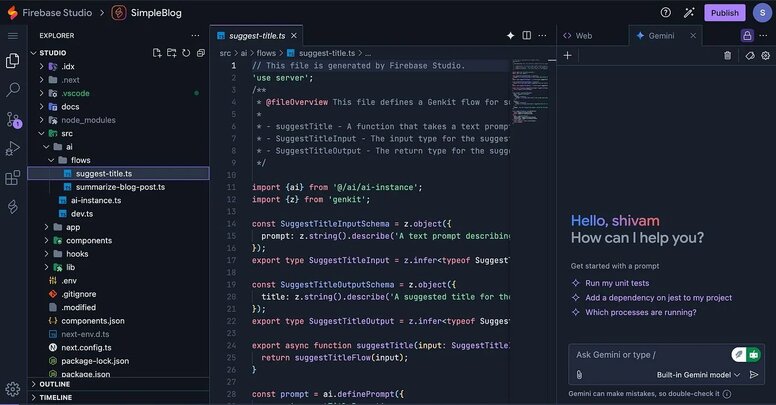
Firebase Studio is a completely web-based workspace designed for full-stack applications on Firebase. Users can initiate development within minutes by simply opening a browser and importing a repository from GitHub, GitLab, Bitbucket, or a local source, eliminating local setup requirements. An integrated App Prototyping agent can scaffold new applications from natural language prompts, mockups, or screenshots, utilizing Nix for custom environment configurations. As a Firebase-native solution, its AI (Gemini) inherently understands your data shapes, rules, schemas, and backend, aiding in coding, debugging, and testing. It also supports Open VSX extensions, includes built-in previews and emulators, and enables one-click deployments to Firebase or Cloud Run.
Antigravity: Agent-First Gemini IDE
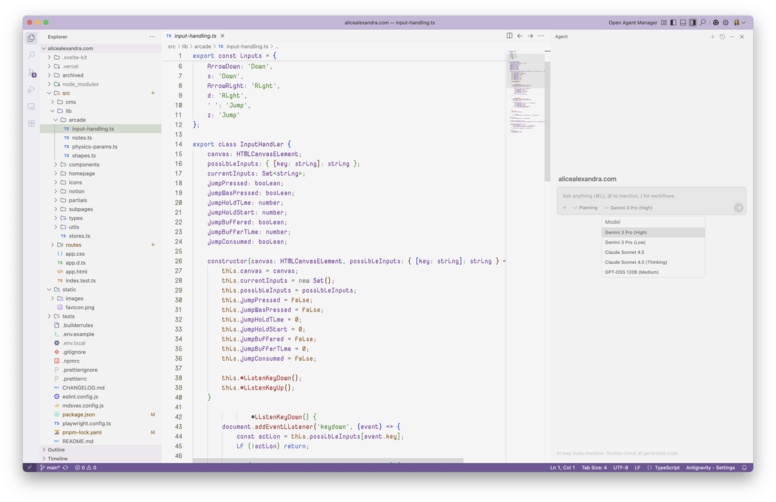
Google Antigravity is Gemini's agent-first desktop IDE, featuring a VS Code-style editor complemented by a "mission control" view for agent management. It offers two distinct interfaces:
- Editor View: A familiar VS Code-like environment with file navigation, an integrated terminal, and a chat panel.
- Agent Manager View: A dashboard for initiating tasks, monitoring plans and artifacts, and orchestrating multiple agents across various workspaces concurrently.
Agents within Antigravity possess direct access to the editor, terminal, and a browser (via a Chrome extension). In "Planning mode," agents generate artifacts such as task lists and implementation plans for user review before execution, while "Fast mode" allows for rapid edits without explicit planning. A standout feature is the browser agent, which, similar to Fusion, can autonomously run and test applications in Chrome—navigating flows, completing forms, recording video, and integrating these results back into the development plan. Additionally, Antigravity supports multi-agent orchestration, configurable rules (allowlists/denylists), and the flexibility to switch between various supported models, including Gemini 3 Pro and Claude Sonnet 4.5.
Google Cloud IDEs vs. Cursor
While Cursor remains an excellent choice for a single, local, file-centric editor with a refined inline user experience, Google's offerings present a distinct philosophy:
- Firebase Studio: Best suited for developers deeply embedded in the Firebase ecosystem, offering a browser-only IDE where Gemini natively comprehends database structures, authentication rules, and hosting targets.
- Antigravity: Designed for teams that elevate agents to a primary role, providing a mission-control interface, artifact-based planning, and comprehensive browser automation, all integrated with existing repositories.
For repositories hosted on GCP, and for those who value agents capable of planning, executing, and verifying tasks across editor, terminal, and browser interfaces, Antigravity and Firebase Studio stand as the leading Google-native alternatives to Cursor.
Honorable Mentions
While many AI coding tools exist, some do not fully qualify as IDEs:
- App Generators (e.g., Bolt.new, Lovable, v0): These tools excel at prototyping React applications from scratch. For product managers or junior developers, they can even serve as a complete IDE for simpler projects. However, they are not typically used for maintaining large-scale backend repositories (e.g., 500,000 lines of code). They are best utilized for initial development, with subsequent maintenance handled by full-fledged IDEs like Cursor or Zed.
- Replit Agent: An impressive cloud-based agent, particularly effective for beginners or rapid scripting. Its primary limitation is often the lack of extensive local configuration capabilities required by senior engineering teams.
The Bright Future of Agentic IDEs
In 2024, choosing an AI editor was straightforward: Cursor. By 2026, the decision has become more nuanced, reflecting the end of the "one-size-fits-all" IDE era. The industry is trending towards a multi-tool approach, where developers might leverage Claude Code for migration scripts, Fusion for UI refinement, and Zed for high-performance Rust core development—all within the same repository.
For those specifically developing in React, various resources outline recommended React + AI stacks that strategically pair these advanced IDEs with compatible frameworks, libraries, and hosting solutions optimized for AI agents.
Developers are encouraged to avoid decision paralysis. If Cursor effectively meets current needs, continue using it. However, for those experiencing friction—such as performance lag, a preference for terminal workflows, or a need for enhanced collaboration—it's important to recognize the emergence of truly powerful and specialized alternatives.