The Terminal of the Future
Explore a visionary concept for the future terminal, integrating Jupyter-like features, shell integration, persistent sessions, and undo/redo capabilities through a phased, incremental development approach.
This post is part 6 of a multi-part series entitled "the computer of the next 200 years".
Terminal internals are a mess. A lot of it is just the way it is because someone made a decision in the 80s and now it’s impossible to change.
Julia Evans
This is what you have to do to redesign infrastructure. Rich [Hickey] didn't just pile some crap on top of Lisp [when building Clojure]. He took the entire Lisp and moved the whole design at once.
Gary Bernhardt
A Mental Model of a Terminal
At a very high level, a terminal consists of four main components:
- The "terminal emulator": A program responsible for rendering a grid-like structure to your graphical display.
- The "pseudo-terminal" (PTY): A kernel-level connection that links the terminal emulator to a "process group" which receives input. This is not a program but a piece of state within the kernel.
- The "shell": A program that orchestrates the "process group," reads and parses input, spawns processes, and functions as an event loop. Most environments default to
bashas their shell. - The programs spawned by your shell: These interact with the aforementioned components to receive input and transmit output.
It's worth noting that "input" isn't solely text; it also includes signals sent to the running process. The PTY converts keystrokes into these signals. Similarly, "output" extends beyond plain text to include a stream of ANSI Escape Sequences, which the terminal emulator uses for rich formatting and display.
What Does a Better Terminal Look Like?
While I engage in some unusual terminal practices, the scope of what I can achieve is constrained by the inherent limitations of current terminals. These limitations have been extensively discussed elsewhere. My aim here is to envision a truly superior terminal experience.
A First Try: Jupyter
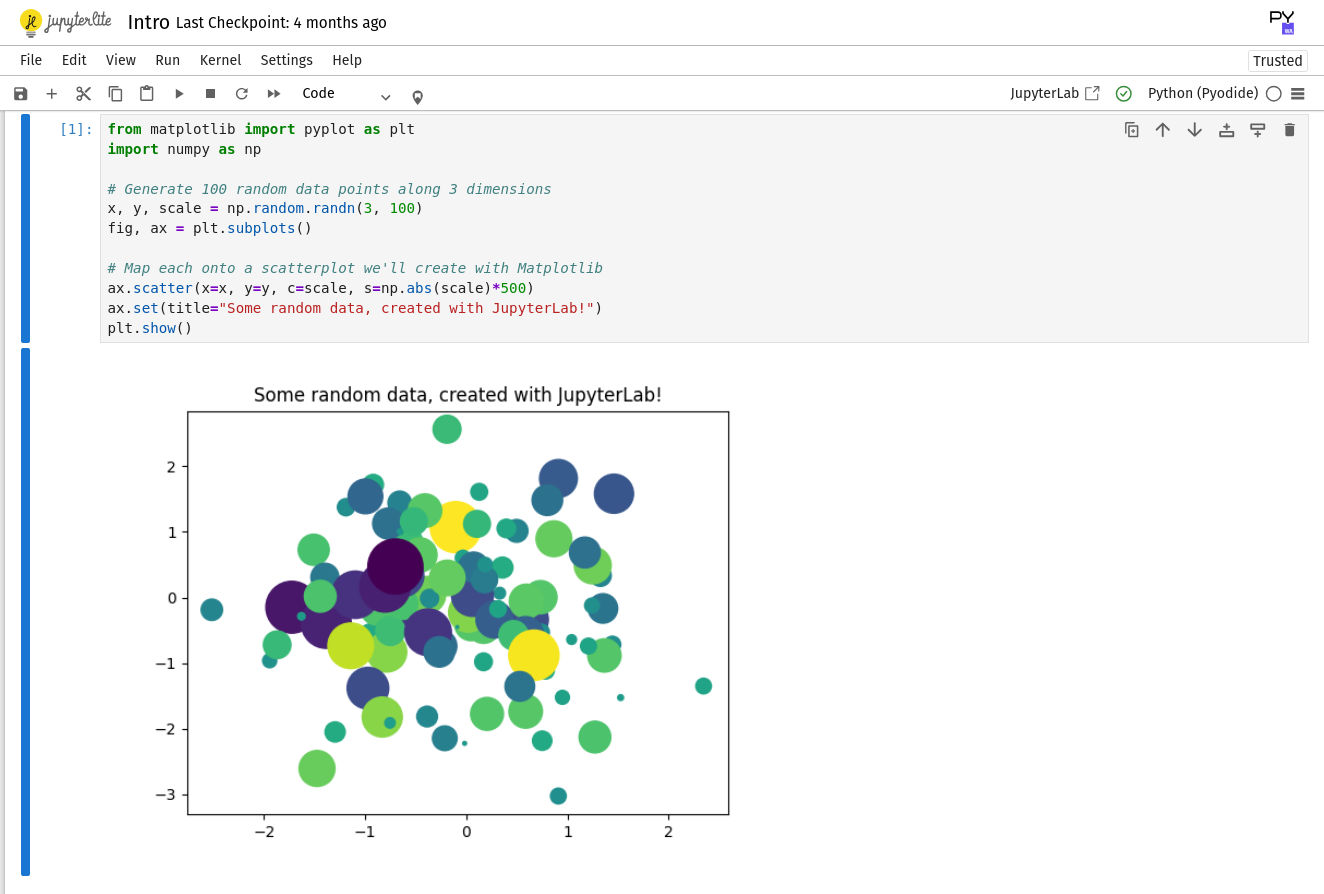
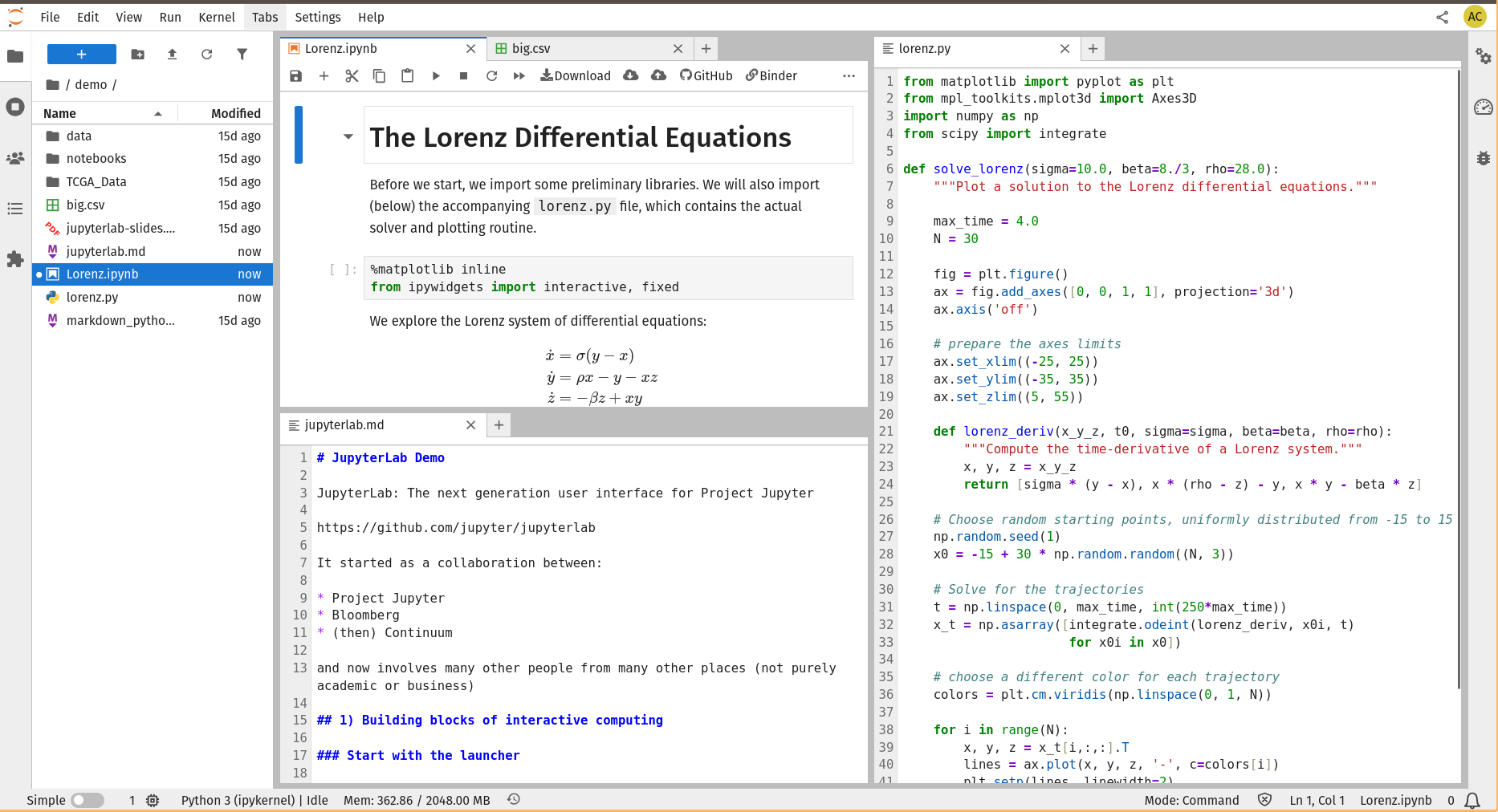
For many, Jupyter Notebook represents the closest familiar analogy to an advanced terminal. It offers a wealth of features not typically found in a traditional VT100 emulator:
- High-fidelity image rendering
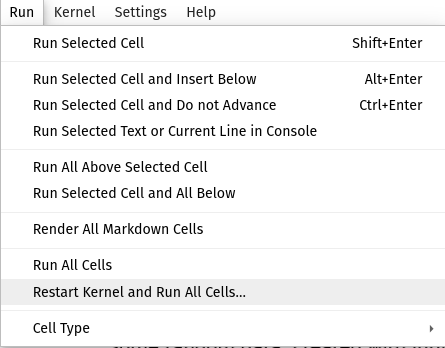
- A "rerun from start" button (or options to rerun the current or a single past command) that replaces previous output instead of appending to it.
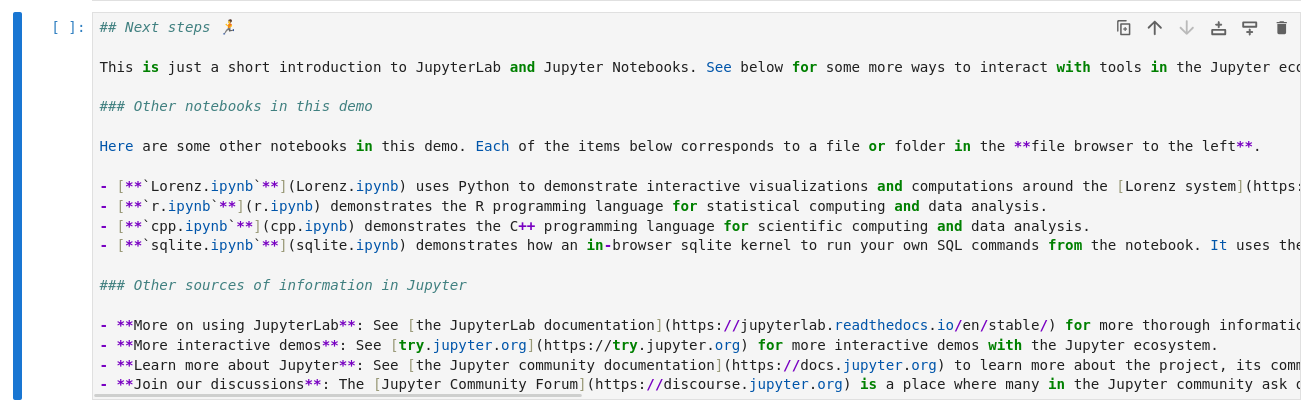
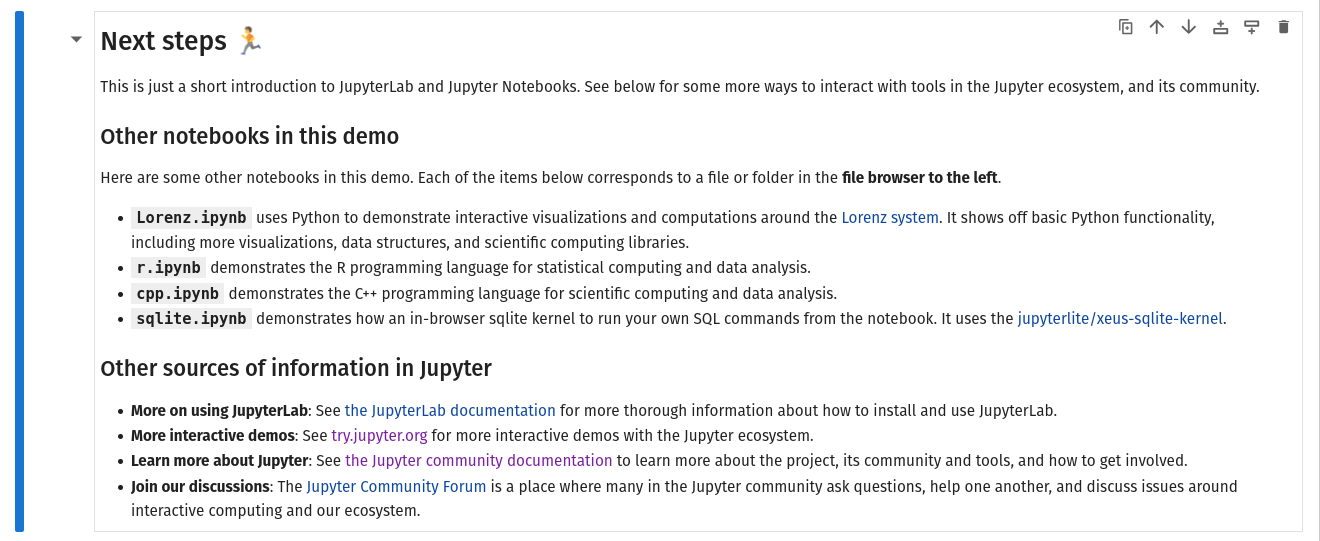
- "Views" of source code and output that can be dynamically rewritten (e.g., Markdown can be toggled between source and rendered HTML).
- A built-in editor featuring syntax highlighting, tabs, panes, and mouse support.
Some Problems
Jupyter operates with a "kernel" (e.g., a Python interpreter) and a "renderer" (a web application in a browser). One might imagine using a Jupyter Notebook with a shell as the kernel to gain Jupyter's rich features for shell commands. However, this quickly encounters several issues:
- The shell receives commands all at once, not character-by-character, which disables features like tab-completion, syntax highlighting, and autosuggestions.
- Managing long-lived processes is problematic. By default, Jupyter runs a cell to completion. While cancellation is possible, suspending, resuming, interacting with, or viewing a process mid-execution is not. Running interactive applications like
viortopbecomes impossible. - The "rerun cell" buttons can have undesirable side effects on your computer's state. (Standard Jupyter kernels face this, too, but "rerun all" is less risky when commands rarely involve
rm -rf). - Undo/redo functionality is absent. (This is also true for normal terminals, but users might expect it more in a Jupyter-like interface).
Fortunately, all these problems are solvable.
How Does That Work?
Shell Integration
Modern terminals like Warp have implemented native integration between the terminal and the shell. This allows the terminal to understand the start and end of each command, its output, and your input. The result is a highly polished rendering:
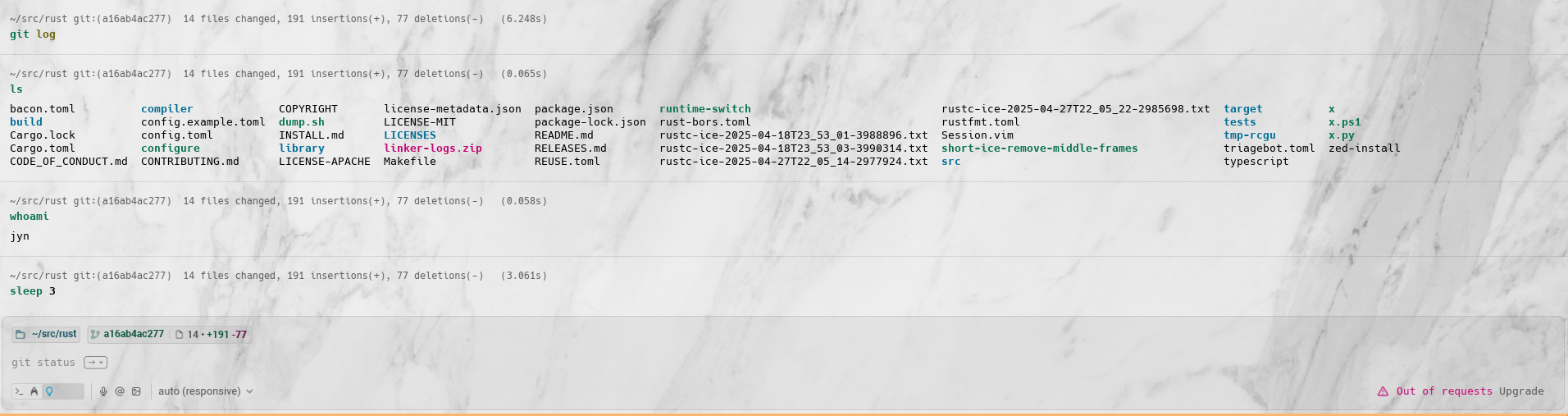
Warp achieves this primarily using standard terminal and shell features, including a custom DCS (Device Control String). Their detailed explanation is available here. A less invasive approach using OSC 133 escape codes is also possible, though Warp chose a different path.
iTerm2 employs a similar strategy, enabling a remarkable array of features: navigating between commands with hotkeys, notifications upon command completion, and showing the current command as an overlay if output scrolls off-screen.
Long-Lived Processes
Managing long-lived processes involves three distinct aspects: interacting, suspending, and disconnecting.
Interacting
To interact with a process, bidirectional communication is essential, meaning a "cell output" that also functions as an input. Examples include any Text-User Interface (TUI) like top, gdb, or vim (note that handling alternate modes, which vim uses, can be complex, though a simple solution is to embed a raw terminal in the output cell). Jupyter excels at this, with its design centered around interactive outputs that can be dynamically updated.
Furthermore, I envision a terminal that always provides a "free input cell," as described by Matklad in "A Better Shell," where the interactive process runs in the upper half of the window while an input cell is readily available in the lower half. Jupyter can achieve this, but adding cells is currently a manual process.
Suspending
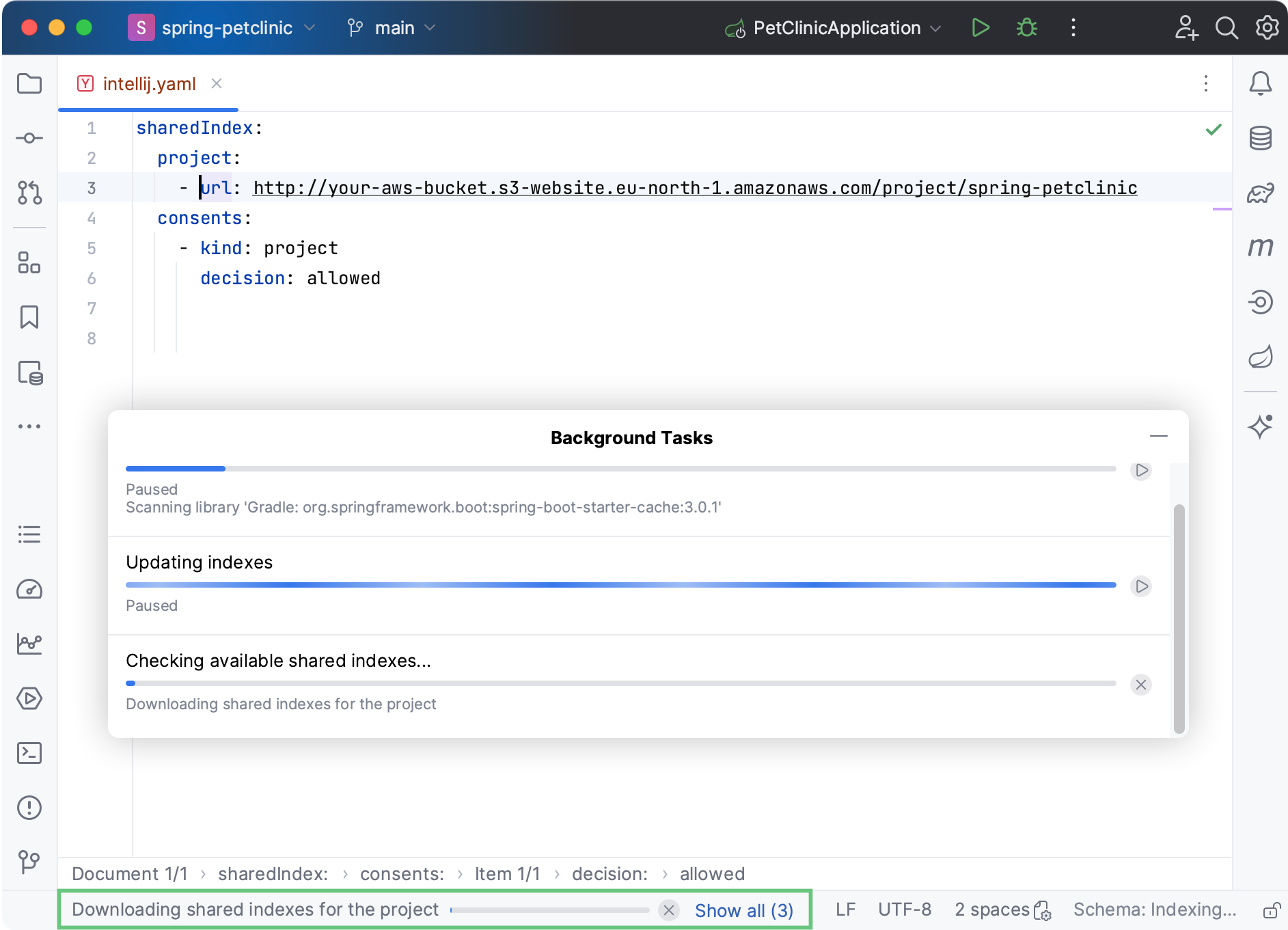
"Suspending" a process is commonly known as "job control." A modern terminal should visually indicate all suspended and background processes persistently, albeit de-emphasized, similar to how IntelliJ displays "indexing..." in its bottom taskbar.
Disconnecting
There are roughly three existing approaches for disconnecting from and reconnecting to a terminal session (four, if reptyr is included).
Tmux / Zellij / Screen
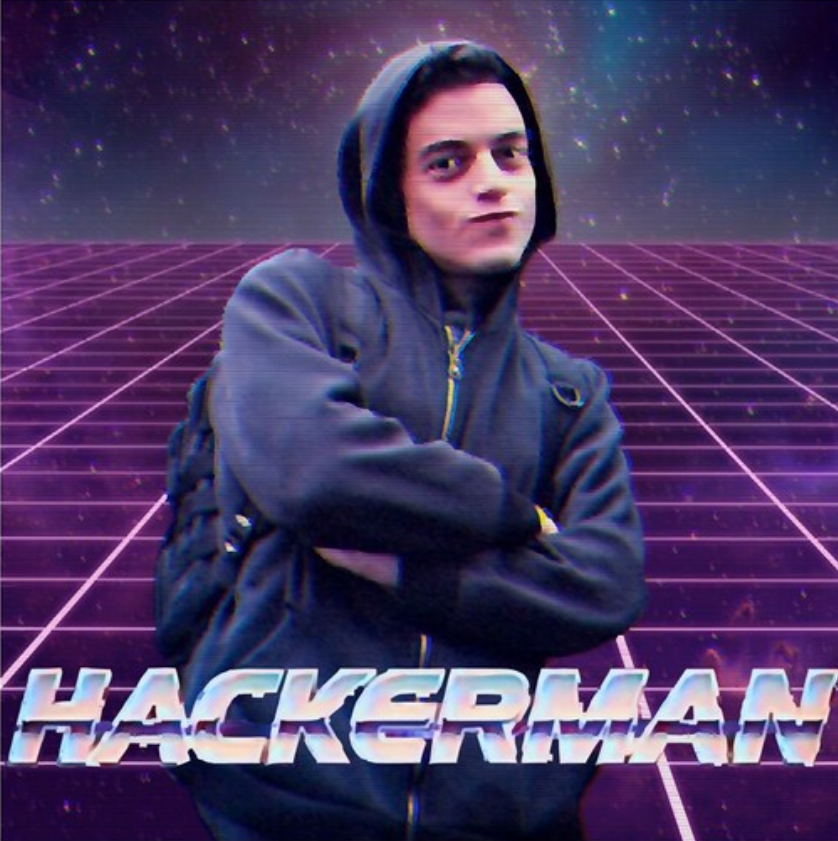
These tools insert an additional terminal emulator layer between your primary terminal emulator and the program. They operate via a "server" that owns the PTY and renders output, and a "client" that displays this output to your "real" terminal emulator. This model facilitates detaching clients, reattaching them later, or even attaching multiple clients simultaneously. It's a comprehensive approach, offering benefits like programmability for both client and server (though many modern terminals like Kitty and Wezterm are now programmable), built-in tab and window organization (though many modern desktop environments offer tiling and shortcuts), and a certain "Hackerman" aesthetic.
The drawback is that you're running an extra terminal emulator within your terminal, along with all the bugs and complexities that implies.
iTerm2 cleverly bypasses this by acting as its own client, communicating directly with the tmux server. In this mode, "tmux tabs" become iTerm tabs, "tmux panes" become iTerm panes, and so on. This is an excellent model I would adopt for integrating with existing tmux setups in a future terminal.
Mosh
Mosh occupies an interesting design space. It doesn't replace the terminal emulator but rather serves as an ssh replacement. Its primary advantage is enabling reconnection to your terminal session after network interruptions. It achieves this by running a state machine on the server and replaying an incremental diff of the viewport to the client. This model is akin to tmux but lacks multiplexing (expecting your terminal emulator to handle it) and scrollback (likewise). Because it has its own renderer, it faces a similar class of bugs as tmux. A unique feature Mosh offers, unlike tmux, is instant local line editing, as the client runs on your side of the network.
alden / shpool / dtach / abduco / diss
These tools share a similar design niche: they only manage session detachment and resumption via a client/server model, without handling networking or scrollback, and do not include their own terminal emulator. Compared to tmux and Mosh, they are highly decoupled.
Rerun and Undo/Redo
I'll address these together as they share a common solution: dataflow tracking.
Consider pluto.jl, which demonstrates this today by integrating with the Julia compiler:
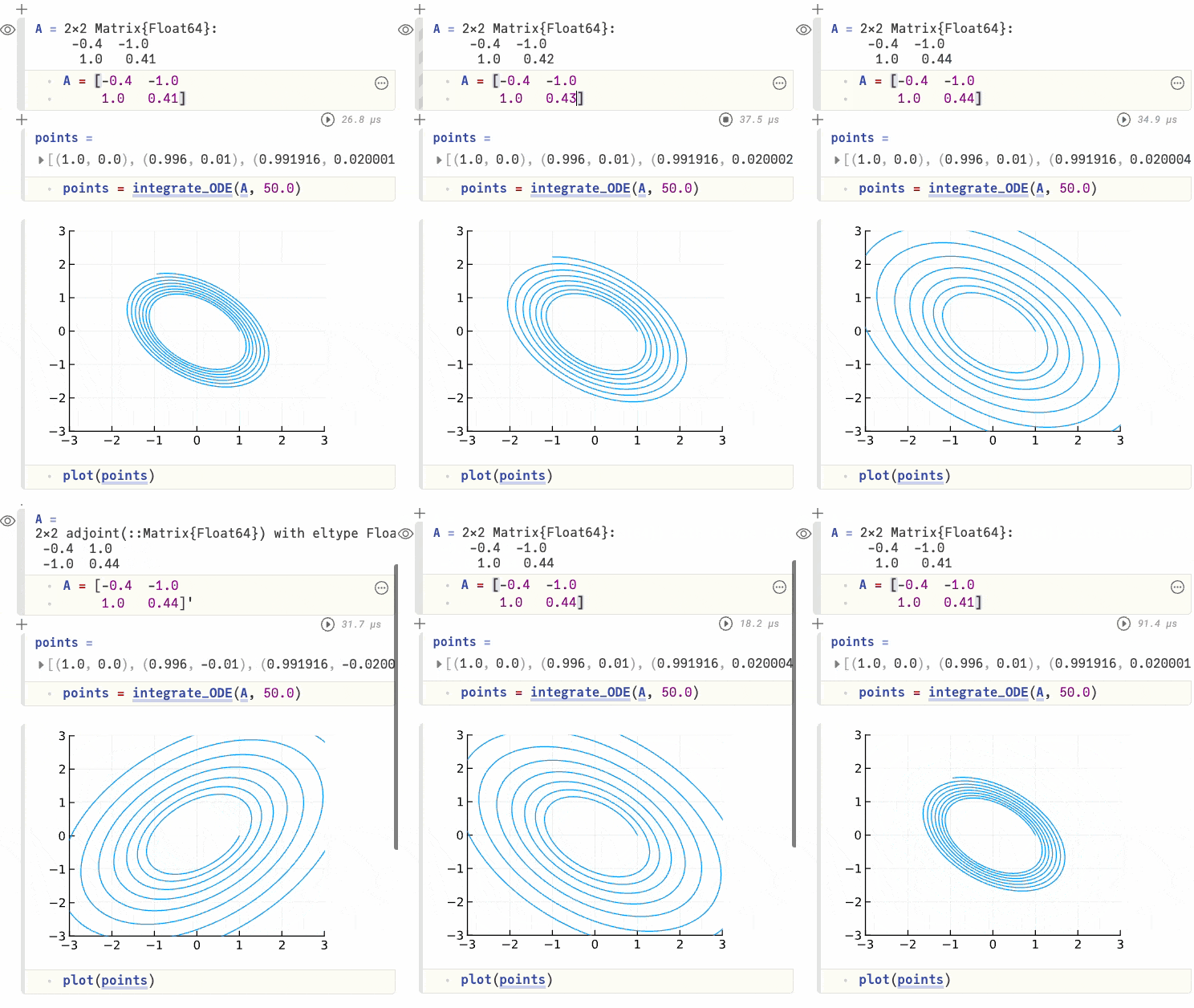
This example shows cells updating live in response to changes in their dependencies. What's not pictured is that cells don't update if their dependencies remain unchanged. This functions like a spreadsheet-style Jupyter, where code is only rerun when necessary.
You might argue this is hard to generalize. The key is orthogonal persistence. By sandboxing processes, tracking all I/O, and restricting "too weird" operations unless they involve other sandboxed processes (e.g., Unix sockets or POST requests), you gain significant control over the process. This allows you to treat it as a pure function of its inputs, where inputs comprise "the entire file system, all environment variables, and all process attributes."
Derived Features
Once these primitives are established—Jupyter notebook frontends, undo/redo, automatic rerun, persistence, and shell integration—a wide array of advanced features can be incrementally built:
Needs a Jupyter Notebook Frontend:
- Runbooks: (These can actually be built with just Jupyter and a PTY primitive).
- Terminal customization: Using standard CSS instead of custom languages or ANSI color codes.
- Search for commands: By output or timestamp. Currently, search is limited to current session output or input history, lacking smart filters or persistent output across sessions.
Needs Shell Integration:
- Timestamps and execution duration for each command.
- Local line-editing, even across network boundaries.
- IntelliSense for shell commands, without requiring tab presses, with rendering integrated directly into the terminal.
Needs Sandboxed Tracing:
- All features from sandboxed tracing: Collaborative terminals, querying files modified by a command, an "asciinema but you can edit it at runtime" experience, and tracing build systems.
- Extend smart search to include disk state at the time a command was run.
- Extend undo/redo to a Git-like branching model (similar to
emacs undo-tree), offering multiple "views" of the process tree. - Given the undo-tree model and sandboxing, an LLM could be granted access to your project, running multiple instances in parallel without overwriting each other's state. You could then observe, edit their actions, and save them into a runbook.
- A terminal for production environments that can only inspect existing machine state, not modify it.
Okay, But How Do You Build This?
One might contend that "vertical integration in open source is impossible," "making money from open source projects is hard," and "switching costs are too high." While these points hold truth, the path forward lies in incremental adoption.
If I were to build this, I would do so in stages, ensuring that each stage offers a tangible improvement over existing alternatives. This approach is exemplified by jj, which works exceptionally well because individuals can use it, even for single commands, without requiring an entire team to switch simultaneously or causing significant impact on others.
Stage 1: Transactional Semantics
When people consider redesigning the terminal, they invariably focus on the terminal emulator. This is precisely the wrong starting point. Users are deeply attached to their emulators; they configure them, personalize their appearance, and rely on specific keybindings. The switching cost for emulators is high because everything affects everything else. While not a shared team cost, it remains a significant individual hurdle.
Instead, I would begin at the CLI layer. CLI programs are excellent due to their ease of installation and execution, and very low switching costs; they can be used on a one-off basis without altering an entire workflow.
Therefore, I would develop a CLI that implements transactional semantics for the terminal. One could imagine an interface like transaction [start|rollback|commit], where all subsequent operations initiated after start are undoable. This alone offers substantial potential, enough, I believe, to build an entire business.
Stage 2: Persistent Sessions
Once transactional semantics are established, the next step would be to decouple persistence from tools like tmux and Mosh.
To achieve PTY persistence, a client/server model must be introduced, as the kernel really really expects both sides of a PTY to always be connected. Utilizing commands like alden, or a similar library (it's not overly complicated), allows for this simply, without affecting the terminal emulator or the programs running within the PTY session.
For scrollback, the server could indefinitely save input and output, replaying them upon client reconnection. This provides "native" scrollback—your existing terminal emulator handles it like any other output—while remaining replayable and resumable from any arbitrary point. This necessitates some parsing of ANSI escape codes (to avoid replaying output from inside an escape sequence, which could cause issues, and especially when aiming to replay only the visible viewport rather than the entire history).
To enable network resumption akin to Mosh, a custom server could employ Eternal TCP (potentially built atop QUIC for efficiency). Notably, PTY persistence is distinct from network connection persistence. Eternal TCP here serves as a strict optimization; this could theoretically be built on a bash script looping ssh host eternal-pty attach, though the experience would be less seamless due to network delay and packet loss. Again, composable parts facilitate incremental adoption.
At this stage, you would already be able to connect multiple clients to a single terminal session, like tmux, but window management would still reside with your terminal emulator, not the client/server. For integrated window management, the terminal emulator could communicate using the tmux -CC protocol, as iTerm2 does.
All parts of this stage can be developed independently and in parallel with transactional semantics, though I don't believe they offer sufficient improvement over existing tools to form a standalone business.
Stage 3: Structured RPC
This stage builds upon the client/server model. Once a server is interposed between the terminal emulator and the client, it becomes possible to tag I/O with metadata. This enables all data to be timestamped and allows for distinguishing input from output. xterm.js functions similarly. When combined with shell integration, this even allows differentiation between shell prompts and program output at the data layer.
Now, truly interesting things become possible because you possess a structured log of your terminal session. You can replay the log as a recording, much like asciinema; transform the shell prompt without rerunning all commands; import it into a Jupyter Notebook or Atuin Desktop; and save commands to rerun later as a script. Your terminal is transformed into data.
Stage 4: Jupyter-Like Frontend
This marks the very first time we interact with the terminal emulator, intentionally positioned as the final step due to its highest switching costs. This stage leverages all the sophisticated features built previously to deliver a polished UI. The transaction CLI becomes optional unless nested transactions are desired, as your entire terminal session begins within a transaction by default. All the features mentioned above are realized by bringing all the pieces together.
Vision and Scope
This is a bold and ambitious undertaking, and I anticipate that building the entire system would span approximately a decade. That is acceptable; I am patient.
You can assist by spreading the word. Perhaps this post will inspire someone to embark on this construction themselves.
Bibliography
- Gary Bernhardt, “A Whole New World”
- Alex Kladov, “A Better Shell”
- jyn, “how i use my terminal”
- jyn, “Complected and Orthogonal Persistence”
- jyn, “you are in a box”
- jyn, “there's two costs to making money off an open source project…”
- Rebecca Turner, “Vertical Integration is the Only Thing That Matters”
- Julia Evans, “New zine: The Secret Rules of the Terminal”
- Julia Evans, “meet the terminal emulator”
- Julia Evans, “What happens when you press a key in your terminal?”
- Julia Evans, “What's involved in getting a "modern" terminal setup?”
- Julia Evans, “Bash scripting quirks & safety tips”
- Julia Evans, “Some terminal frustrations”
- Julia Evans, “Reasons to use your shell's job control”
- “signal(7) - Miscellaneous Information Manual”
- Christian Petersen, “ANSI Escape Codes”
- saoirse, “withoutboats/notty: A new kind of terminal”
- Jupyter Team, “Project Jupyter Documentation”
- “Warp: The Agentic Development Environment”
- “Warp: How Warp Works”
- “Warp: Completions”
- George Nachman, “iTerm2: Proprietary Escape Codes”
- George Nachman, “iTerm2: Shell Integration”
- George Nachman, “iTerm2: tmux Integration”
- Project Jupyter, “Jupyter Widgets”
- Nelson Elhage, “nelhage/reptyr: Reparent a running program to a new terminal”
- Kovid Goyal, “kitty”
- Kovid Goyal, “kitty - Frequently Asked Questions”
- Wez Furlong, “Wezterm”
- Keith Winstein, “Mosh: the mobile shell”
- Keith Winstein, “Display errors with certain characters”
- Matthew Skala, “alden: detachable terminal sessions without breaking scrollback”
- Ethan Pailes, “shell-pool/shpool: Think tmux, then aim... lower”
- Ned T. Crigler, “crigler/dtach: A simple program that emulates the detach feature of screen”
- Marc André Tanner, “martanne/abduco: abduco provides session management”
- yazgoo, “yazgoo/diss: dtach-like program / crate in rust”
- Fons van der Plas, “Pluto.jl — interactive Julia programming environment”
- Ellie Huxtable, “Atuin Desktop: Runbooks that Run”
- Toby Cubitt, “undo-tree”
- “SIGHUP - Wikipedia”
- Jason Gauci, “How Eternal Terminal Works”
- Marcin Kulik, “Record and share your terminal sessions, the simple way - asciinema.org”
- “Alternate Screen | Ratatui”