Transitioning from Logseq to Obsidian: A User's Comprehensive Review
After three years, Nithin Bekal shares his detailed experience migrating from Logseq to Obsidian, highlighting migration ease, key Obsidian advantages, and features missed from Logseq.
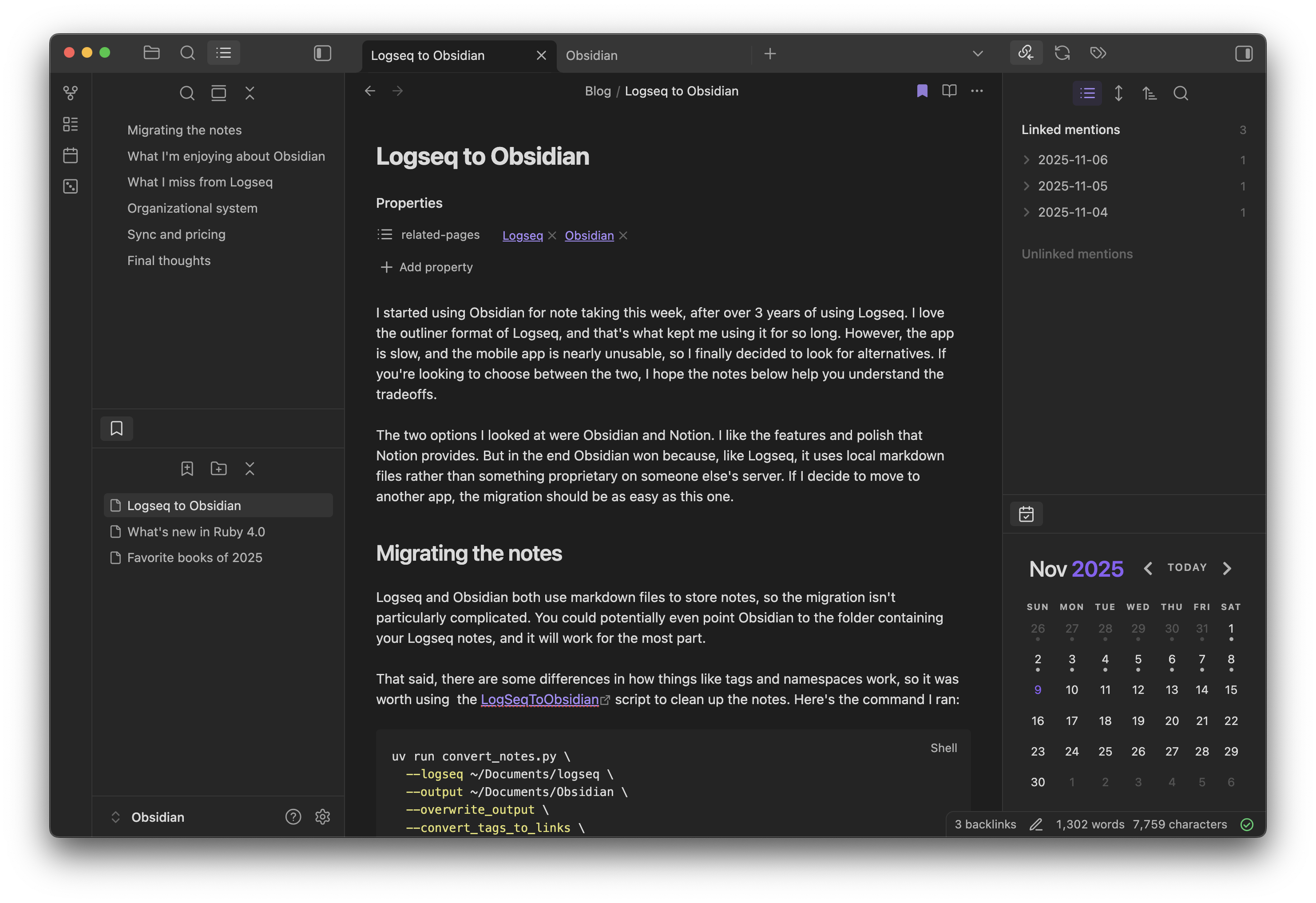
This week, I made the switch to Obsidian for my note-taking needs, after more than three years of dedicated use with Logseq. While I genuinely appreciated Logseq's unique outliner format, the application, particularly its mobile version, had become increasingly slow and frustrating to use. For anyone currently deliberating between these two powerful tools, I hope the following observations will shed light on their respective tradeoffs.
My decision came down to Obsidian and Notion. While I admire Notion's extensive features and polished interface, Obsidian ultimately prevailed due to its reliance on local Markdown files—a characteristic it shares with Logseq. This fundamental design ensures that any future migration to a different application would be as straightforward as this current transition.
Migrating Notes
Both Logseq and Obsidian utilize Markdown files for note storage, which significantly simplifies the migration process. In fact, you can often direct Obsidian to your existing Logseq notes folder, and most functionalities will work immediately.
However, subtle differences exist, particularly in how tags and namespaces are handled. To address these, I employed the LogSeqToObsidian script to refine my notes, which greatly streamlined the transition. The command I executed was:
uv run convert_notes.py \
--logseq ~/Documents/logseq \
--output ~/Documents/Obsidian \
--overwrite_output \
--convert_tags_to_links \
--tag_prop_to_taglist \
--journal_dashes \
--ignore_dot_for_namespaces
While effective, the conversion isn't entirely flawless; some Logseq-specific annotations persist. However, this isn't a major concern, as I plan to gradually clean them up as I encounter them.
What I'm Enjoying About Obsidian
- Editing Experience: Obsidian stands out as the finest Markdown editor I've ever encountered. I've already begun using it to draft blog posts, including this very one. The ability to jot down migration observations directly in my daily notes greatly facilitated compiling this article.
- Performance: The application boasts exceptional responsiveness on both desktop and mobile platforms. This was a significant pain point with Logseq, particularly its sluggish mobile performance, which often made writing a frustrating endeavor.
- Mobile App: Logseq's mobile app was consistently problematic; typed text would sometimes vanish, or content would render outside the viewport, obscuring what I was typing. The essential search bar at the bottom frequently disappeared. In stark contrast, the Obsidian mobile app has performed flawlessly to date. I've even successfully edited and proofread this post entirely on my phone.
- Bases (Databases): Obsidian's database feature, known as 'Bases,' offers a superior approach to querying structured data compared to Logseq's Datalog queries, which I consistently struggled to grasp. Bases provide an intuitive UI for filtering results, alongside powerful formulas for more advanced needs.
- Polished UI: While Logseq and Obsidian share some visual similarities, I particularly appreciate the refined aesthetic and user experience Obsidian delivers. The flexibility to rearrange UI elements, such as the bookmarks pane, is a welcome addition. Furthermore, the table view for Bases is considerably more appealing than Logseq's query results table, and its excellent default theme means I haven't needed to seek alternatives.
- Plugins: Obsidian's plugin ecosystem appears far more robust and expansive. Its plugin API seems to empower third-party developers to create more sophisticated functionalities. I'm adopting a gradual approach to plugins, currently using just a few, but I'm eager to explore others like Journaling and Smart Connections.
- Focus on Markdown: The Logseq team has been in the process of redeveloping their app to use a database instead of Markdown files, a change that has yet to ship. Concurrently, development on the Markdown version has stagnated for over two years. Obsidian's steadfast commitment to Markdown ensures continuous updates and, crucially, maintains data portability should I ever decide to switch applications again.
What I Miss From Logseq
- Namespaces: Logseq's ability to organize travel notes hierarchically, such as
Travel/2025/Paris, was incredibly convenient. Navigating to theTravelpage would display links to all its subpages (e.g.,Travel/2025,Travel/2025/Paris). In Obsidian, linking to such a page only shows the final segment,Paris, which can be confusing if a separateParispage already exists for general city notes. I'm now considering using dashes in filenames (e.g.,Travel - 2025 - Paris) and incorporating metadata for better organization, though this will involve a fair amount of manual work to update existing notes that relied on namespaces. - Journals Timeline: Logseq featured an excellent chronological view for journal entries, allowing for easy scrolling through notes from recent days. Obsidian, however, requires manually typing the date to access a specific journal page and lacks simple shortcuts for navigating to previous or next day entries. I had to install a third-party calendar plugin to manage journal dates, and I'm contemplating trying the Journaling plugin to see if it improves this experience.
- Flashcards: Obsidian does not natively offer a spaced repetition feature, unlike Logseq. While not a deal-breaker as I didn't use it extensively, it was a convenient tool to have.
- Inline Metadata: Logseq allowed for the addition of metadata to any node within a document. For example, one could embed a book node directly into a daily journal entry and assign a rating. Obsidian, by contrast, restricts metadata to the page level, necessitating the creation of a dedicated page for each book before attaching metadata.
- Outliner: The pervasive bullet-point-based outliner format in Logseq was exceptionally convenient for journal entries, and I will miss this functionality. I find myself still using bullet points out of habit, even though Obsidian doesn't offer the same structural benefits for notes organized in this manner.
- Pasting Links into Text: Logseq automatically creates a hyperlink when a URL is pasted over selected text. Obsidian, unfortunately, replaces the selected text with the raw URL. While plugins exist to rectify this, I believe it should be the default behavior.
Organizational System
I'm deliberately taking a relaxed approach to establishing a rigid organizational system at this early stage. Currently, the majority of my notes reside in the root folder, with search and internal links proving sufficiently effective for navigation.
However, there are a few exceptions: daily notes are stored within a dedicated journals folder, and structured information that I query using Bases, such as records for books or movies, are maintained in their respective, separate folders.
Sync and Pricing
Both Logseq and Obsidian offer fundamental synchronization options for cross-device data access, starting at a monthly cost of $5. Logseq, however, provides significantly more generous limits, supporting up to 10 graphs with 10GB of storage. In contrast, Obsidian's basic plan permits only one vault with 1GB of storage, requiring users to pay roughly double to achieve comparable limits to Logseq.
For my personal needs, the basic Obsidian plan is more than adequate. With over 1600 files, predominantly plain text, I currently utilize approximately 1% of the allocated storage limit.
Final Thoughts
The transition has proven to be remarkably smooth, largely owing to both applications' reliance on Markdown files, which ensures seamless readability between them. I've noticed an increase in my writing frequency, as capturing thoughts on my phone is now nearly as effortless as doing so on my laptop.
For the time being, I will continue to use Logseq in my professional capacity, as it is the recommended note-taking application at my workplace. My work vault is strictly local and primarily used for tracking tasks, which means many of my key frustrations with the app do not apply in that specific context.