Visual Editors: Unlocking the Full Potential of Modern CSS
Modern CSS is powerful but challenging. Visual editors simplify advanced features like OKLCH colors, gradients, and animations, making development intuitive, boosting adoption.
When I started my career as a web developer, it was common practice to devise clever hacks to circumvent CSS's limitations. Those days are long past; modern CSS is truly remarkable, featuring powerful layout algorithms, 3D transforms, and incredibly capable animation primitives.
Paradoxically, the actual limitations of modern CSS don't stem from its capabilities but rather from how we write it. This fundamental challenge suggests that the future of CSS might not lie in text files, but in visual editors.
You might be inclined to dismiss this as heresy and close the tab in anger, but if you bear with me, I'll do my best to make a compelling case.
Colors
A prime example of this shift is OKLCH. Introduced as part of the CSS Color Level 4 Specification, OKLCH offers significant benefits over previous color spaces. However, many developers accustomed to HEX or RGB might find it tricky to grasp initially.
Years of experience have built an intuitive understanding of HEX and RGB for most web developers. OKLCH, on the other hand, represents a new paradigm in color thinking that requires re-learning much of that intuition. You can likely identify #FF00FF instantly, but oklch(0.7017 0.3225 328.36) is far less clear.
The recent 2025 State of CSS survey revealed that only 12% of participants reported a positive experience after trying any of the new Level 4 wide-gamut color spaces.
Using an OKLCH color picker (like the one developed by Adam Argyle) completely transforms this experience. Its intuitive UI makes working with OKLCH straightforward, simplifying tasks such as creating various shades from a base color.
Gradients
The benefits of visual tooling become even more apparent when working with gradients.
Without a visual editor like gradient.style, crafting gradients can be a deeply frustrating experience. Our brains simply aren't wired to visualize something like linear-gradient(in srgb, 37deg, #8dea81 0%, #92d3d2 100%) purely from text.
This challenge is further amplified by the support for different interpolation color spaces, which can significantly alter how a gradient appears on screen.
Animations
Nowhere is the necessity for visual tools more evident than when defining timing functions for transitions and keyframe animations.
Our minds struggle to translate coordinates into a Bezier curve, let alone accurately predict the resulting movement pattern. For such tasks, a visual editor, akin to the one described below, becomes practically indispensable.
We recently explored the many opportunities offered by the new linear() interpolation function, which, among other things, allows for approximating real physics. Try creating a "spring" and "bounce" function yourself with such a tool.
The tool described above is the exact same one we utilize at Nordcraft. It empowers users to create diverse timing functions for their animations and transitions with ease.
CSS keyframe animations present a similar hurdle. Simple "from" and "to" animations are straightforward, but incorporating custom keyframes quickly escalates complexity. Fine-tuning keyframe positions through code alone can become incredibly tedious.
A dedicated keyframe animation editor, like the one integrated into Nordcraft, significantly reduces the friction involved in creating more intricate animations.
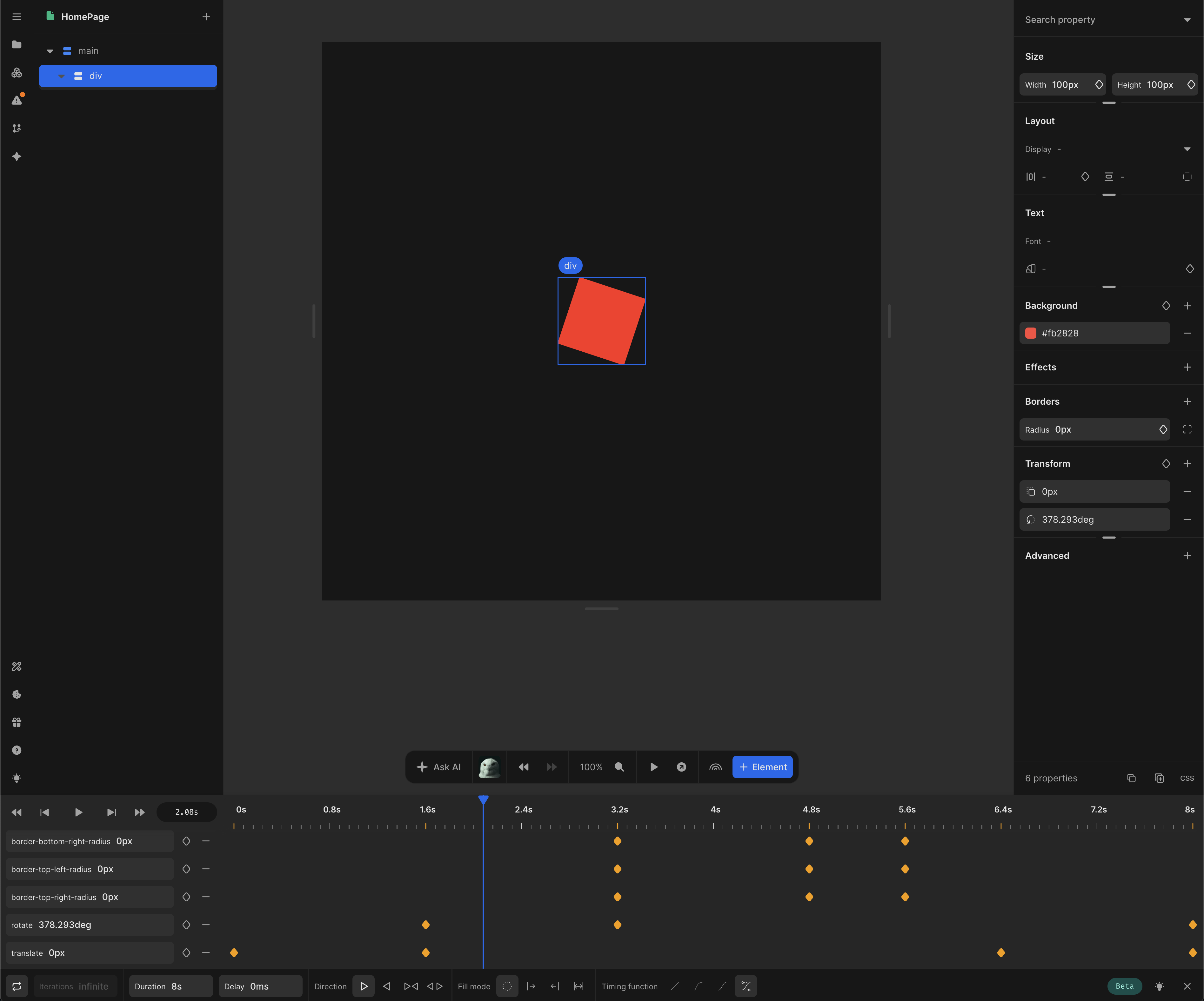 Click here to view the example in Nordcraft
Keeping Up with the CSS Working Group
Historically, cross-browser compatibility was the primary barrier to adopting new CSS features. In recent years, however, this is no longer the case. Despite features like offset-path being supported across all major browsers since 2022, the 2025 State of CSS survey revealed that only 30% of respondents were even aware of its existence.
As the CSS specification continues to expand, remembering the intricacies of each new feature becomes increasingly difficult. We are observing a generally slow adoption rate for many modern CSS features simply because developers struggle to keep pace with the rapid advancements.
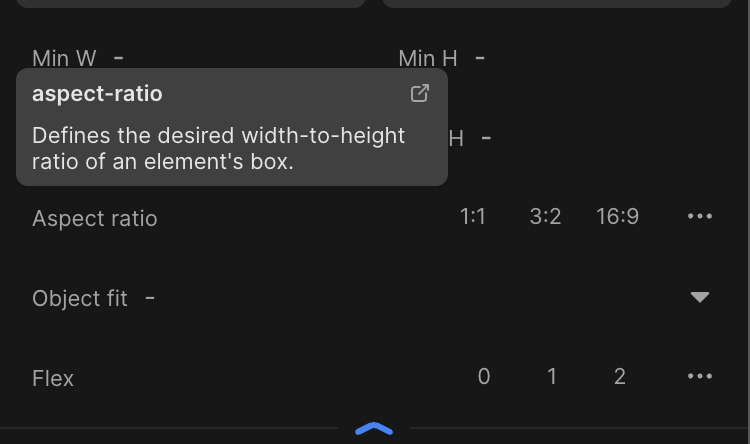
Visual editors and Integrated Development Environments (IDEs) offer an excellent pathway for web developers to discover new features, particularly when coupled with built-in documentation.
Encouraging Play
Visual editors transcend mere ease of use; they are powerful tools for encouraging experimentation.
A common thread among the examples discussed so far is that achieving the desired style often requires iterative adjustments. Crafting the perfect gradient that is both aesthetically pleasing and ensures good text contrast is more art than science, demanding hands-on exploration of color tones and stops.
The same principle applies to animations and transitions. The "weight" and feel of an animation depend heavily on meticulously tuning keyframes, durations, and timing functions—details that are immediately discernible to the viewer.
Visual tools, such as those demonstrated, inherently invite you to interact with various values and instantly observe their effects. I've always believed that playful exploration is the most effective method for mastering any new tool.
More to Come
We are continuously gaining access to more advanced CSS features. The new shape() and path() functions, for instance, are incredibly powerful, yet manually writing complex examples like the one below can be exceedingly tedious.
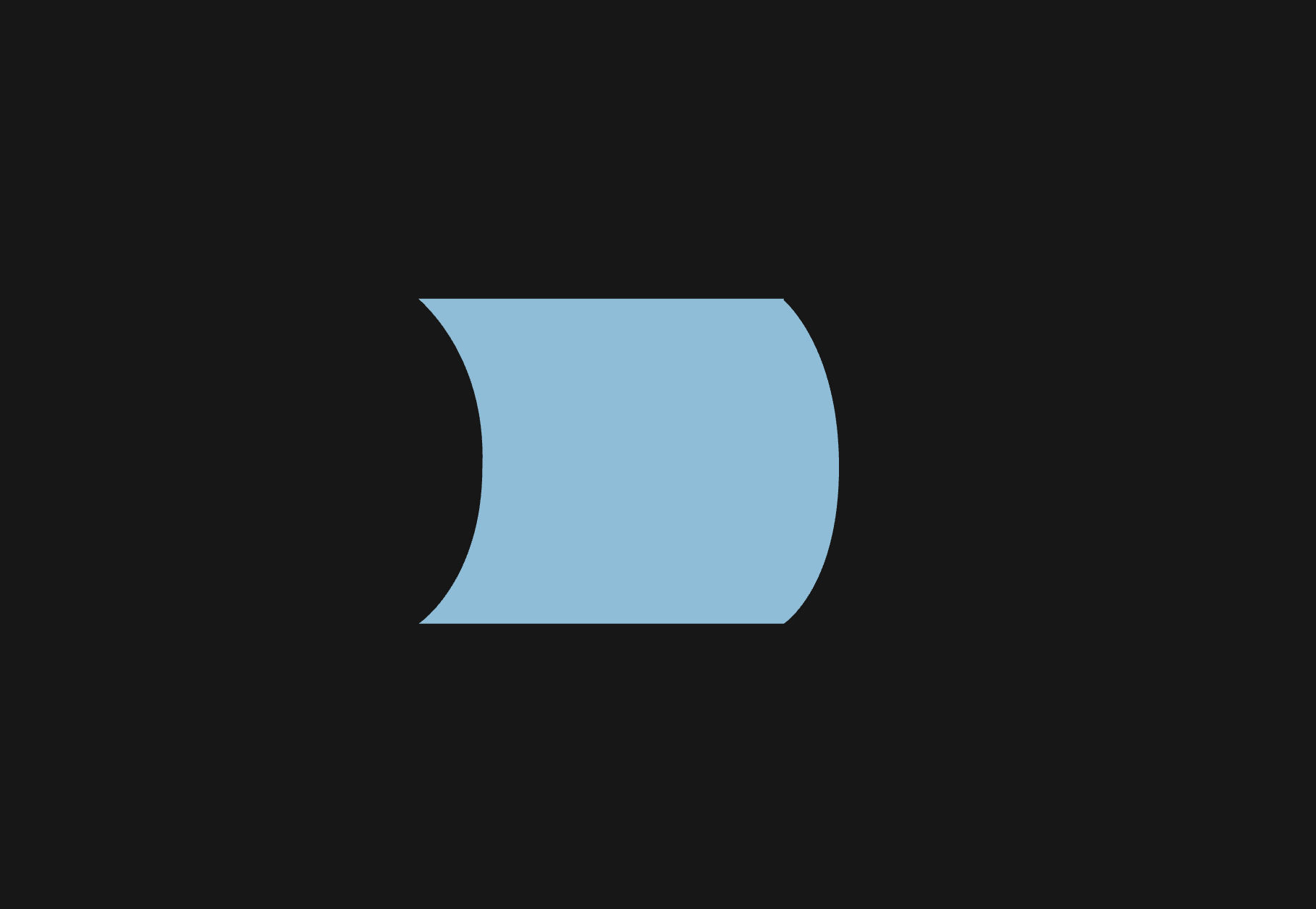
clip-path: shape(from 87% 0.5%, hline to 1%, curve to 16% 52% with 1% 1% / 17% 17%, curve to 1% 100% with 16% 87% / 1% 100%, hline to 87%, curve to 100% 52% with 87% 100% / 100% 89%, curve to 87% 1% with 100% 15% / 87% 1%, close);
Many new and amazing features, including mask-image, offset-path, and conic-gradients, are likely to remain underutilized simply due to the inherent complexity and friction of writing their CSS properties manually.
A New Generation of Tools
The fact that CSS is becoming more powerful and, in many cases, has outgrown the traditional text editor is undoubtedly a positive and celebratory development. Most web developers already rely on visual editors for creating gradients, paths, and timing functions for animations and transitions, but the potential of visual editors extends much further.
Visual editors are opening up an entirely new paradigm for designing with CSS, and we are only just beginning to explore the vast possibilities.
Utilizing visual editors for authoring CSS is not just an efficient way to specify colors, gradients, and animations. They also serve as an excellent mechanism for developers to discover new CSS features. When new capabilities are presented with an intuitive interface, integrating them into your developer toolbox becomes significantly easier.
At Nordcraft, we are thrilled to be at the forefront of this innovative approach to writing CSS, and we have many more exciting developments in progress. We can't wait to share them with you.