Zed: Our Virtual Office for Collaborative Software Development
Discover how Zed Industries utilizes its editor, Zed, as a comprehensive virtual office for collaborative software development, featuring real-time communication and innovative channel-based workflows for distributed teams.
At Zed Industries, our weekly all-hands meetings unfold entirely within Zed, the very editor we build. Teammates collaboratively edit notes, share screens, and engage in real-time discussions, illustrating the editor's core mission:
- Responsive: Keystroke latency is imperceptible.
- Focused: The interface minimizes distractions, keeping the code central.
- Collaborative: Working with teammates feels as seamless as if you were in the same room.
While responsiveness and focus are crucial, it's the collaborative aspect that truly transforms Zed into our virtual office.
Collaboration Built into Zed's DNA
The vision for Zed's collaborative capabilities stems from years of experience, including early days at Pivotal Labs where pair programming with two keyboards on one computer was standard. Our goal was to replicate this fluid collaboration for distributed teams.
While other editors offer collaborative features, they often fall short. Many require tedious setup, including extensions and link-sharing, leading to performance degradation with more users, messy concurrent edits, and frequent reliance on external tools like Slack or Zoom for screen sharing.
Zed was engineered from the ground up for collaboration, not as an add-on. By leveraging Conflict-Free Replicated Data Types (CRDTs) as our core data structure, we ensure all changes merge seamlessly and consistently, preventing conflicts and maintaining low latency whether teammates are next door or across the globe. Performance remains robust even with large groups. Setup is effortless, requiring only a GitHub handle, with no extensions or per-session links needed. Integrated audio and automatic screen sharing eliminate the need to switch to external communication tools, streamlining workflows. This isn't just a feature for us; it's fundamental to how we build Zed, in Zed, together.
A Speed Run of Zed's Collaboration Tools
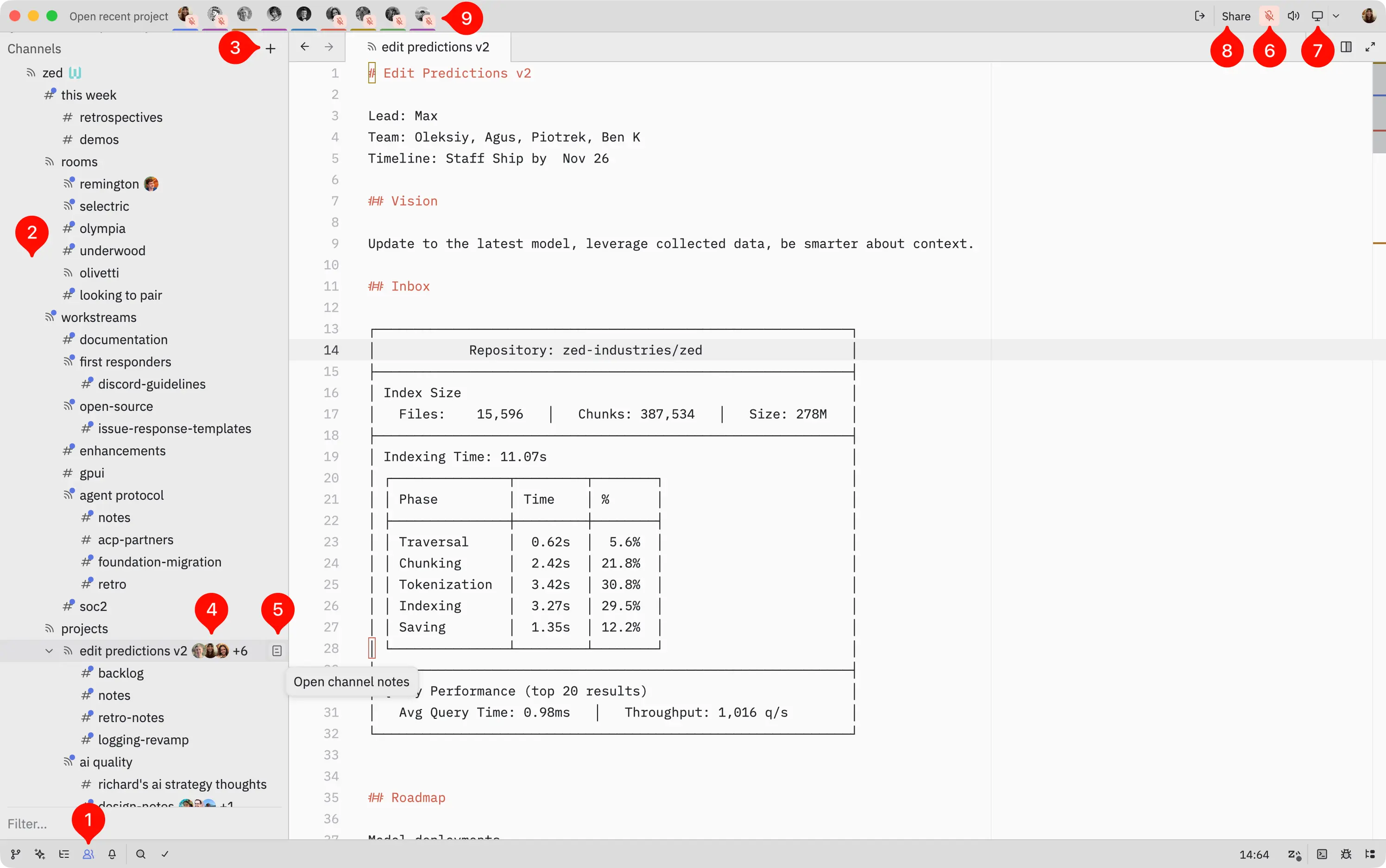
Here’s a quick overview of Zed's collaboration features:
- Collaboration Panel: Accessible via a people icon in the status bar after GitHub authentication.
- Channels: Virtual rooms organized hierarchically.
- Channel Creation: Create top-level channels using the
+button, or nested subchannels by right-clicking an existing channel. - Participant Avatars: GitHub avatars indicate who is in each channel; click a channel name to join.
- Channel Notes: The document icon provides access to channel-specific metadata or notes.
- Voice Control: Mute/unmute your microphone via the icon within a channel.
- Screen Sharing: Offer others the option to view your screen.
- Project Agnostic Channels: Channels are independent of projects. Projects are shared within them using the
Sharebutton in the title bar. Channels can be public or restricted, with roles like Guest, Member, and Admin. - Follow Teammate: Click an avatar in the title bar to follow a teammate. If they are screen sharing, Zed automatically switches between following their cursor in your Zed instance and their shared screen, depending on their focus.
For more detailed information, refer to our documentation and FAQs.
Our Virtual Office
Zed's collaboration panel serves as our virtual office.
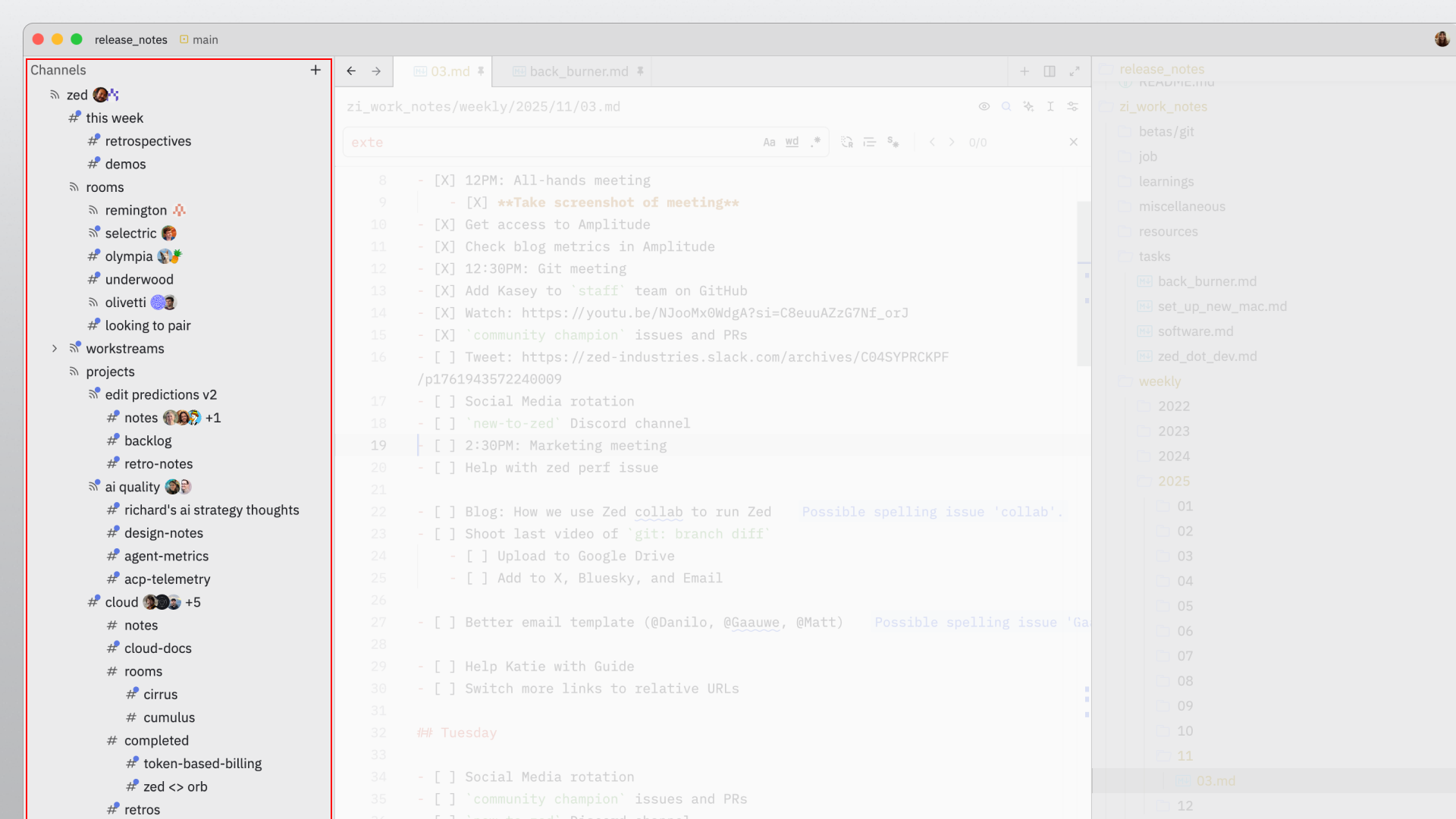
Our channel tree has evolved with the company, now offering a flexible structure for diverse collaborative needs, including company-wide discussions, project work, and individual focus time.
Company-Wide Discussion Spaces
Designated channels facilitate company-wide meetings for check-ins, knowledge sharing, and reflection. Work often happens directly in channel notes.
-
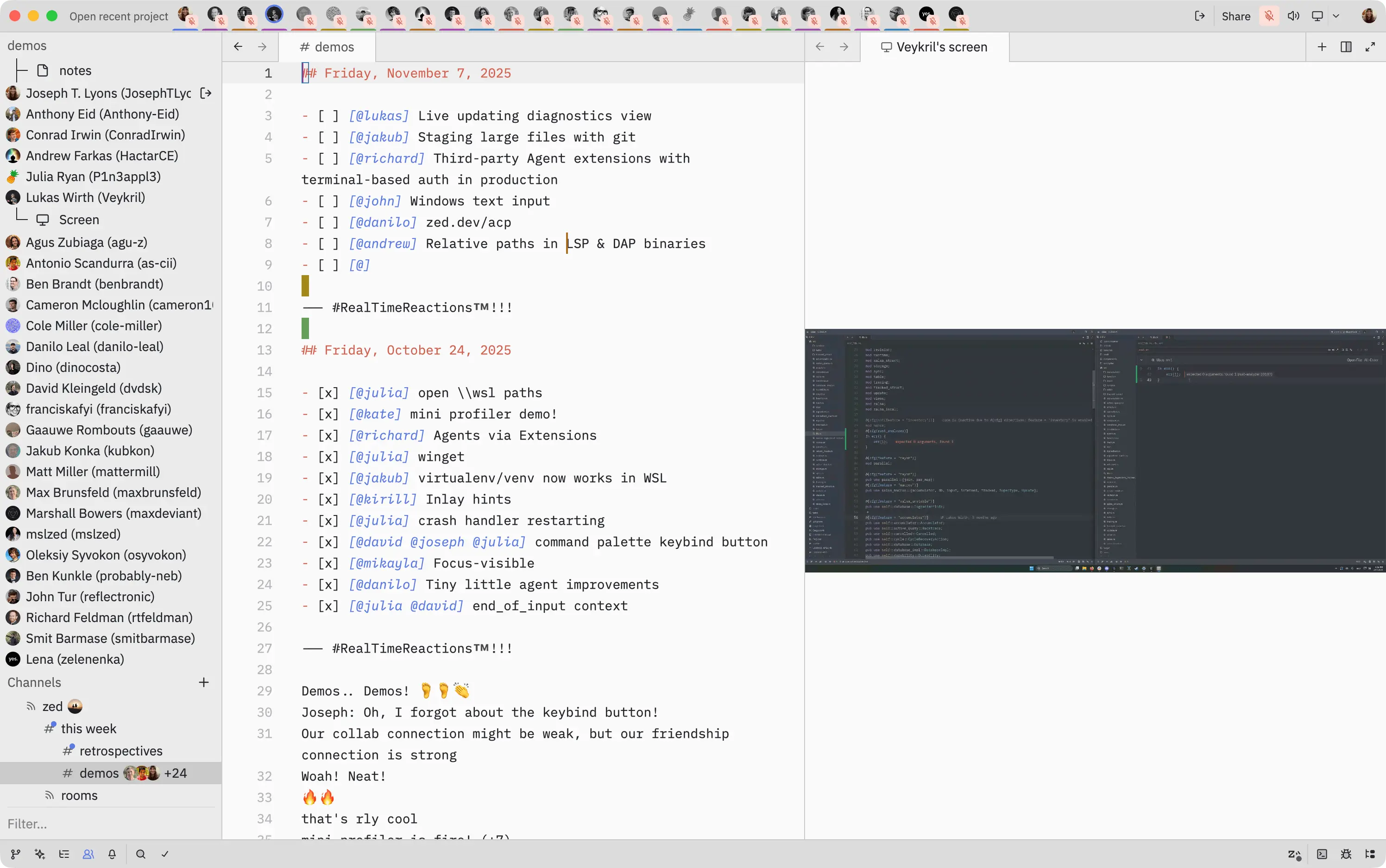
"this week" channel: Every Monday, we use this channel to discuss plans, review metrics, and address pressing issues. For example:
# Monday, November 10, 2025 ## Schedule Deviations ... ## Focus Areas - Max: edit predictions - Katie: Git, student plan, RBAC, blogggsssss - David: Git (Multibuffer perf) - Lukas: Windows / Multibuffer - Ben: ACP + Meetup - Cole: side-by-side diff, git PRs - Ben K: zeta2 - Julia: windows bugs - Anthony: git work 😀 - Smit: community board, issues replies, pr triage - Finn: Community board, extension org CI - Bennet: AI Quality, setting up evals - Conrad : Extension store test; move auto-updated to cloud - Antonio: Meetup + DeltaDB - Mikayla: Multi Agent - Kirill: rainbow brackets; PRs - Lena: github issues visibility, community board - Oleksiy: zeta2 - Dino: community board, issues replies, pairing on runnables and performance - Joseph: Community, building zed in zed blog - Mary: PM hiring, BE ## Biz Corner ... -
"retrospectives" channel: Held every six weeks, this meeting encourages staff to add bullet points under categories like "what went well?" and "what could have gone better?" with upvoting to prioritize discussion topics. An example entry:
# Friday, September 19, 2025 ### What went well - ⭐⭐⭐⭐⭐⭐⭐⭐⭐⭐⭐ We keep launching - ⭐⭐⭐⭐⭐⭐⭐⭐⭐ ACP Launch amazingly positively received - ⭐⭐⭐⭐⭐⭐⭐⭐ Serious traction on DeltaDB - ⭐⭐⭐⭐⭐⭐⭐ Loving the progress on Windows and excited about the launch - ⭐⭐⭐⭐⭐ Investment in Cloud really feels like it's paying off with this billing work - ⭐⭐⭐⭐ Edit prediction progress - ⭐⭐⭐ Better stability in our dependencies (esp tree-sitter, no more segfaults hooray) - ⭐⭐ New team members are doing great - ⭐⭐ Strong strong engagement via PRs (and many merged) - ⭐ Getting Codex ACP integration off the ground has been smoother sailing than Claude Code, thanks to codex-rs being open-source (1000%) ... ### What could have gone better - ⭐⭐⭐⭐⭐⭐⭐⭐⭐ We had multiple regressions that @Kirill spotted in nightly but made it to stable - Auto-update - Throwing away unnamed buffers => action item: ping @first-responders - ⭐⭐⭐⭐⭐⭐⭐⭐⭐ Auto-update breakage (I know a subset already retro'd on this) - We have a test for this now - I think we needed to experience this once in order to realize we needed to add testing here - ⭐⭐⭐⭐⭐ PR backlog is growing again :/ - ⭐⭐ Wish there was a windows laptop I could buy that is good -
"demos" channel: Used every Friday for team members to showcase new features or bug fixes and receive real-time feedback.
Project-Specific Spaces
Channels are structured around specific projects, such as git 1.0, edit predictions v2, delta db, and cloud, where the majority of our collaboration takes place. A project member typically hosts by sharing their Zed codebase instance. Channel notes often include team members, goals, links to GitHub Issues/Discussions, and project progress. For example, a Git 1.0 channel might contain:
## Git 1.0
Team: Cole, Anthony, Cameron, Jakub, David
Related:
- Git 1.0 Board: https://github.com/orgs/zed-industries/projects/48/views/1

## Done 🎉 (celebrate then move to bottom)
...

# Key:
- [D] - Needs design
- [*] - In progress
- [x] - Done
- [-] - Paused

## Phase 1 (diffs):
- [*] [@jakub @david] Make the project diff consistently snappy, eliminate beachballs
- [*] [@david] Make multibuffer 'loading' incremental
- [*] [@david] Add benchmark for `DisplayMap` snapshot on many file multi buffers
...

## Phase 2 (merge conflicts):
- [D] Make our merge conflicts not feel like engineer UI
  - 🎨 conflict region highlighting
  - Highlight diff3 markers: https://github.com/zed-industries/zed/issues/34813.
  - More helpful labels for the two sides of each conflict region
  - Add a three-way conflict resolution UI
...

## Phase 3 (panel / location / traversal):
- [D] Commit Log
  - https://github.com/zed-industries/zed/discussions/26511
- [D] File history UI
  - https://github.com/zed-industries/zed/issues/16827
  - Joseph: Local file history could be supported by DeltaDB
  - Make past commit diff more interactive (editor::OpenExcerpts, file history integration)
- [D] Separate staged/unstaged diffs (feature): https://github.com/zed-industries/zed/issues/26560.
...
Subchannels often organize meeting spaces for individual project components.
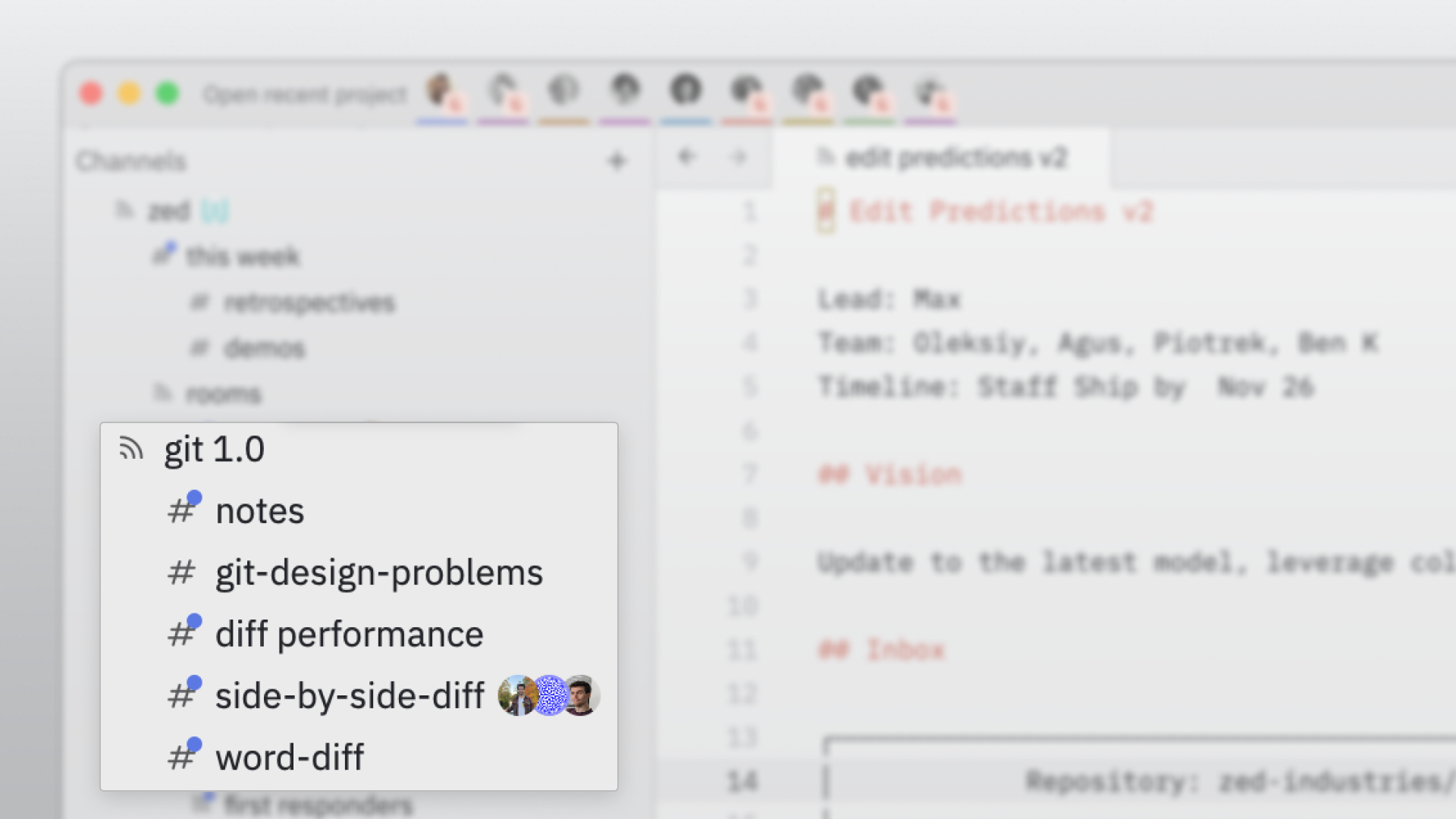
Beyond development, channels support non-technical work like marketing, community engagement, and metrics. We also have generalized meeting rooms for ad-hoc discussions that don't fit into dedicated spaces, often named after historical typing machines.
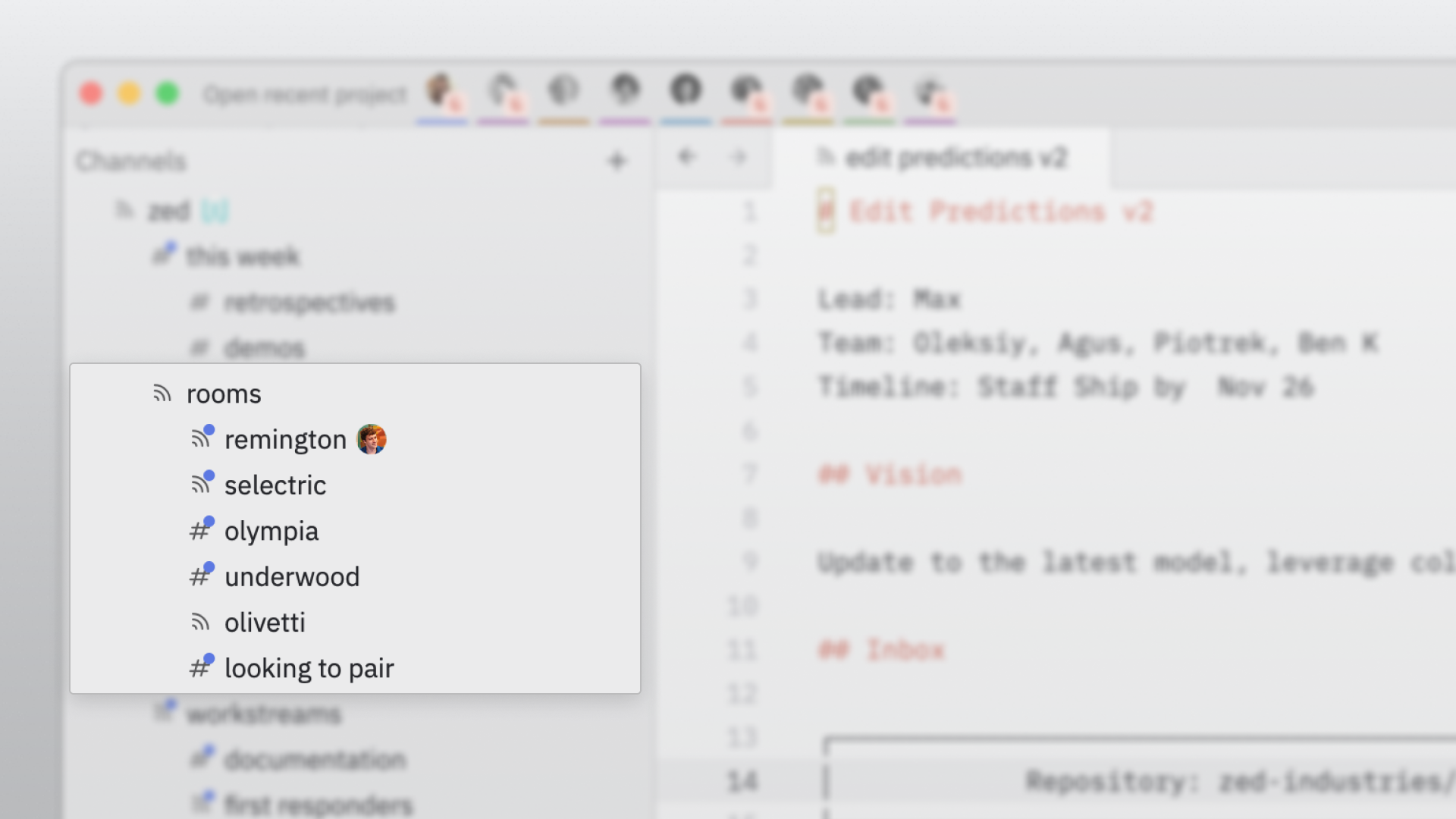
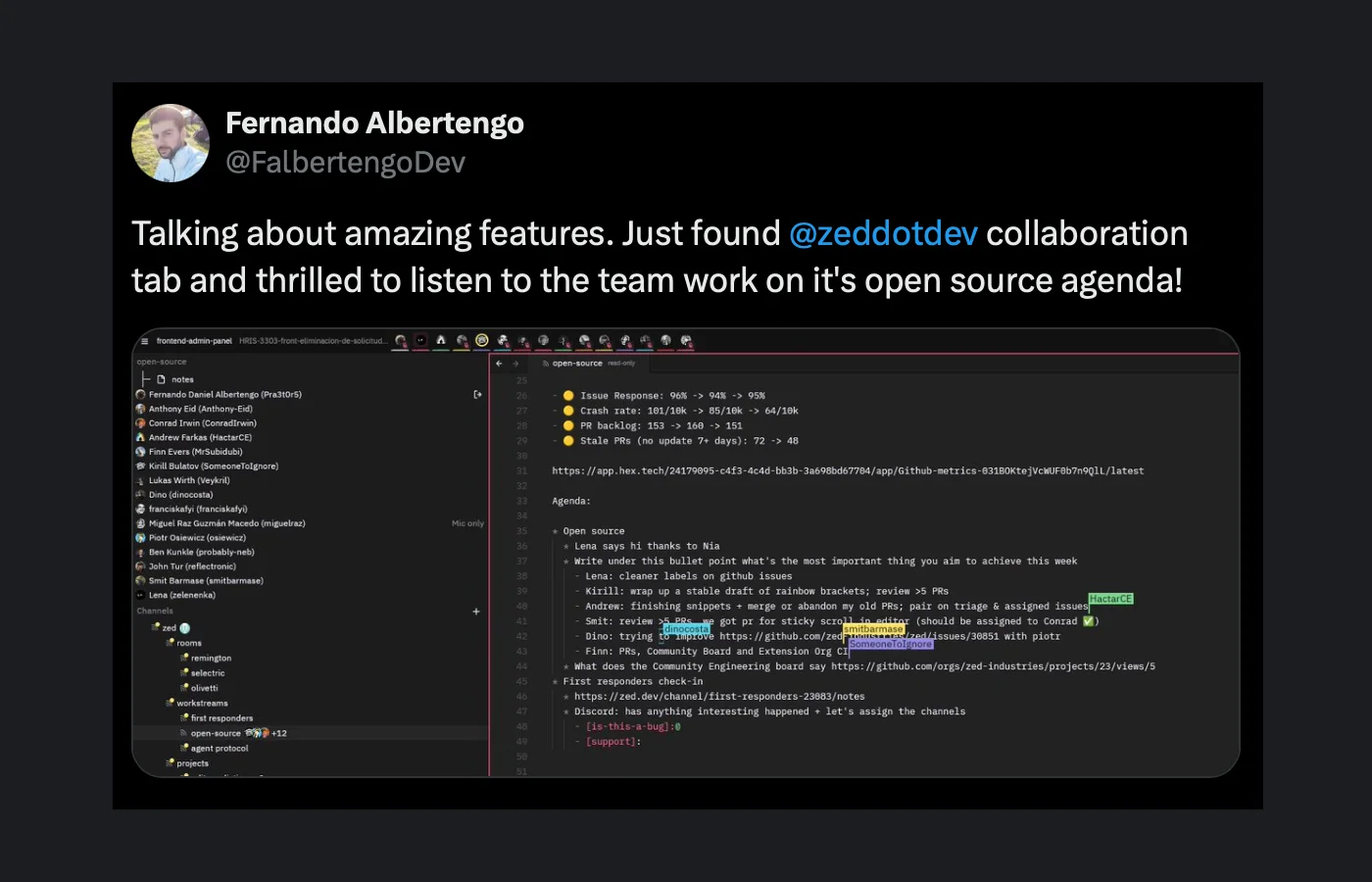
Many of our project channels are public, allowing external users like @FalbertengoDev to join our channel tree, read notes, and observe how Zed is built.
Personal Focus Spaces
Within our channel tree, the "people" channel hosts individual subchannels, serving as personal workspaces or "virtual cubicles." A teammate in their personal channel signals a need for focused work but welcomes drop-ins if needed. This allows for individual productivity while maintaining an open, collaborative environment. For instance, this very blog post was initially outlined in a personal "blog" subchannel.
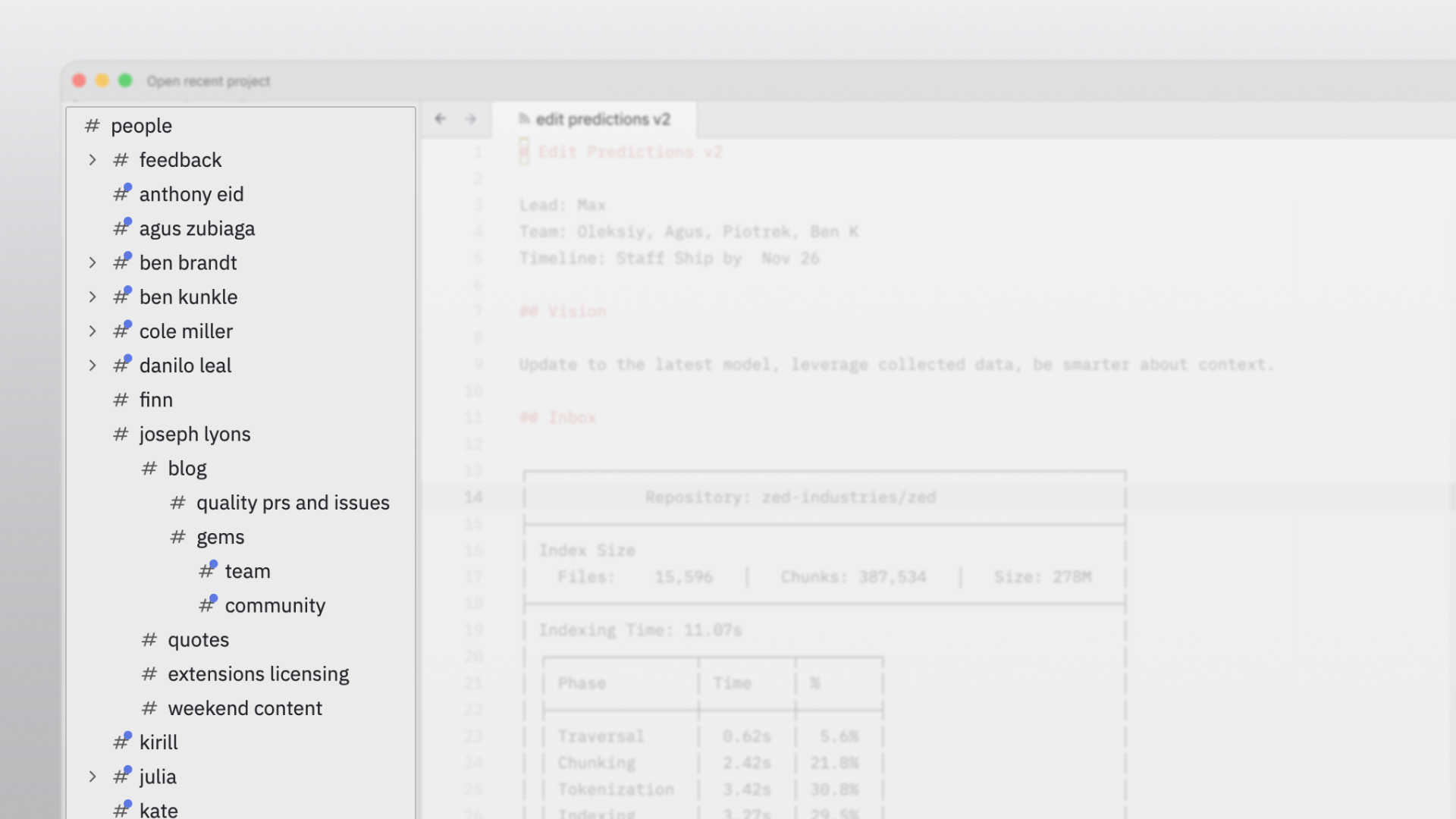
These personal channels are not always occupied, as the team often prefers direct collaboration. Our virtual office, with its designated spaces for meetings, project work, and individual focus, mirrors a physical office environment, providing a flexible structure that can be adapted to any team's needs.
Where We Are Heading
While Zed's collaboration features enable Zed Industries to operate entirely within Zed, this is just the beginning of our vision for team collaboration. We are building towards a future where collaboration is a continuous conversation, not just discrete commits. Every discussion, edit, and insight will remain linked to the code as it evolves, accessible to both teammates and future AI agents.
Our journey has included temporary shifts in focus to address highly requested features such as agent-powered tooling, debugging, Windows support, and improved Git integration. However, our primary goals for Zed remain steadfast. As we achieve parity with other editors on essential features, we are increasingly able to refocus on what excites us most: creating the ultimate multiplayer software development tool. Collaboration, currently in alpha, is free for all to use. You can also peruse the source code.